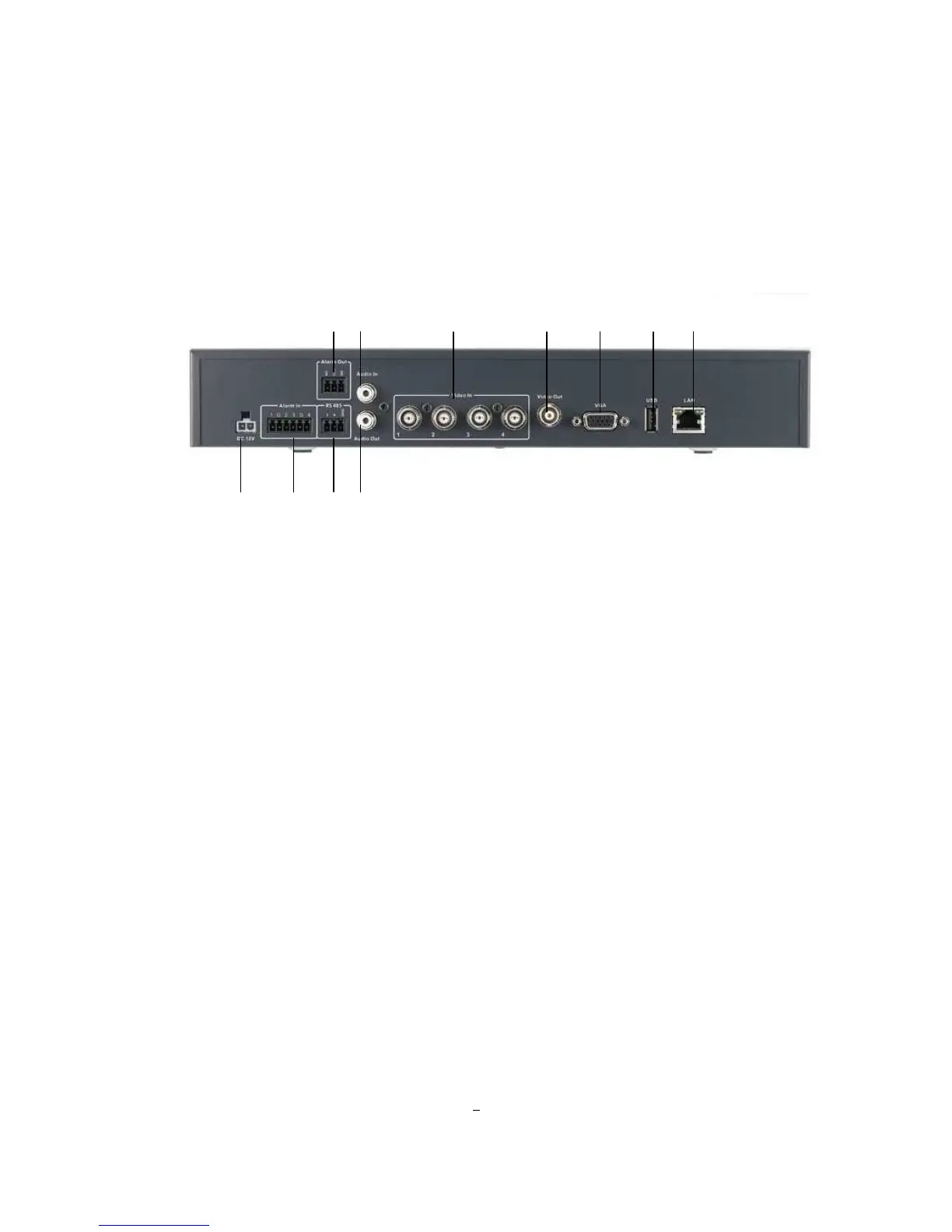
1.5 REAR PANEL
During initial setup you will be connecting your DVR to multiple input and output devices. This is done
through the rear panel.
Figure 1-2 Rear Panel
○
○○
○
1
POWER: Plug the DC 12V power source into the power socket.
○
○○
○
2
Alarm In: Connect up to 4 alarm inputs, selectable between dry contact or TTL/CMOS signal
polarity.
○
○○
○
3
Alarm Out: N.C or N.O type alarm signal out.
○
○○
○
4
RS485 socket: For remote control via RS-485 keyboards and telemetry control
○
○○
○
5
Audio In: Connect a microphone or camera audio output to the audio input connection
.
○
○○
○6 Audio Out: Connect a speaker or other audio listening devices to the audio output connection on
the back of the digital video recorder.
○
○○
○7 Video In: Connect camera’s video output or other composite video source to the video input
connection.
○
○○
○
8
Video Out: Connect a CCTV monitor to the video output connection.
○
○○
○
9
VGA: Connect a VGA monitor to the VGA output connection.
○
○○
○
10
USB 2.0: USB port allows you to archive video files to USB flash memory device or to connect
the mouse.
○
1











 To Next Page