04-2017 5325 00 17
CONNECTIVITY SWITCH
disables the appliance’s connectivity com-
ponents.
When the door is open, the functional
groups and/or remote control function is/
are disabled.
All operations which require the
machine to be switched on, the con-
nectivity functions active and the door
open, must EXCLUSIVELY be performed
this condition entails.
To activate the connectivity components
(e.g. for the network connection test) with
the door open, simply pull the pin on the
connectivity switch.
When the switch is activated and deactivat-
ed at close range, the appliance disables
the connectivity components; to reactivate
them, the appliance will need to be restart-
ed.
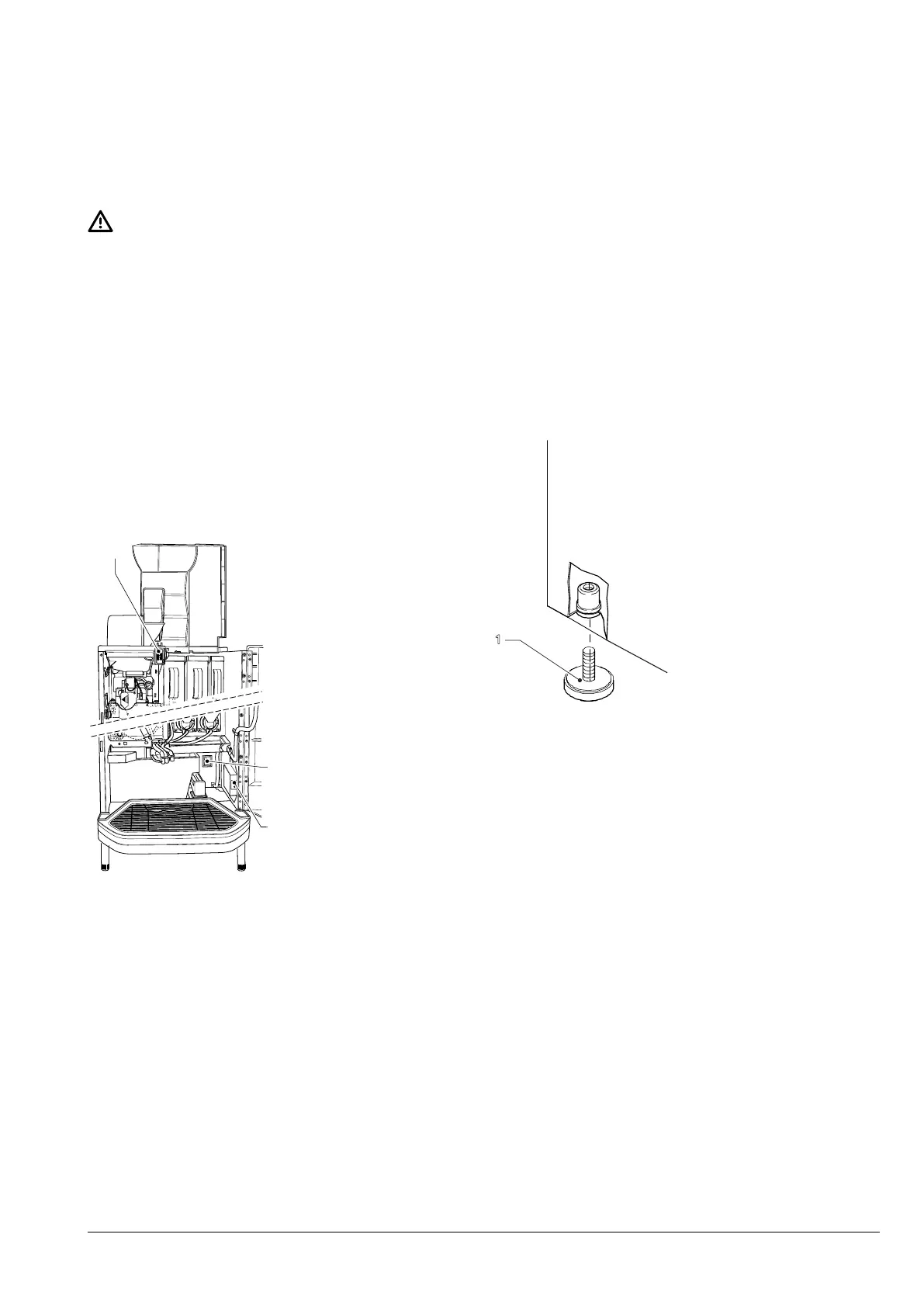
1
3
2
Fig. 13
1. Door switch
2. Main switch
3. Connectivity switch
UNPACKING THE APPLIANCE
After removing the packaging, check the
condition of the appliance.
If any doubts should arise, do not use the
appliance.
they are a potential source of danger.
The packaging materials need to be dis-
posed of in authorised waste disposal cen-
tres. Recyclable materials should be given
to specialised recycling companies.
Important!
The appliance must be positioned on a lev-
elled surface, so that the maximum inclina-
tion does not exceed 2°.
Fig. 14
1. Adjustable feet



 To Next Page