28 04-2017 5325 00
OPERATION IN NORMAL USER
STATUS
The layout and arrangement of the icons/
screens in this manual is indicative only
and may vary from those displayed on the
appliance, depending on the settings (lay-
outs, themes, and/or icons).
When operating normally, the appliance
displays the screen with the available se-
lections.
In the event that an anomaly is detected by
the control electronics, a message will be
displayed, indicating the type of fault / error.
Some selections may be disabled when
certain types of faults occur (e.g. product
containers empty, etc.).
With some of the personalised settings (i.e.
some selections may not be displayed: sim-
ply scroll through the screen.
DispENsiNg a bEvEragE
Select a beverage.
The screen with the beverage customisa-
tions can be displayed.
Whilst the beverage is being prepared, the
preparation status is shown; alternatively,
entertainment content can be shown in-
stead (e.g. a video).
It is possible to stop a beverage's prepara-
tion if it has been enabled from the menu
(stop dispensing).
APPLIANCE STATUS
The appliance status can be displayed (e.g.
faults, etc.) via the status panel.
The status panel:
-Displays fault/ error notifications;
-Displays the nutritional information of the
selections;
-Allows the language of the displayed mes-
sages to be changed;
-Displays the filling level of the containers;
-Displays the available wash functions;
-Provides access to the programming
menu.
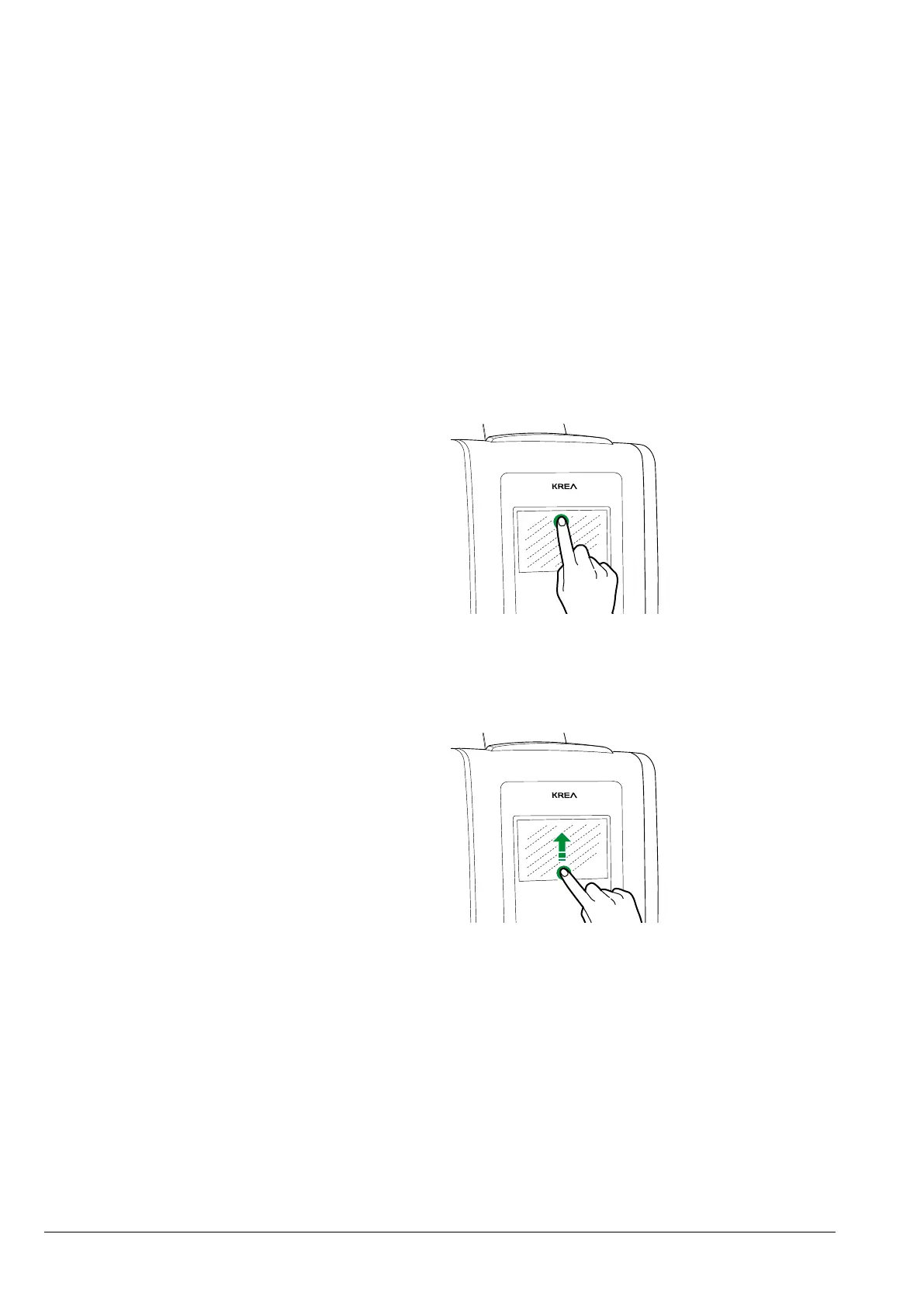
viEwiNg tHE status paNEl
Tap the top of the touchscreen.
Fig. 23
closiNg tHE status paNEl
Drag the bottom of the status panel up-
wards.
Fig. 24



 To Next Page