04-2017 5325 00 31
iNformatioN arEa
Displays information regarding the appli-
ance (software version, etc.).
mEssagE arEa
Displays messages of an informative na-
ture, e.g. statistics on the most requested
selections, etc.
fault arEa
Displays the faults found on the appliance.
maiNtENaNcE iNformatioN arEa
Displays information regarding the mainte-
nance deadlines.
maintEnancE notification sets the current
date/ time as the last date of maintenance.
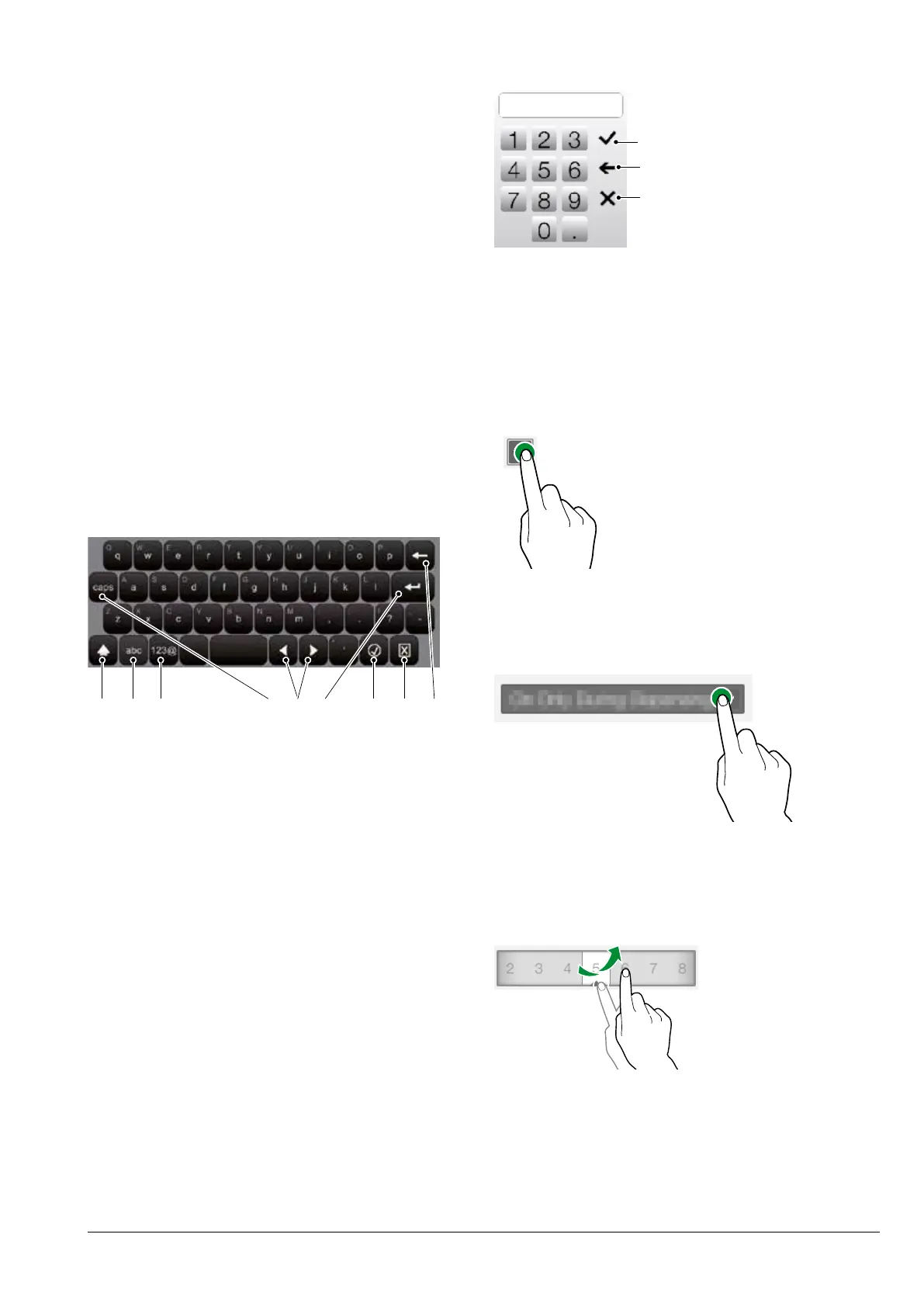
ENTERING VALUES
The values in the programming menu can
kEyboarD
Fig. 26
1. Uppercase (shift)
2. Key to switch the “number/ symbol” keyboard to
the “letter” keyboard
3. Key to switch the “letter” keyboard to the
“number/ symbol” keyboard
4. Caps Lock
5. Shifts the cursor in the text
6. New line (text over two lines)
7. Confirm
8. Cancel
9. Clear (back space)
kEypaD
Fig. 27
1. Confirm
2. Clear (back space)
3. Cancels the entered values and closes the
keyboard
cHEckbox
Tap the checkbox to enable/disable the op-
tion.
Fig. 28
Drop-DowN lists
Tap to open the drop-down list and select
the value.
Fig. 29
valuE pickErs
Scroll and select the desired value.
Fig. 30



 To Next Page