04-2017 5325 00 49
timE framEs
Allows the time frames of the energy saving
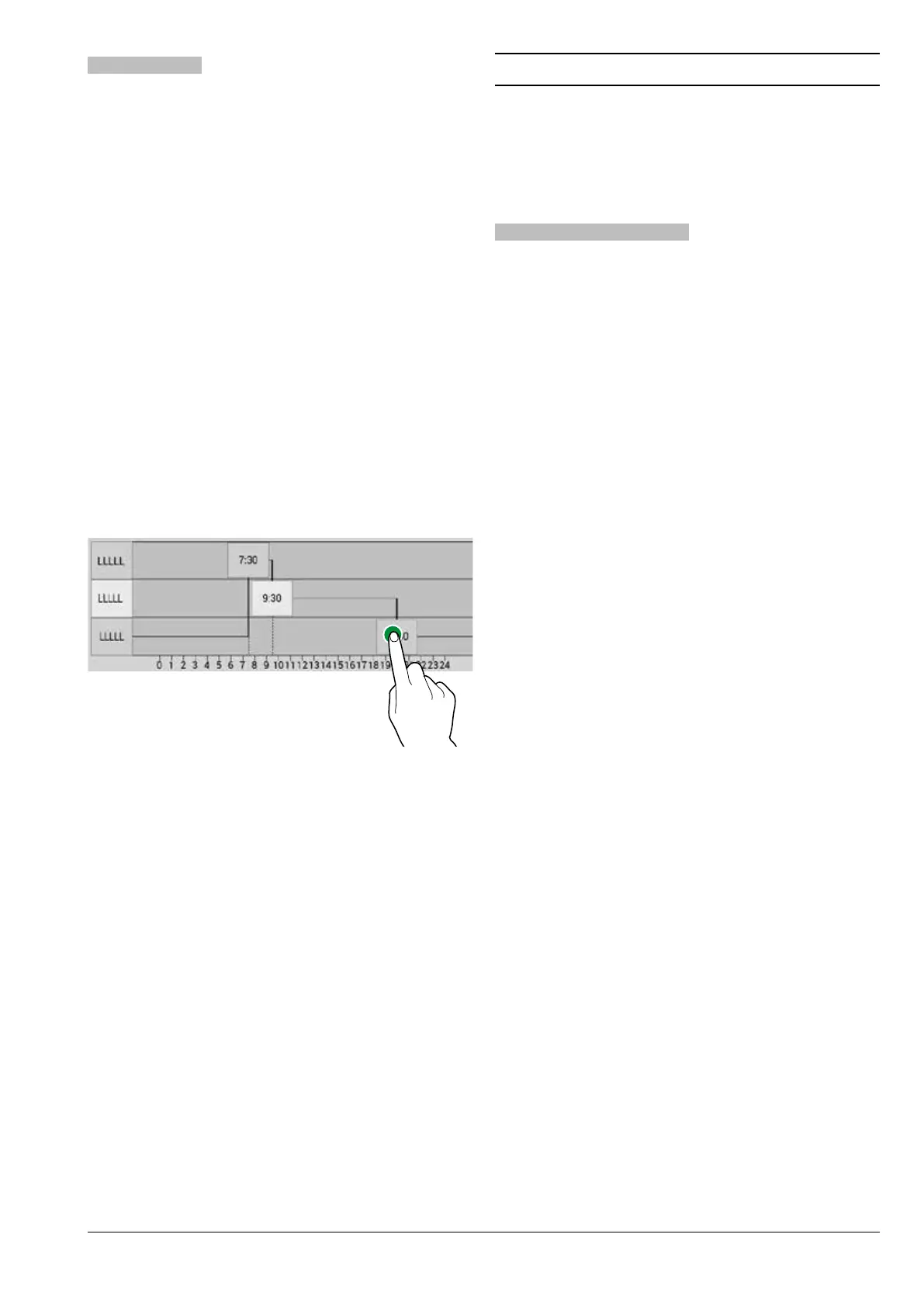
-Tap the day when to set the time frames.
-Tap the “+ Add” button then the line of the
profile to position a rectangle indicating
the time.
-Drag the rectangle to precisely define the
time.
To eliminate a rectangle, tap the “- Remove”
button, then tap the rectangle to be elimi-
nated.
Settings made for the entire week or a sin-
gle day can be copied.
-Copy the time frames that have been set
for a single day of the week; tap the day to
set the energy saving mode to and then
tap “paste daily profile”.
-Copy the time frames that have been set
for all days of the week; tap “paste daily
profile to all days”.
Fig. 35
PAYMENT SYSTEMS
It is possible to decide which of the pay-
ment system protocols to enable and which
functions to manage.
Some of the parameters, which are used in
numerous payment systems, keep the set
value even if the system type is changed.
commoN paramEtErs
immEDiatE cHaNgE
Usually the amount related to a selection
is cashed in after the appliance sends the
“Selection made” signal.
By enabling this function, which is disabled
by default, the payment signal is sent when
the beverage starts being dispensed.
DEcimal poiNt positioN
Set the decimal point position, i.e.:
0: decimal point is disabled
1: one decimal place (XXX.X)
2: two decimal places (XX.XX)
3: three decimal places (X.XXX)
typE of DispENsiNg
This allows you to set the operating mode
for multiple or single dispenses. With multi-
ple dispensing, the change is not automati-
-
ished being dispensed; it remains available
for further dispenses. When the return coins
button is pressed, the remaining credit will
be returned if its value is less than the maxi-
mum change value.
obligatioN to buy
This enables/ disables the return coins but-
ton before a product is dispensed.
-ON: the change is returned after a product
has been selected.
-OFF: the change is returned immediately
when the coins return key is pressed (the
appliance works as a change machine).



 To Next Page