62 04-2017 5325 00
CONNECTIVITY SWITCH
disables the appliance’s connectivity com-
ponents.
When the door is open, the remote-con-
trolled functional groups and/or remote
control function is/are disabled.
All operations which require the
machine to be switched on, the con-
nectivity functions active and the door
open, must EXCLUSIVELY be performed
this condition entails.
To activate the connectivity components
(e.g. communication test) with the door
open, simply pull the pin on the connectivity
switch.
When the switch is activated and deactivat-
ed at close range, the appliance disables
the connectivity components; to reactivate
them, the appliance will need to be restart-
ed.
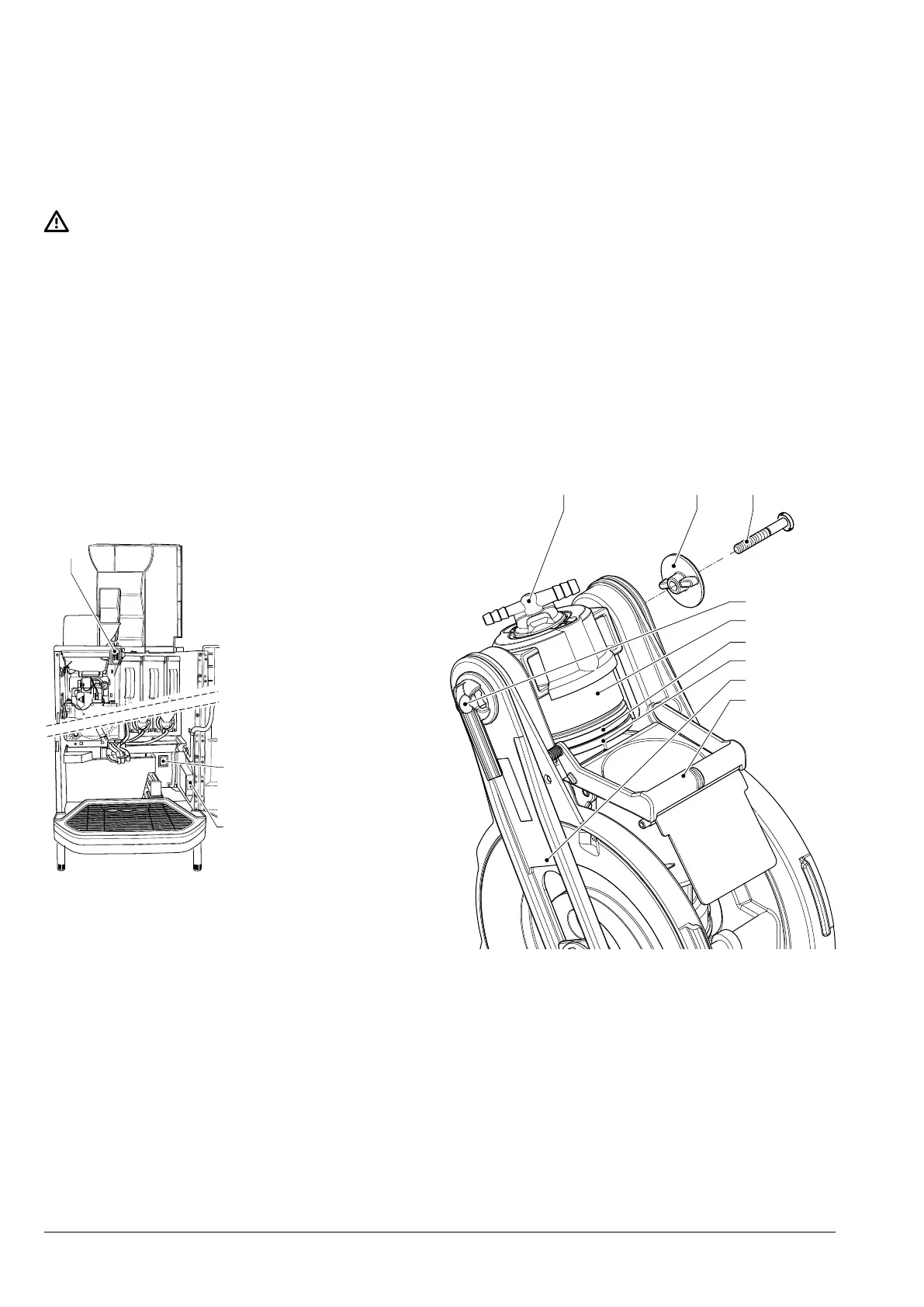
1
3
2
Fig. 37
1. Door switch
2. Main switch
3. Connectivity switch
MAINTAINING THE BREWING
UNIT
After 10 000 dispensed items or every 6
months, the brewing unit requires a small
amount of maintenance work in order to
optimise how it works over time.
To perform the maintenance work, the
brewing unit needs to be removed:
1. Disconnect the espresso coffee outlet
nozzle from the unit by rotating it 90°
away from the connecting rod and pulling
it outwards.
2. Disconnect the fresh brew coffee outlet
nozzle from the unit by rotating it 90° and
pulling it out.
3. Turn the unit end stop lever, rotating it un-
til it is in a horizontal position.
4. Remove the brewing unit.
.
4
5
6
7
8
9
Fig. 38
1. Fresh Brew nozzle
2. Key
3. Lateral screw
4. Espresso nozzle
5. Upper piston
6. Upper piston seal
7. Upper filter
8. Connecting rod
9. Lower scraper



 To Next Page