METALJET D2+ INSTALLATION
Revision 19, November 2016 Page 4-21
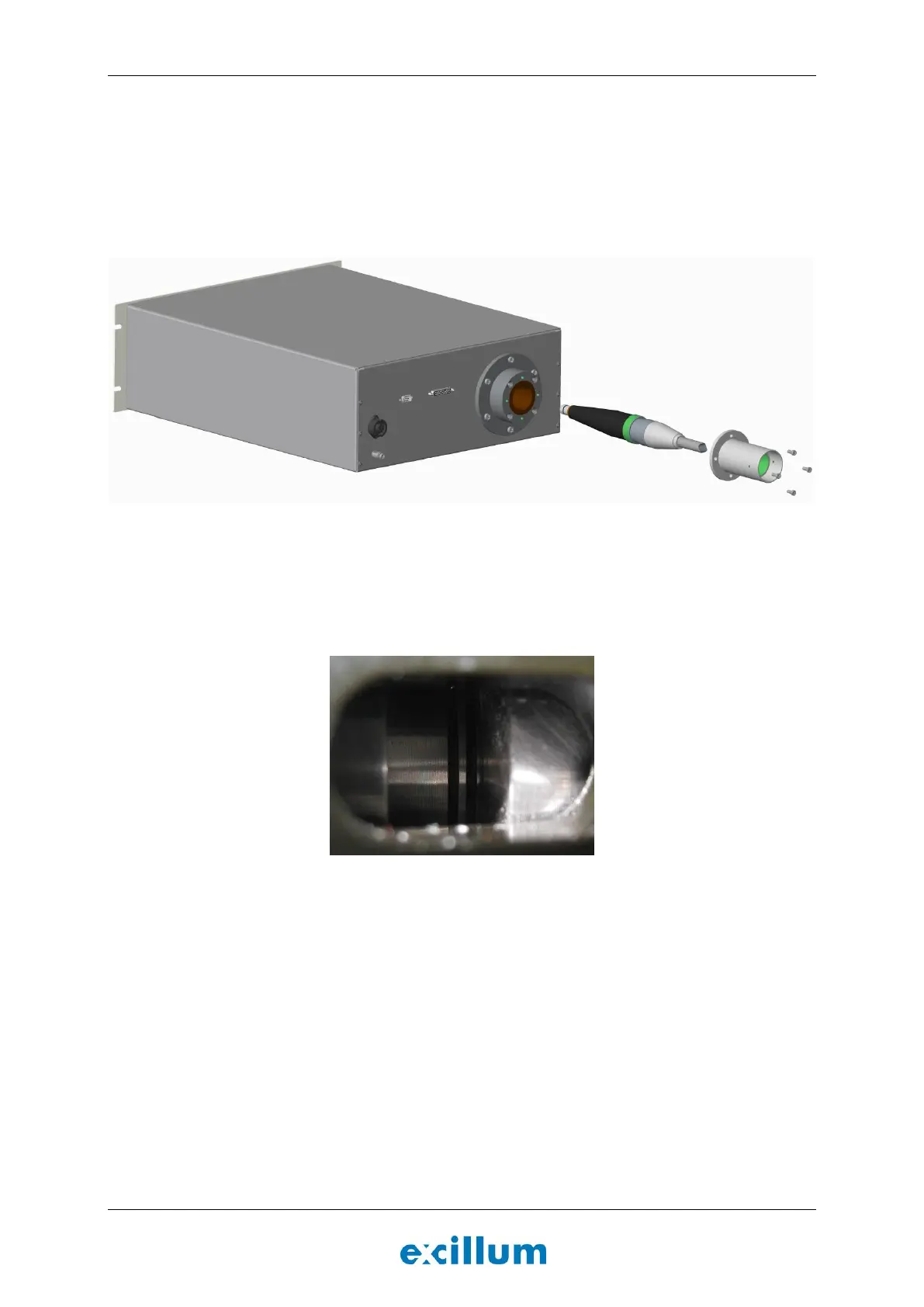
4. Remove transportation cover and connect the high-voltage cable to the x-ray high-voltage controller
(Figure 4-25).
a. Insert the high-voltage contact into the receptacle socket in the back of the high-voltage
generator.
b. Tighten the four screws to holding the connector flange in position and check for correct HV
cable compression by visual inspection on the side of the cable assembly.
Figure 4-25. Connect the ribbed contact of the high voltage cable to the rear of the x-ray high-voltage
controller unit.
c. The two first rings should be visible but not the third one, see Figure 4-26 below. Adjust if
necessary by removing the four screws and rotating the cable flange.
Figure 4-26. Two rings should be visible when the cable compression is correctly adjusted.


 To Next Page