Preparing for Automation
216 FTB-500
Configuring DCOM Access to Your Unit
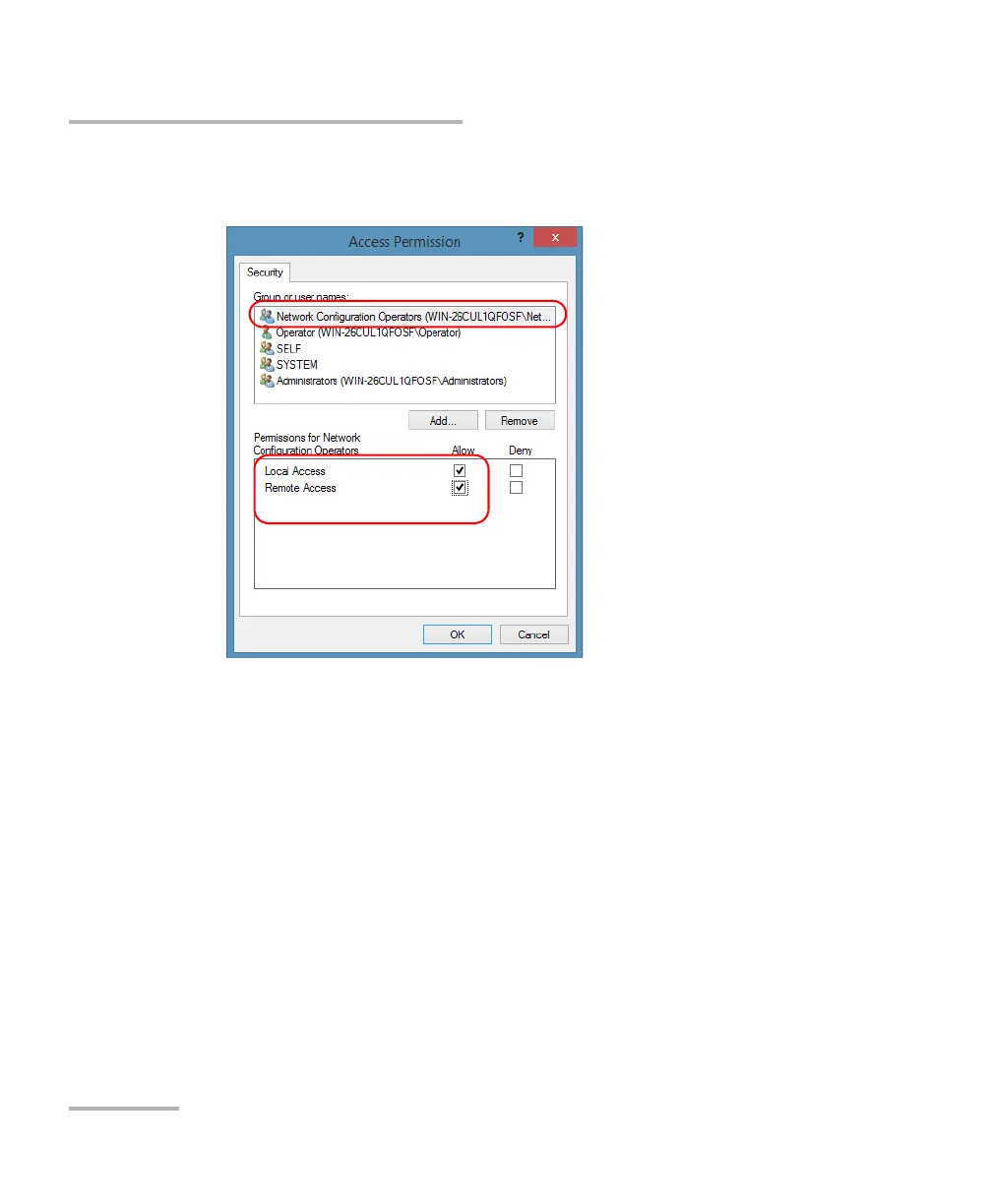
20. To allow this user to access the unit remotely, select Allow for both
permission choices.
Note: You can also deny connection permission for specific users.
21. Repeat steps 19 and 20 for each newly added user.
22. Tap OK to close the Access Permission dialog box.
23. Tap OK to close the EXFO KernosHost Properties dialog box.
24. Restart your unit.
The EXFO IcSCPIAccess Class component, located on your unit, can
now be accessed with DCOM.



 To Next Page