NetBlazer 27
5 Graphical User Interface
Overview
This chapter describes the FTB-700G/800 Series graphical user interface.
Main Application Window
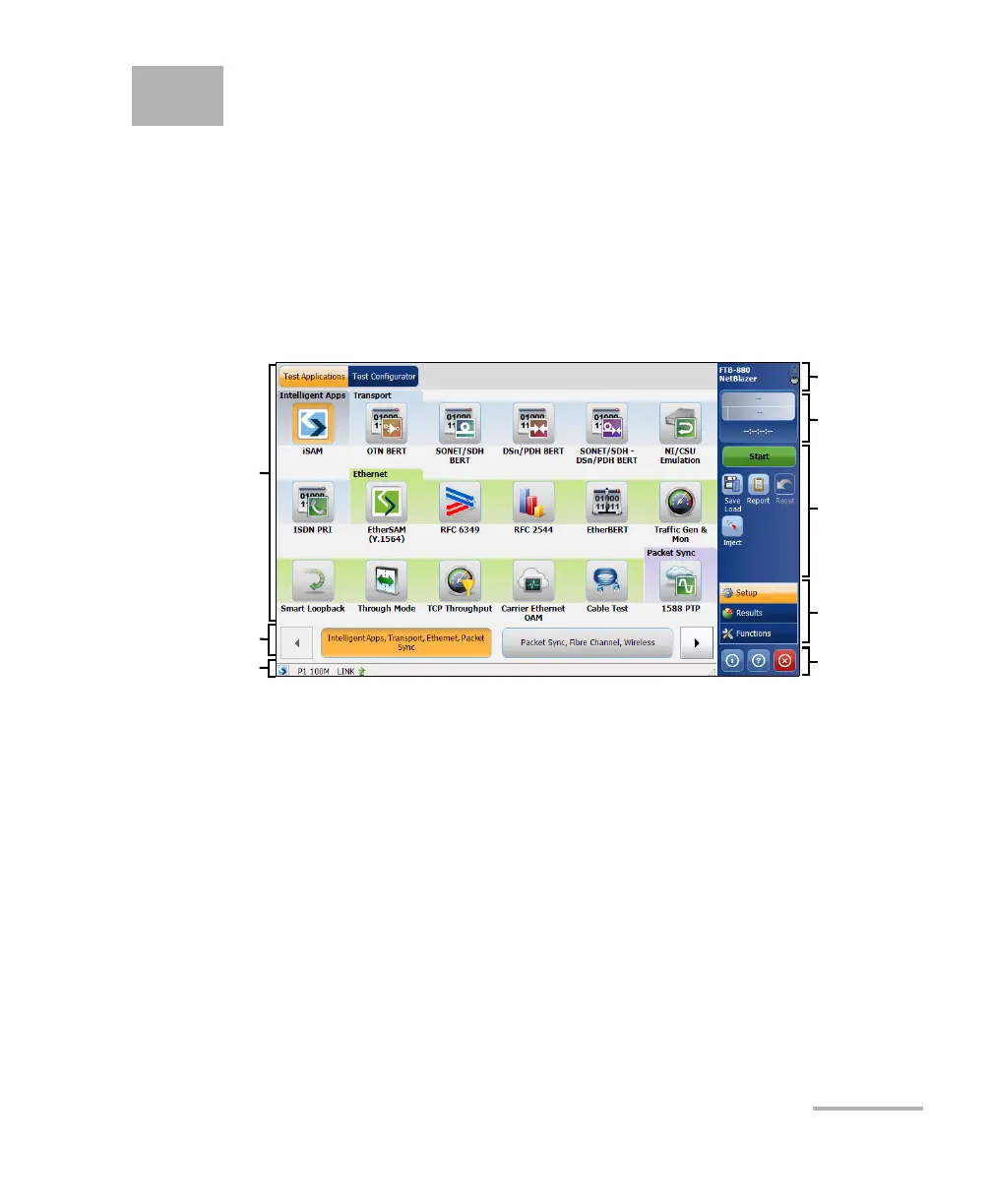
The following main application window is displayed when the NetBlazer
application is started.
Main Window
The main window allows to setup a test and to view the test status and
results.
Navigation Buttons
Navigation buttons appear when there is not enough room on one page to
display all available test applications. The left and right arrow buttons allow
to respectively access the previous or next window. The buttons in
between the left and right arrow buttons allow to directly select the
window for the type of test application listed.
Main
Window
Title Bar
Tes t
Control
Tes t M e nu
Application
Buttons
Status Bar
Global
Indicator
Navigation
Buttons












 To Next Page