Operation
Charging the Lithium-Ion Batteries
CAUTION
Attempting to charge the batteries with a charger
not pr o vided by Exmar k can r esult in ex cessi v e
heat and other r elated pr oduct malfunctions,
which can lead to pr oper ty dama ge and/or
injur y .
Use the Exmar k-pr o vided charger s to charge
the batteries.
R ecommended temperatur e range f or charging:
0° to 45°C (32° to 113°F)
Important: Charge the batteries onl y in
temperatur es that ar e within the r ecommended
range.
Note: T he c harg er will not function in temperatures
ex ceeding the minim um or maxim um temperatures .
1. P ark the mac hine in the designated location for
c harging .
2. Shut off the mac hine and remo v e the k ey .
Note: T he batter y-disconnect m ust remain in
the On position to c harg e the batteries .
3. Ensure that the connectors are free of dust and
debris .
4. Place the batter y disconnect switc h in the On
position.
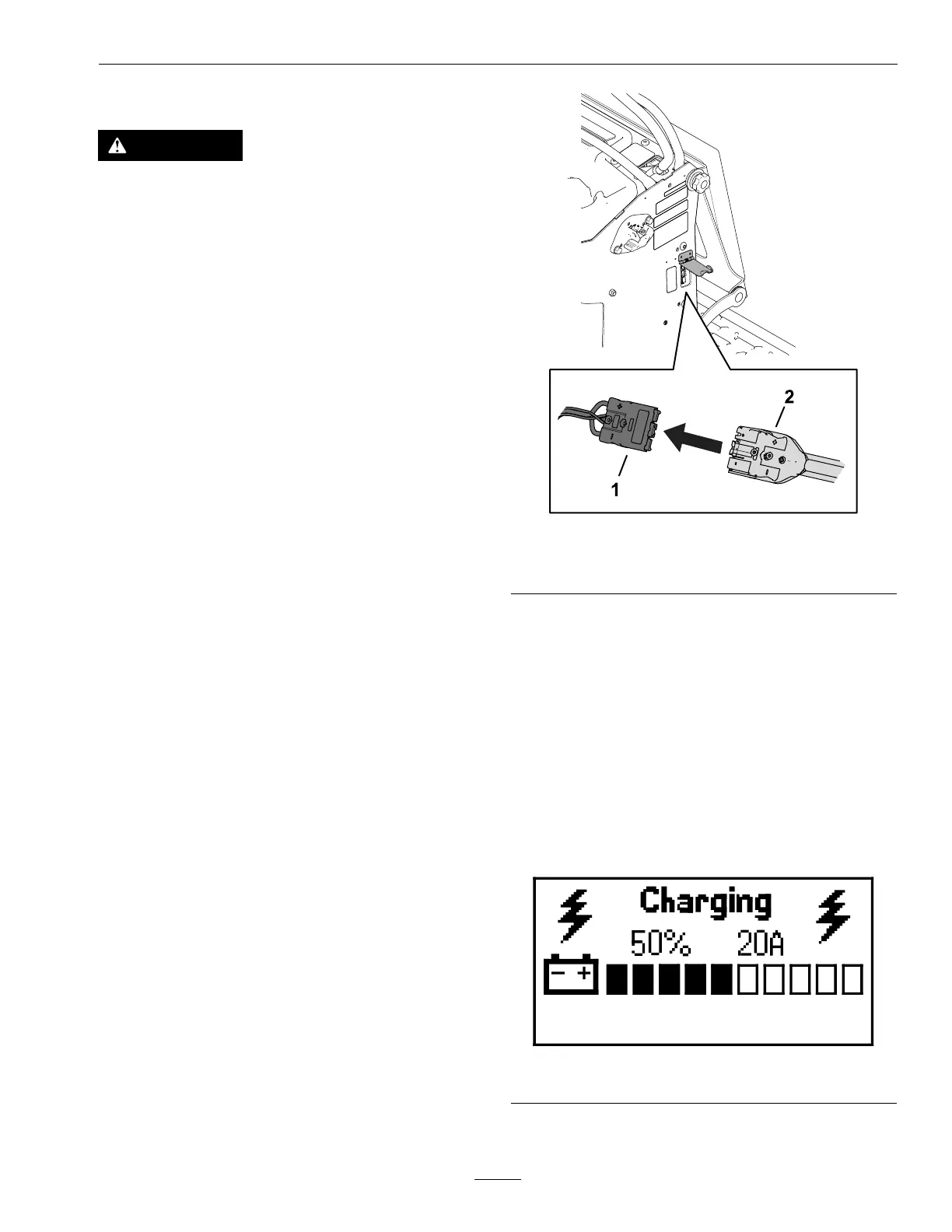
5. Slide the c harg er -output connector into the
c harg er connector on the mac hine .
g355480
Figure 41
1. Machine connector
2. Charger connector
6. Connect the c harg er po w er cord to a po w er
source .
7. Ensure that the messag e displa y screen sho ws that
the batteries are c harging .
Note: T he messag e displa y sho ws the batter y
c harg e percentag e and amperag e .
Batteries with a lo w er v oltag e c harg e rst; once
they reac h the v oltag e of the other batteries , all
batteries c harg e sim ultaneously
W hen c harging is complete , the mac hine messag e
displa y sho ws 10 solid bars
g356360
Figure 42
33

 To Next Page
 Loading...