Room Scheduling System • Room Agent Installation and Configuration 38
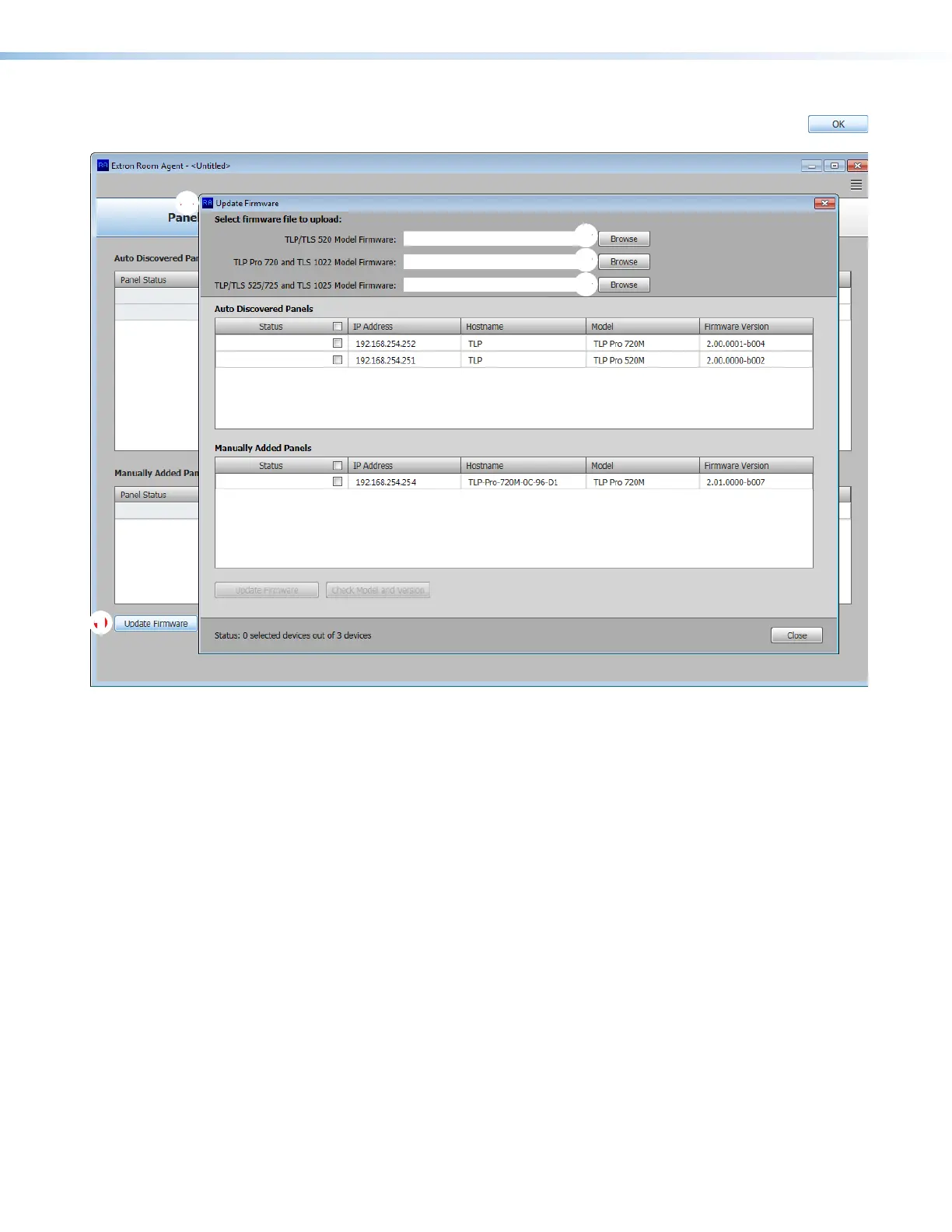
4. Click OK. The Device Management window closes and the Panel
Configuration window is displayed (see figure 32).
11111111111111
2222222222
2222
3333333333
3333
3333333333
3333
3333333333
3333
Figure 32. Firmware Update
5. Click the Update Firmware button (
1
). The Update Firmware window opens (
2
).
6. Click the Browse button for the desired model (
3
):
• TLP/TLS 520 Model Firmware
• TLP Pro 720 and TLS 1022 Model Firmware
• TLP/TLS 525/725 and TLS 1025 Model Firmware
The Open Firmware File dialog box opens in the appropriate folder for the firmware
(see figure 33 on the next page).



 To Next Page