Room Scheduling System • Room Agent Installation and Configuration 39
1111111111
1111
2222222222
2222
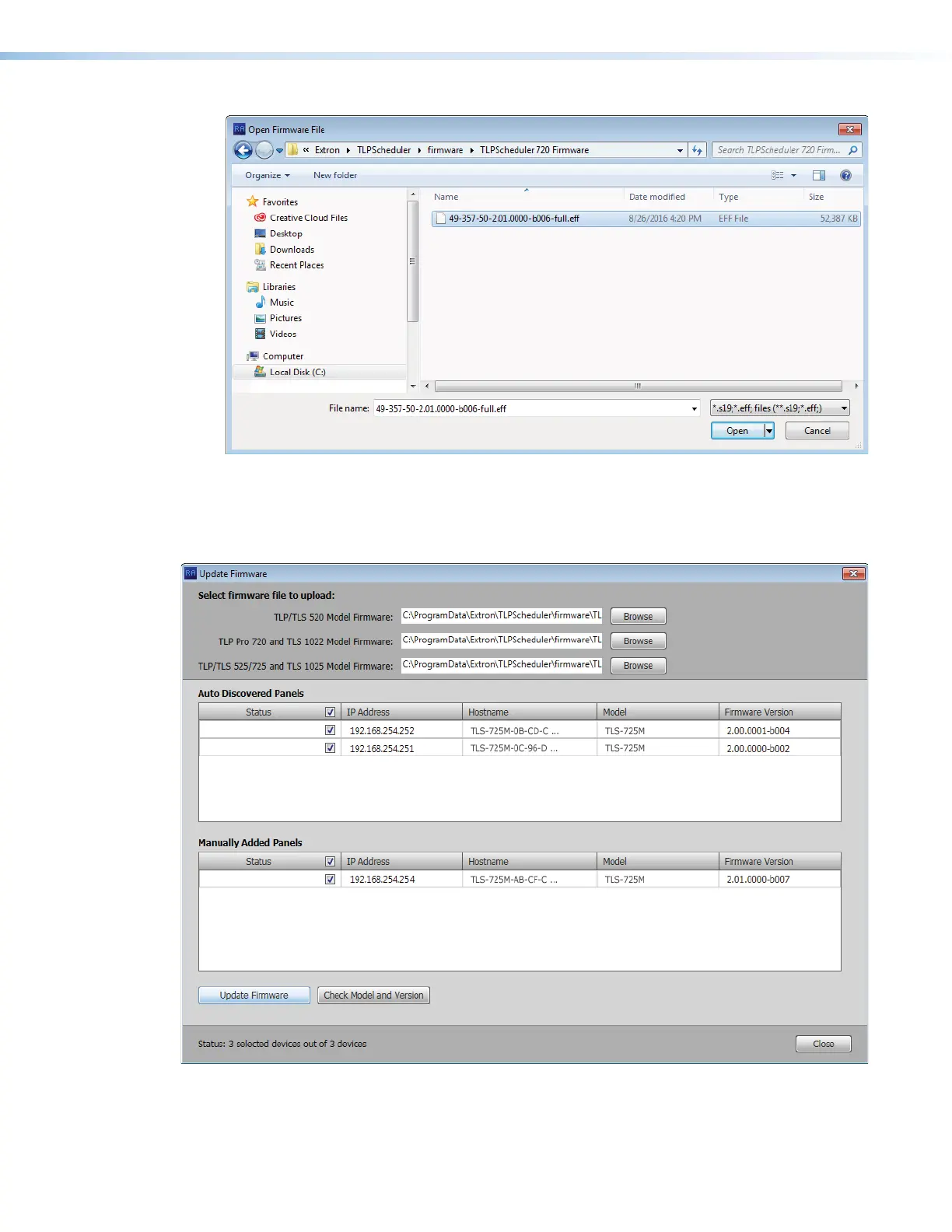
Figure 33. Firmware File Selection
7. Select the file (see figure 33,
1
).
8. Click Open (
2
). The Update Firmware window returns to the top with the firmware file
selected (see figure 34,
1
).
1111111111
1111
2222222222
2222
2222222222
2222
5555555555
5555
3333333333
3333
4444444444
4444
4444444444
4444
Figure 34. Selecting Firmware Files and Panels
9. If desired, repeat steps 2 through 4 beginning on page 37 for other panel types. The
Update Firmware window returns to the top with the firmware file selected (
2
).
figure 33
figure 34



 To Next Page