Room Scheduling System • EMS Setup 50
• Event Type Name — This is the event type to be used for ad hoc meetings booked
on behalf of the scheduling panel. The EMS server requires a template name or Event
Type, when a new meeting is booked. This information can be obtained from the EMS
Desktop Client.
NOTE: The list of event types must be created by the EMS administrator prior to
appearing in the EMS Desktop Client. If there are any issues getting an event type,
please contact your EMS administrator.
1. Open the EMS Desktop Client.
2. Select Configuration.
3. Select Other.
4. Click Event Types.
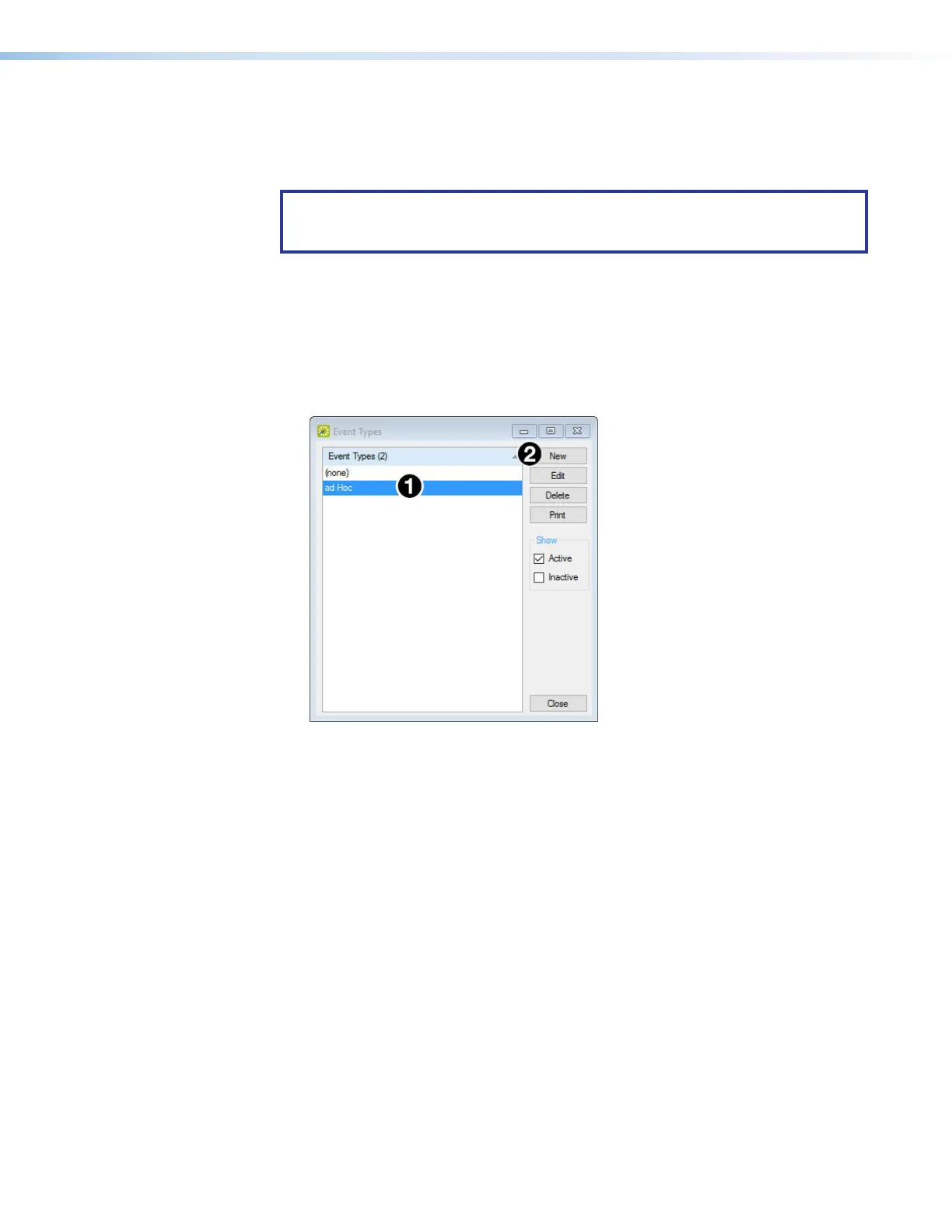
The Event Types popup lists the event types that can be used on the server. In
figure 52, ad hoc is the appropriate Event Type name.
Figure 52. EMS Event Types
5. If no event types are listed or you wish to create a new event type, click New (
2
).
The Event Type dialog box opens:
figure 52



 To Next Page