RESTRICTED USE ONLY Fargo Electronics, Inc.
HDP5000 High Definition Card Printer/Encoder User Guide (Rev. 1.3)
6-42
Upgrading the Main Firmware (HDP5000 only) (continued)
Step Procedure
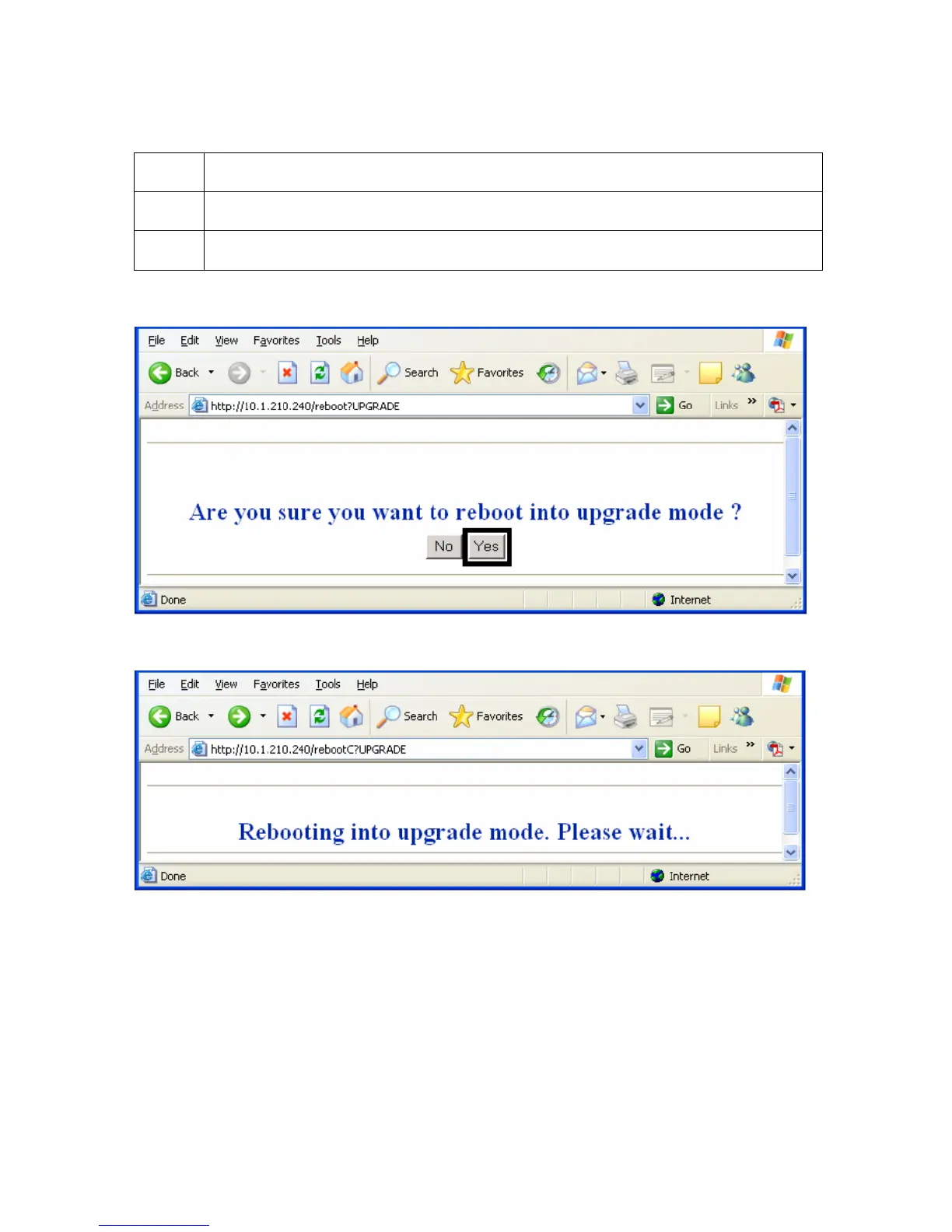
4 Select the Upgrade button to get Printer into the upgrade mode.
5 Select the Yes button and wait for reboot, as shown below in Displays A and B.
Display A – Rebooting into the Upgrade Mode
Display B – Waiting for the Upgrade Mode



 To Next Page