RESTRICTED USE ONLY Fargo Electronics, Inc.
HDP5000 High Definition Card Printer/Encoder User Guide (Rev. 1.3)
6-53
Accessing the HDP5000 IP Address
Follow this procedure:
Step Process
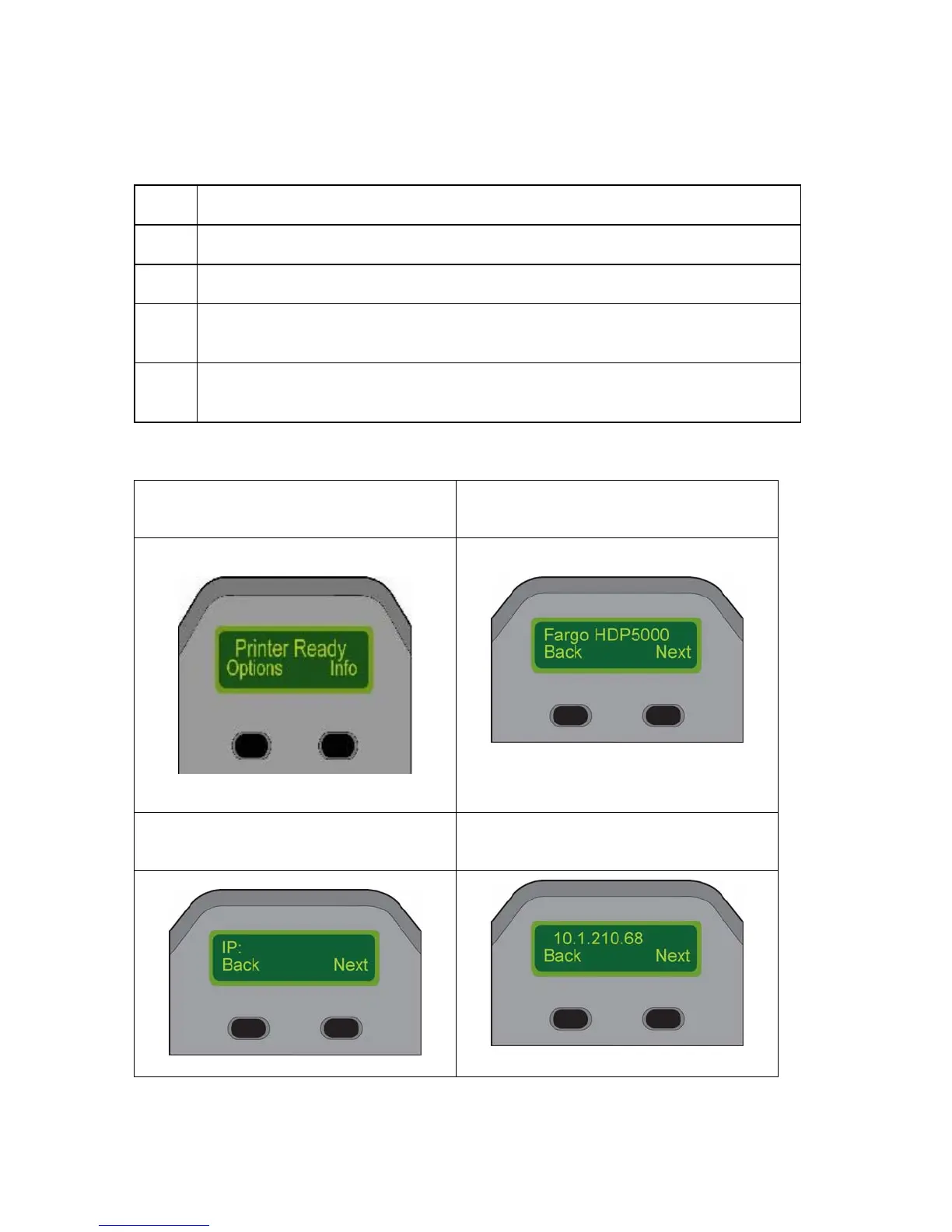
1 Press Info in Display A (below) to continue with the procedure.
2 Press Next several times to access Display C (IP:).
3 Press Next one more time, and the IP: address LCD screen will appear. See
Display D as an example.
4 Your IP address is identified in the final LCD screen. You have completed the
procedure.
Display A – Printer Ready (first step) Display B – HDP5000 (second step)
Display C – IP: (third step) Display D – IP: Address (fourth step)



 To Next Page