RESTRICTED USE ONLY Fargo Electronics, Inc.
HDP5000 High Definition Card Printer/Encoder User Guide (Rev. 1.3)
11-8
Configuring Data (F-Panel for YMCFK Ribbon) (continued)
Step Procedure
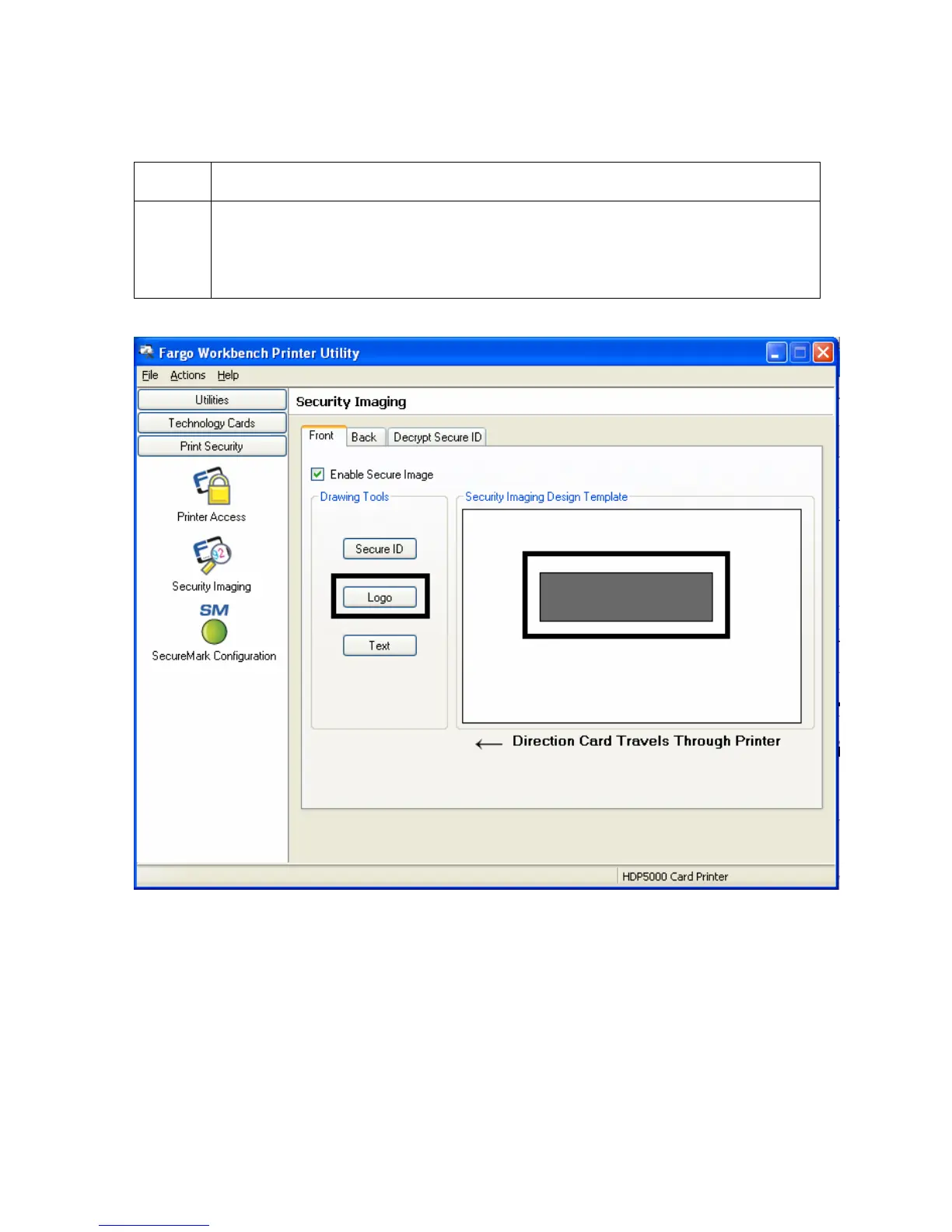
7 a. Click on the Logo box on the left.
b. Click and drag a box onto the Template.
c. Move and size (as needed) by grabbing the corner of the box.



 To Next Page