130
2.4.5.3 Connecting to HMI
Configuring IP Address on PLC
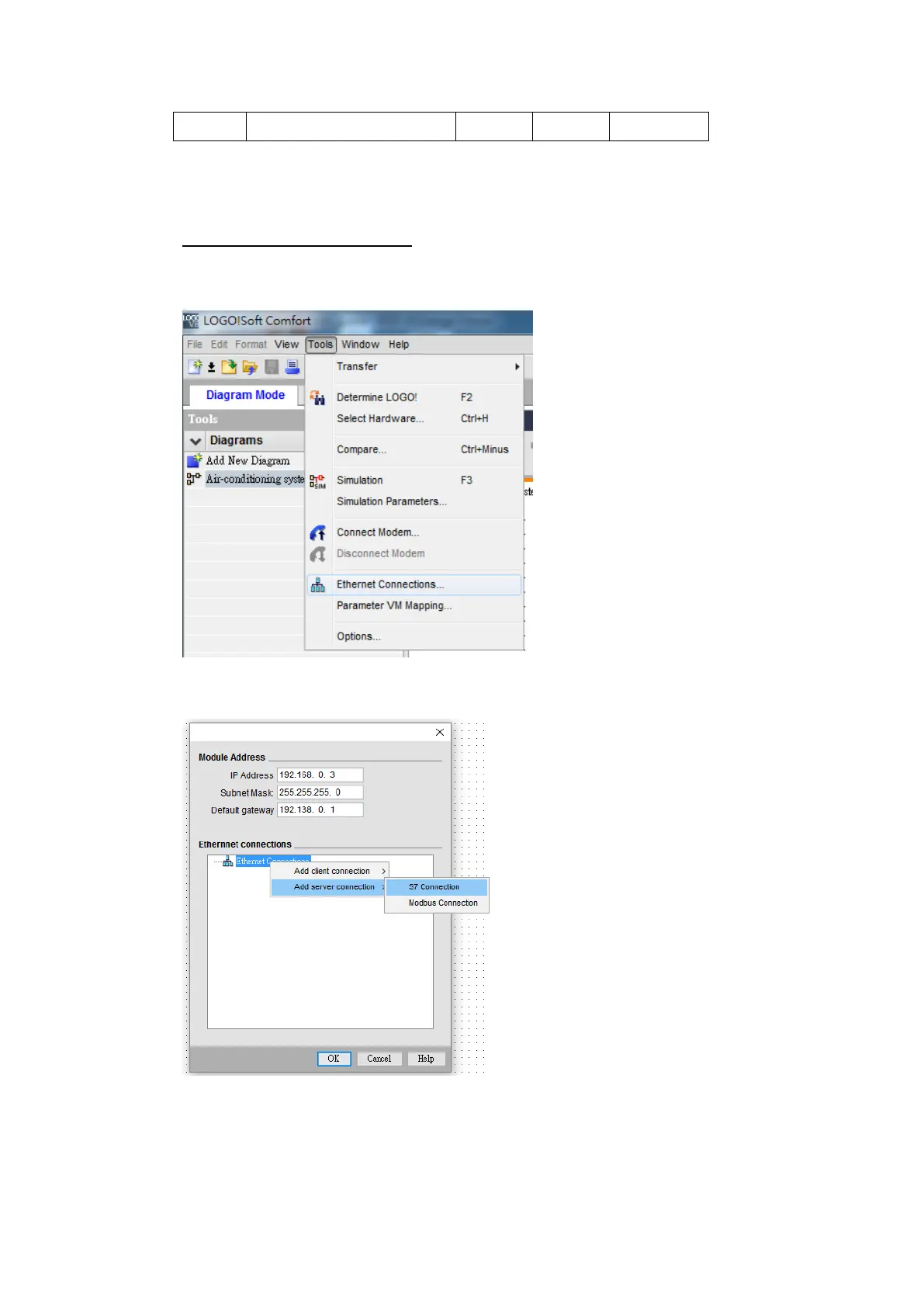
Use the application LOGO!Soft Comfort V8.1 to configure the IP address of the PLC.
Under the Online menu option, select Ethernet Connections.
Right chick Ethernet Connections and Add server connections.
Enable Accept all connection requests, And setting TSAP for
Remote Properties(Client)



 To Next Page