131
Note: For more detailed information please refer to the PLC manual.
Connecting PLC to HMI
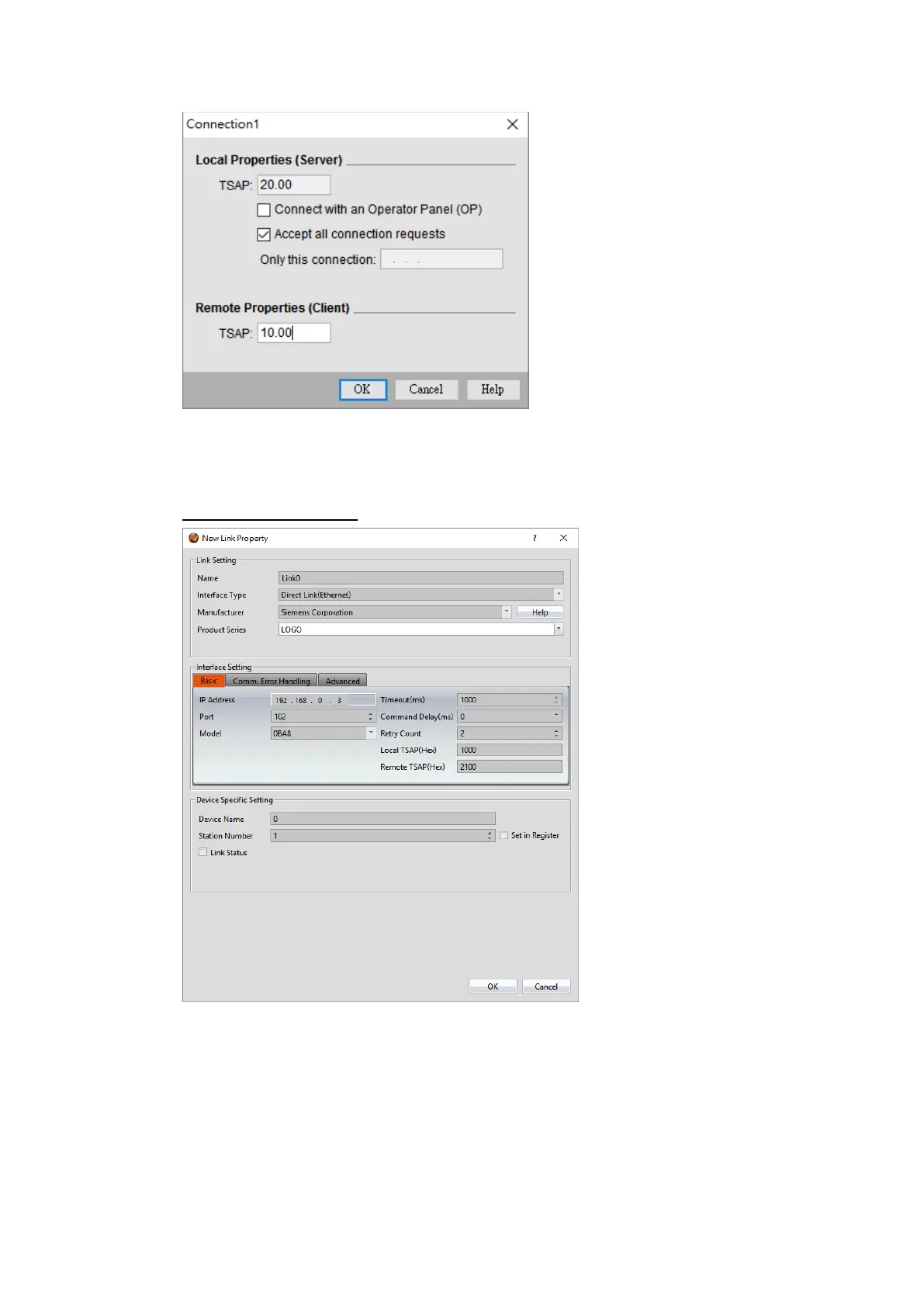
Within the Link configuration window in FvDesigner:
Under Interface Type select Ethernet
Under Manufacturer select Siemens Corporation
Under Product Series select LOGO
Enter the IP Address that was written into the PLC.
Enter the Port number that was set on the PLC. The default is 102.



 To Next Page