203
2.12.2.3 Connecting to HMI
Configuring the PLC
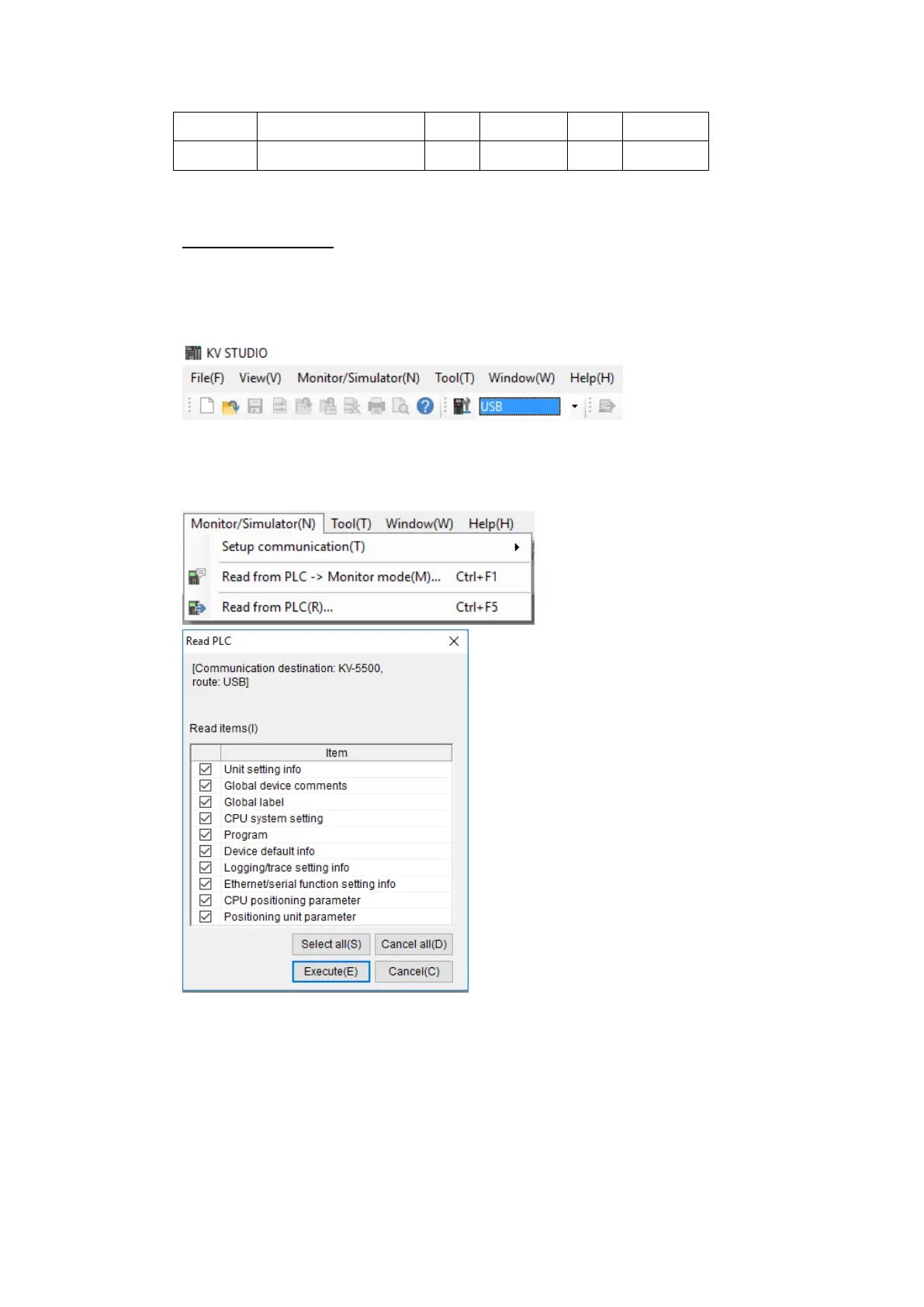
Use the application KV Studio to configure the serial connection of the PLC.
Select the connection between the PLC and the computer. A USB connection was used
in this case.
Under the Monitor/Simulator menu option, select Read from PLC and execute the
operation.
In the Workspace, right click the PLC model name and select Unit Editor.



 To Next Page