67
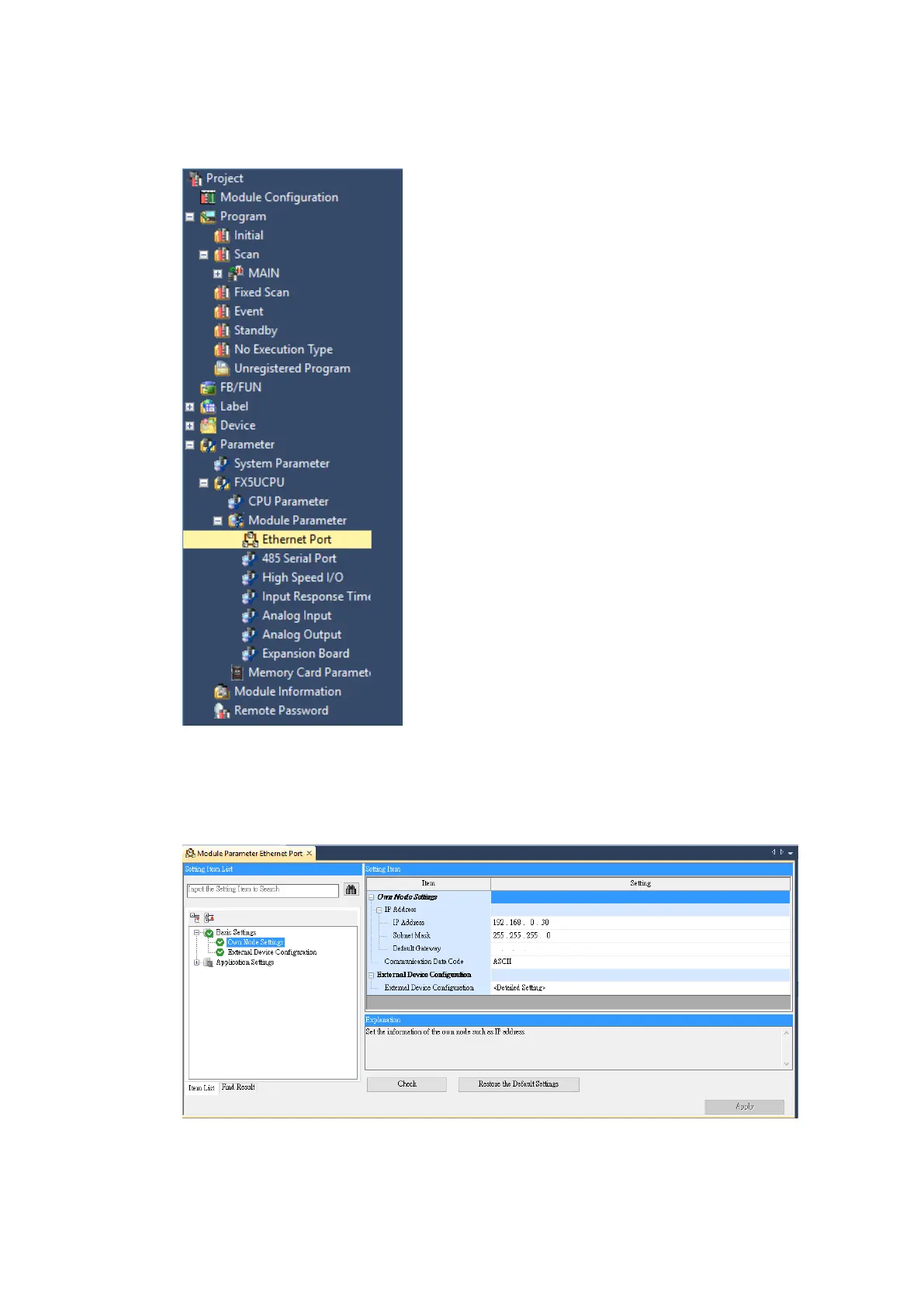
In the Project sidebar, expand Parameter, FX5UCPU, and Module Parameter and
select Ethernet Port.
The IP Address of the PLC can be obtained here. Switch the Communication Data Code
to the mode needed (Binary or ASCII). Double click “<Detailed Setting>” under
External Device Configuration to get the port information. Verify the Protocol is TCP.



 To Next Page