FISCHER Mess- und Regeltechnik GmbH Operation | 5
BA_EN_DE90 31
5.1.4 Directory details
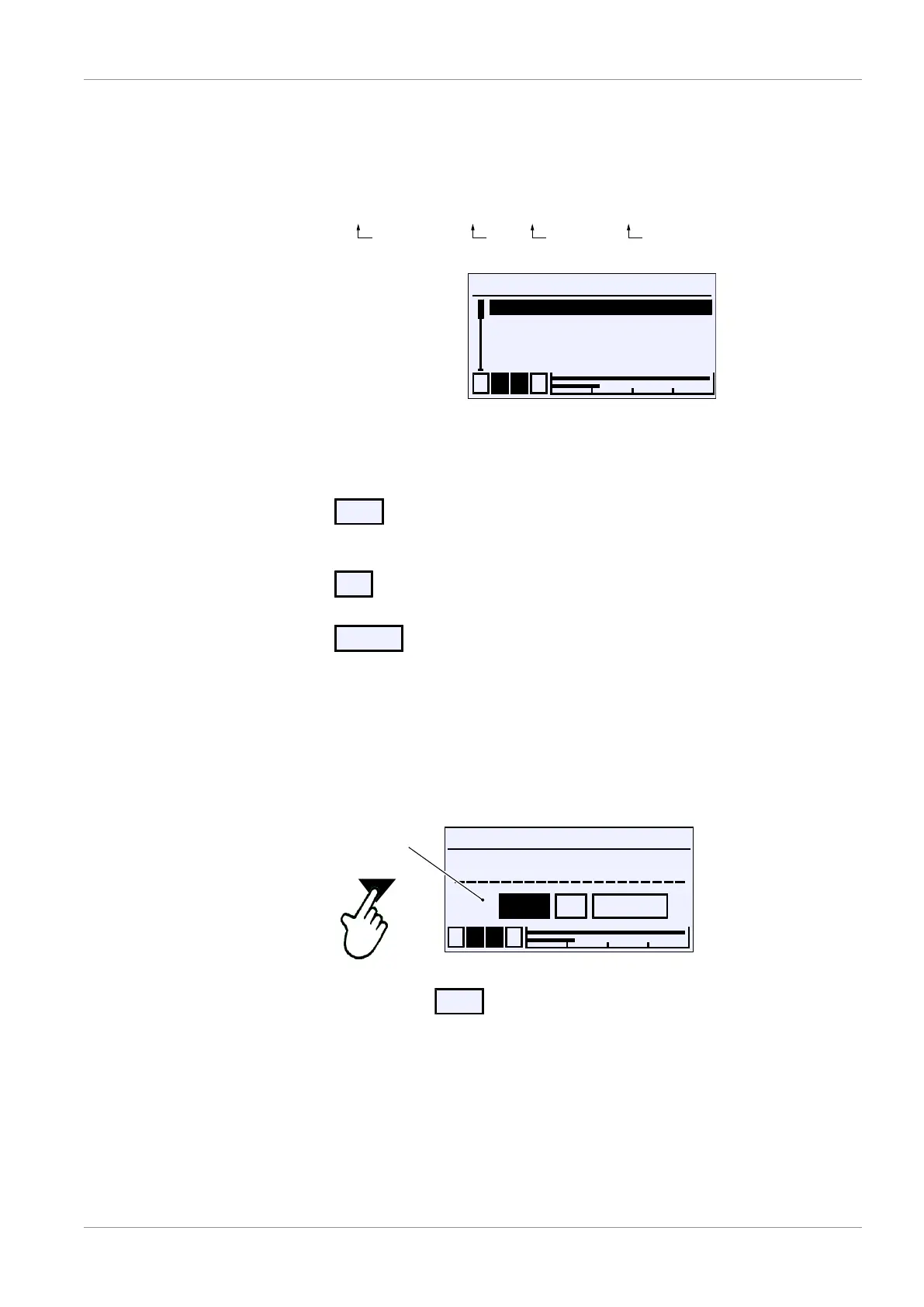
The path information appears in the first line of the display. For space reasons,
the directories cannot be shown in full. The menu level is indicated by the num-
ber if backslash symbols ‚\‘. Where this is not possible, only the menu name is
shown.
Directory: \ConfigurationChannel2\Measurement C2\Meas.range C1 unit
Level 0 Level 1 Level 2 Level 3
Meas.range C2 unit
1 2 3 4
bar
mbar
Pa
kPa
R
R
S
R
U
Fig.36: Directory
5.1.5 Input
The following softkeys are used whenever text or values are entered:
•
This softkey is used to switch into the editing window for entering text or val-
ues.
•
The input is completed with this softkey. The entered text or value is saved.
•
The input is cancelled with this softkey. The originally saved text or value is
retained.
A softkey is pressed by first being selected with the buttons ÿ and þ . The
softkey is shown inverted. It is realised with the button û .
5.1.5.1 Text input
For example: Directory: \Quick access\Designation
\...\Designation
1 2 3 4
Measuring point 1
OK CancelEdit
U
Fig.37: Action selection
Select the softkey
with the buttons ÿ or þ . The selection is con-
firmed with the button û . The following window opens for editing.


 To Next Page