FISCHER Mess- und Regeltechnik GmbH Operation | 5
BA_EN_DE90 87
5.5.6.5 LCD colour
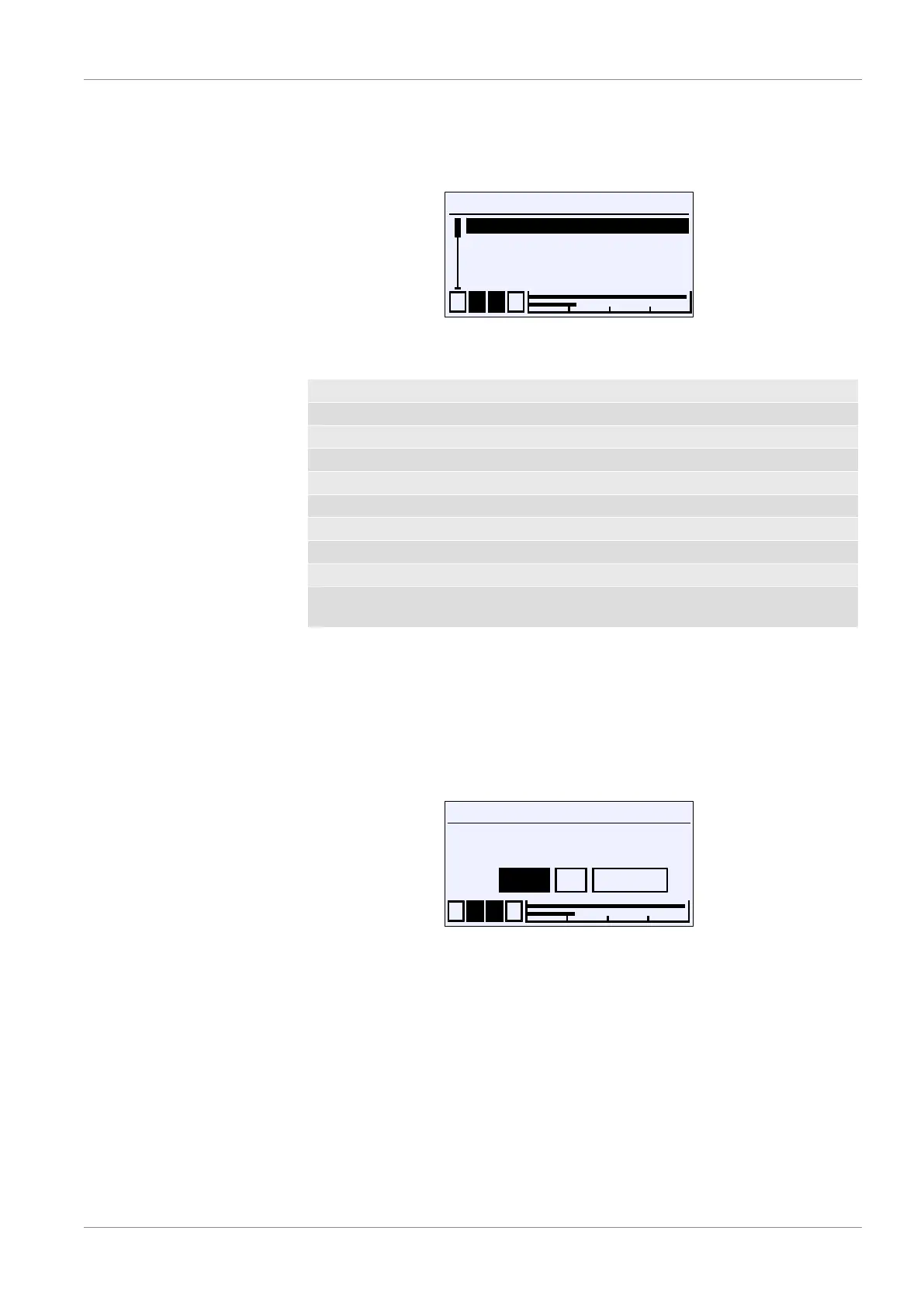
Directory: \Configuration\Display\LCD-Farbe
Level: 3
\...\...\LCD colour
1 2 3 4
Off
Red
Green
Yellow
S
R
U
R
R
Fig.127: LCD colour
The following colours can be selected for the back lighting.
OFF
Red
Green
Yellow
Blue
Magenta
Cyan
White
Red/green Activation of the colour change red/green
Red/yellow/
green
Activation of the colour change red/yellow/green
The setting for the switch thresholds of the respective colour change are in the
menu item Colour change [}62] in the menu for the configuration of the chan-
nels.
5.5.6.6 LCD lighting
Directory: \Configuration\Display\LCD lighting
Level: 3
LCD lighting
1 2 3 4
OK CancelEdit
0
s
U
Fig.128: LCD lighting
This parameter is used to define a time period after which the back lighting is
switched off once no more input has been entered via the keyboard. The light-
ing can be switched on again by pressing any button.
NOTICE!The parameter also impacts in the same way on the colour
change. When the lighting is switched off, a colour change is only display
when a button is pressed.
Values of 0 to 600 s can be entered. The lighting can be switched on perman-
ently with the parameter value 0s.


 To Next Page