FISCHER Mess- und Regeltechnik GmbH Operation | 5
BA_EN_DE90 35
5.2 Main menu
Directory: \
Level: 0
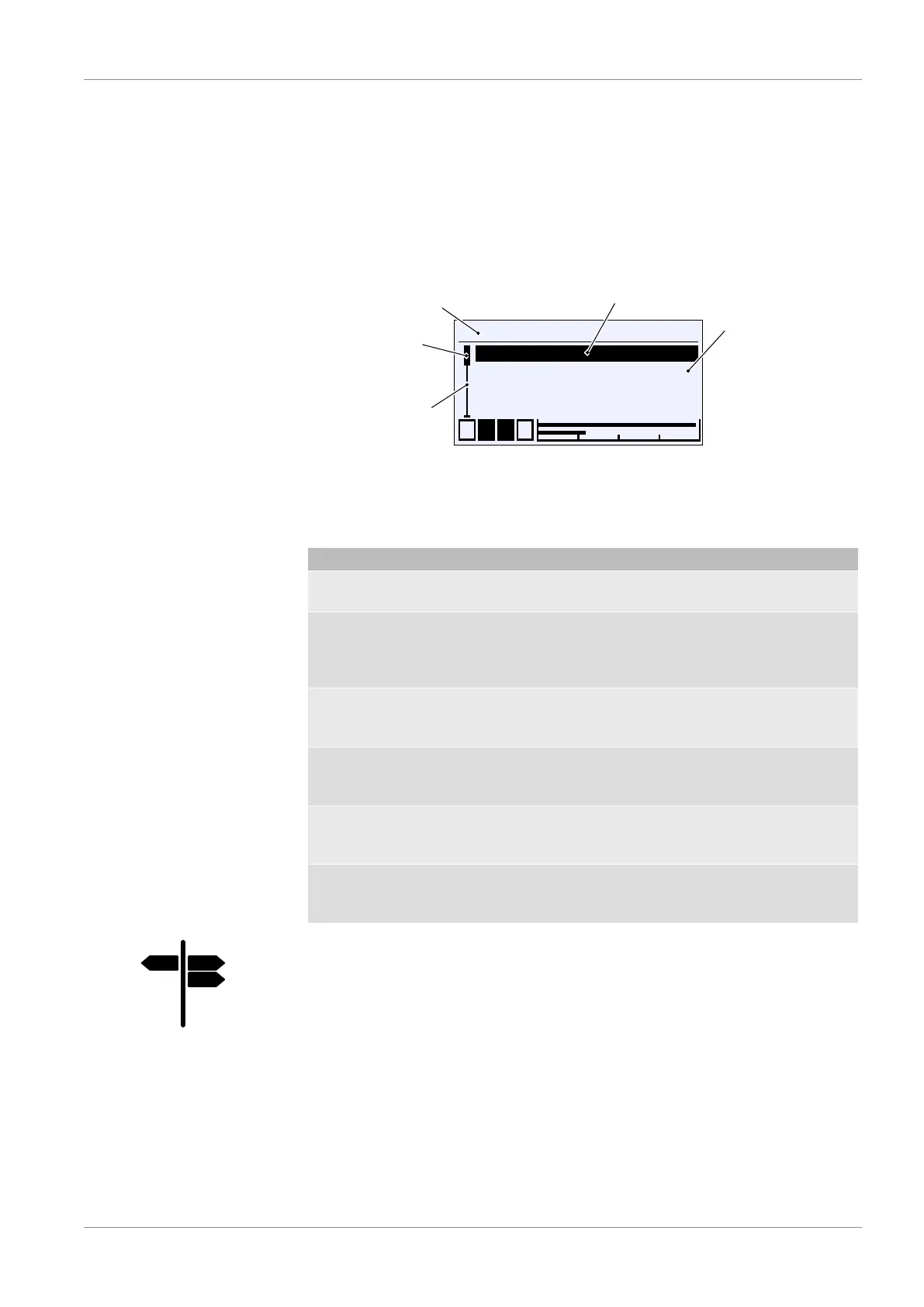
Pressing the button û takes the user from the operating mode to the configur-
ation mode. The main menu is displayed. Bargraph display and display of the
switch outputs still remain visible.
NOTICE!The device also remains operational even during configuration.
All parameter changes have a direct effect.
\
1 2 3 4
Login
Quick access
Configuration
Info
A
L
L
A
Directory (Level 0)
Cursor
Indicator
Side area
Position marker
Fig.44: Main menu
The indicator A shows that there is a submenu on the following level. The
main menu comprises the following menus:
Menu name Description
Login A In this menu users can log in and log
off, and also manage passwords.
Quick access A Quick accessThe menu contains im-
portant parameters or menus that can
be reached and changed in the Quick
access.
Configuration A Configuration of the unit is realised
with this menu. The menu levels
stretch across up to four levels.
Info A This menu contains information about
the hardware and software of the
device and its configuration.
Service A The firmware of the device can be un-
dated or parameters can be loaded
and saved with this menu.
Back E This represents the output (exit) of the
main menu. Press 'back' to return to
the measuring value display.
Signpost [►Page]
• Login [}36]
• Quick access [}41]
• Configuration [}43]
• Info [}92]
• Service [}93]


 To Next Page