5 | Operation FISCHER Mess- und Regeltechnik GmbH
54 BA_EN_DE90
5.5.1.3 Characteristic curve C1 (menu expansion)
The menu changes depending on the set operating mode of the measuring
channel.
NOTICE!The menu extension does not apply to devices for which the
Mode parameter has been set to the linear value.
5.5.1.3.1 Characteristic C1 (flow rate)
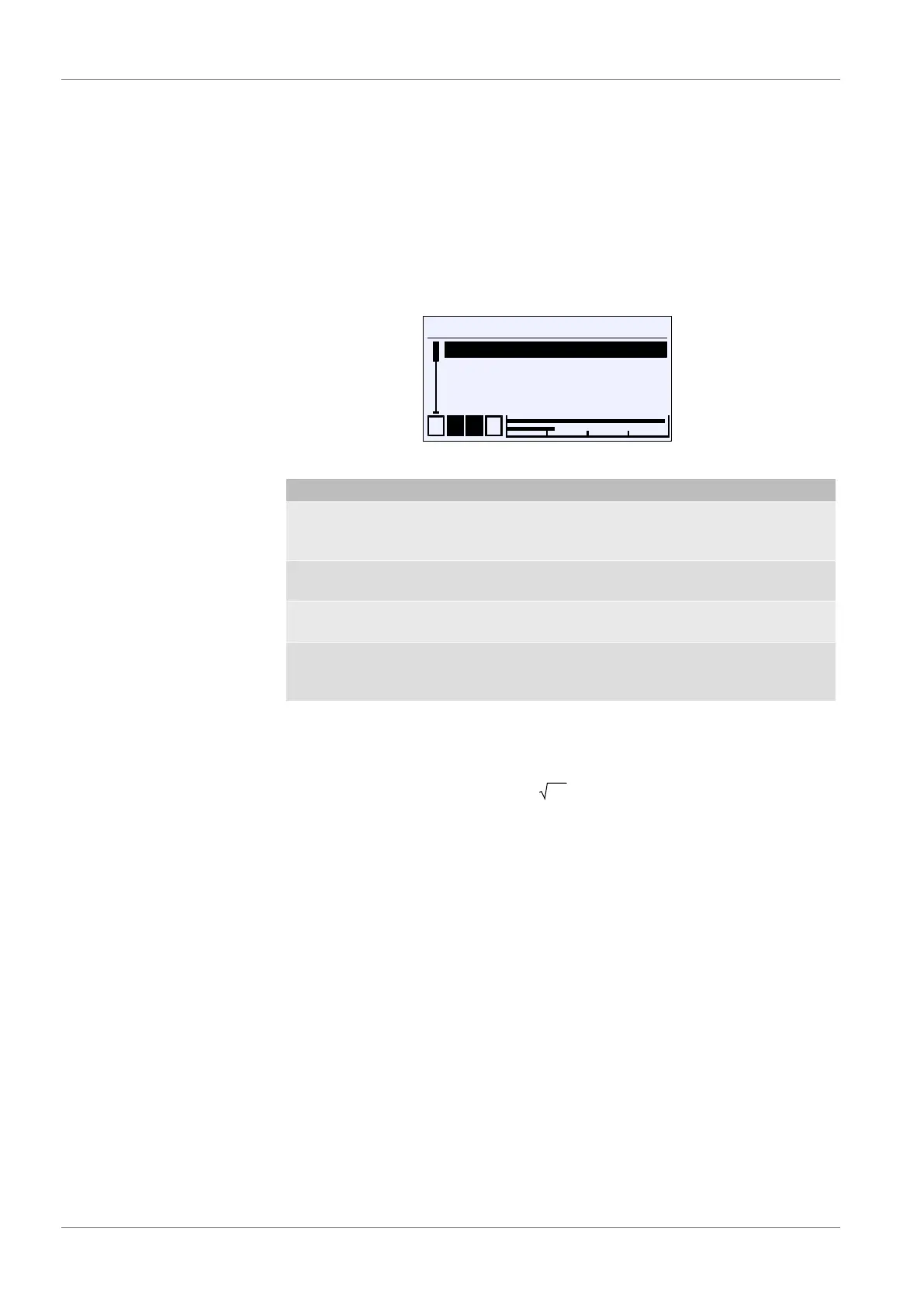
Directory: \Configuration\Channel 1\Characteristic C1
Level: 3
\...\...\Characteristic C1
1 2 3 4
Displ.range C1 unit
Displ.range C1 start
Displ.range C1 end
Back
U
E
Fig.69: Characteristic C1 (flow rate)
Menu name Description
Displ.range C1 unit This parameter is used to define the
flow rate unit. It must have a length of
at least 5 characters.
Displ.range C1 start The start of the display range is
defined with this parameter.
Displ.range C1 end The end of the display range is defined
with this parameter.
Back E This represents the output (exit) of the
menu. Press 'back' to return to the
Channel 1 menu.
This function allow the flow rate to be measured by means of an effective pres-
sure procedure on a measuring panel. The differential pressure is a measure for
the flow rate:
q = Δp
q:
Δp:
Flow rate
Differential pressure
The root extracted input signal is shown as a signal from 0 … 100 %. The dis-
play value can be furnished with a different unit with the parameter
Displ.range C1 unit ´. The display range can be scaled to this unit with the
parameters Displ. C1 start and Displ.range C1 end .


 To Next Page