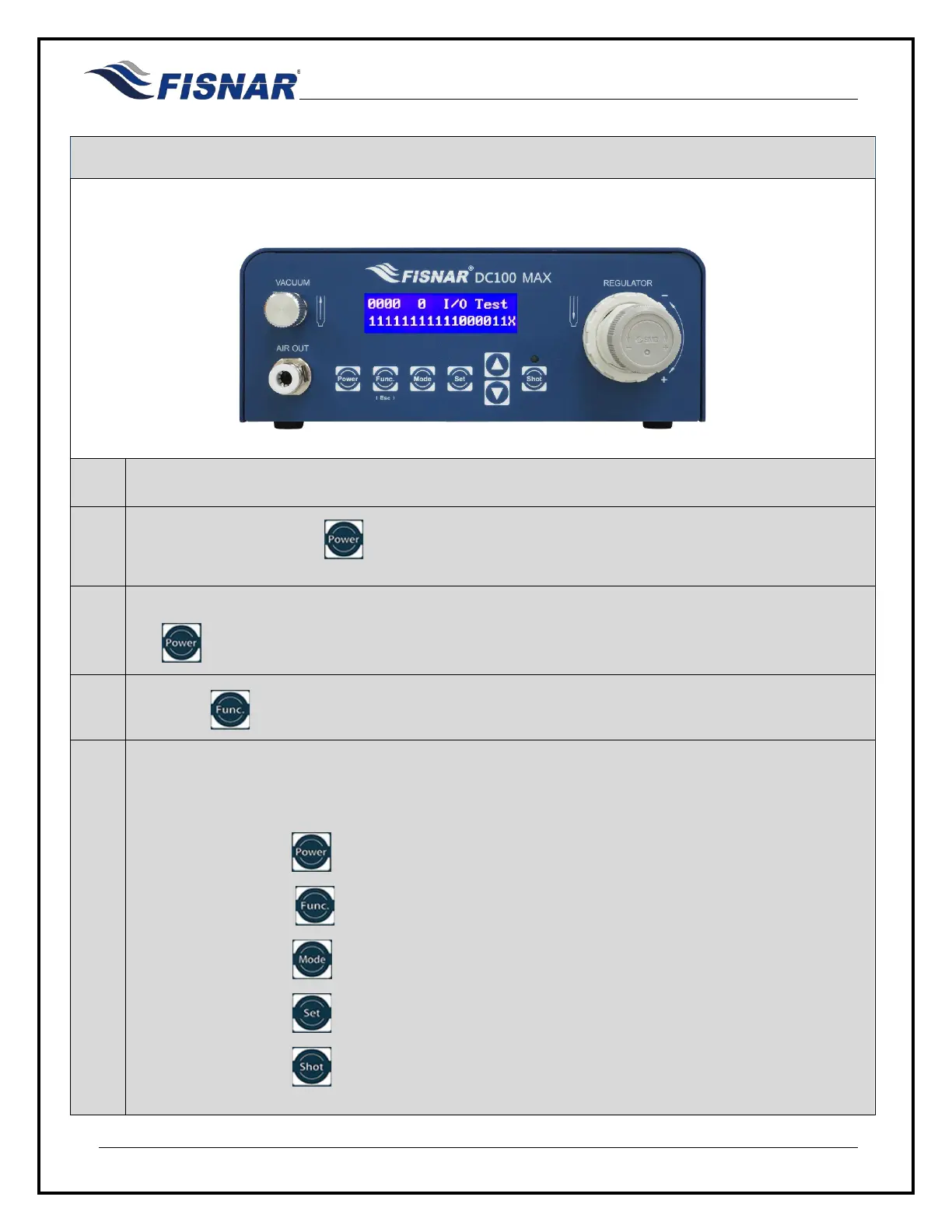
DC100 MAX Digital Dispenser Operating Manual
© 2023 Fisnar - 68 - DC100 MAX Rev 4
Input / Output Signal Testing
The machine can be configured into a “Test” mode in order to allow the user to test the input and output
signals of the I/O connector, the foot switch connector and the keypad buttons on the front panel of the
machine.
1.
Remove the electrical power cord from the back of the machine.
2.
Press and hold down the button and then insert the electrical power cord into the back of the
machine.
3.
Once the LCD display panel is illuminated and displaying a solid white color background release
the button.
4.
Press the button to display the I/O Test Screen
5.
The upper line of values on the display screen will change state (“0” to “1”) to confirm the keypad
button is working correctly or the machine I/O output is working correctly or internal electrical relay
is working correctly.
- 1
st
digit = Press button to test activate “Alarm Out” signal.
- 2
nd
digit = Press button to test activate “Machine Busy Out” signal.
- 3
rd
digit = Press button to test activate “End Of Cycle Out” signal.
- 4
th
digit = Press button to test activate “Machine Ready Out” signal.
- 5
th
digit = Press button to test activate “Internal Electrical Relay” signal



 To Next Page