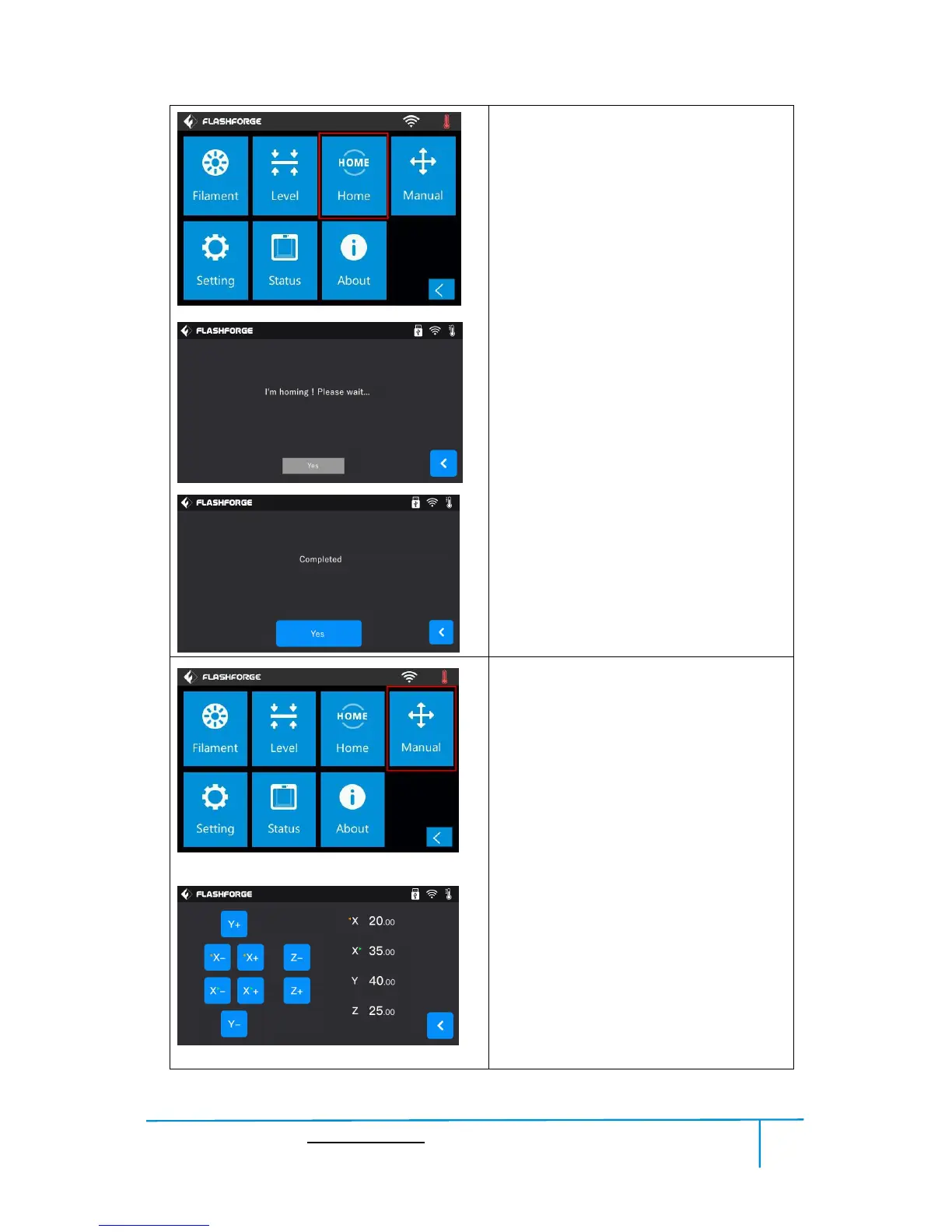
Home
To make the X, Y and Z axes back to the
zero point.
1.Home: Tap[Home] to do the homing.
2.Wait for the extruder do the homing.
3.Homing is completed, tap[Yes].
Manual
To manually adjust the positions of X, Y and
Z axes.Tap[Manual] to do the manual
adjustment.
Y+: The extruder moves to the zero point,
that is, the back of the machine.
Y-: The extruder moves to the direction
opposite to the Y+.
X+: The extruder moves to the zero
points, that is, to the right direction.
X-: The extruder moves to the direction
opposite to the X+.
Z+: The build plate descends.
Z-: The build plate elevates.
Back















 To Next Page