Creator3 creatively adopts a three-point intelligent leveling system, which will give
clear and comprehensive feedback to users. There are three spring-loaded nuts under
the build platform. The distance between the plate and nozzle increases while
tightening the nuts. On the contrary, the distance reduces.
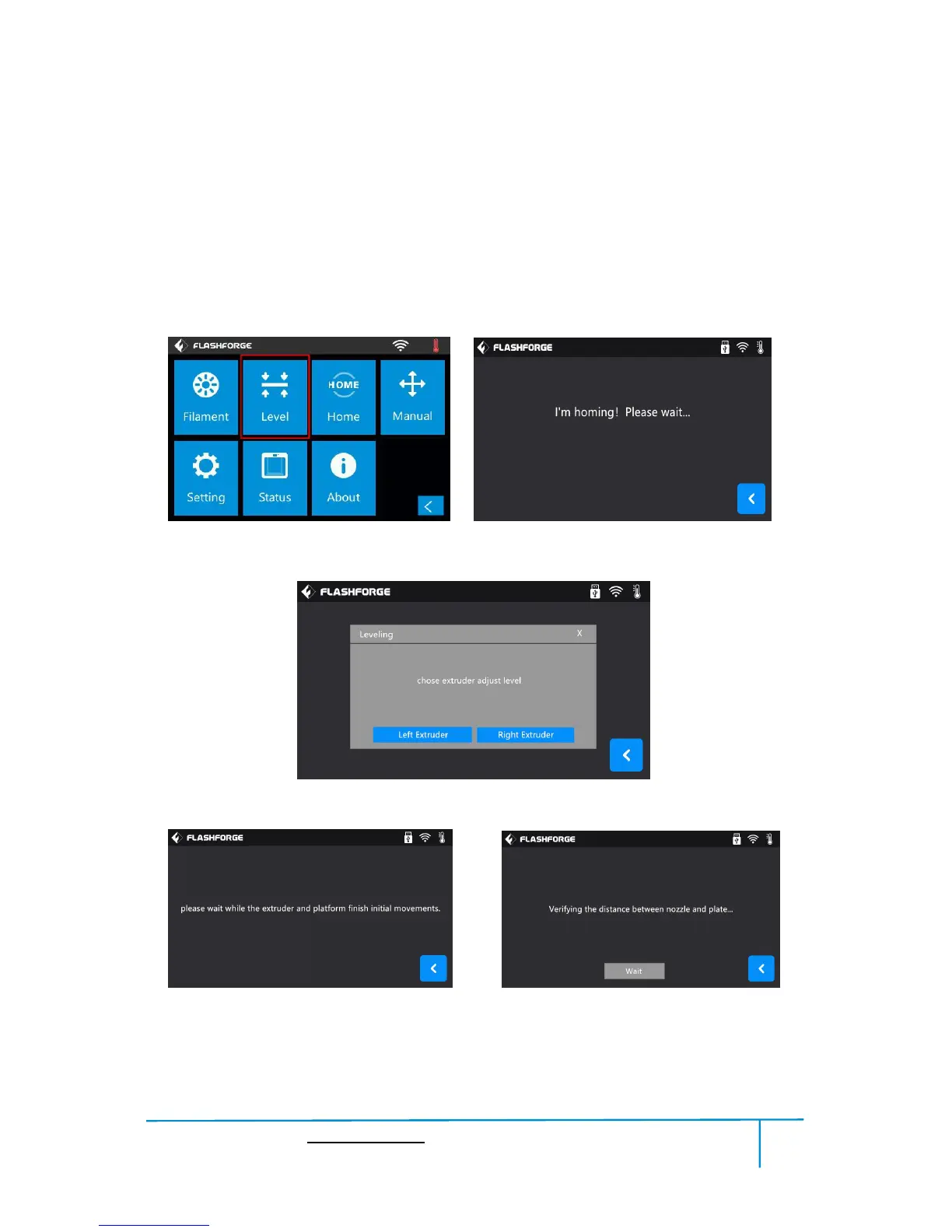
(5-1) Tap [Level] to start leveling. Wait while the extruder and platform finish homing
movements.
(5-2) Tap to choose extruder adjust level: Use Left or Right extruder to do the leveling.
(5-3) Wait while the extruder and platform finish initial movements, Extruder move to
the first point to do the leveling. Wait for the extruder verifying distance between
nozzle and plate.















 To Next Page