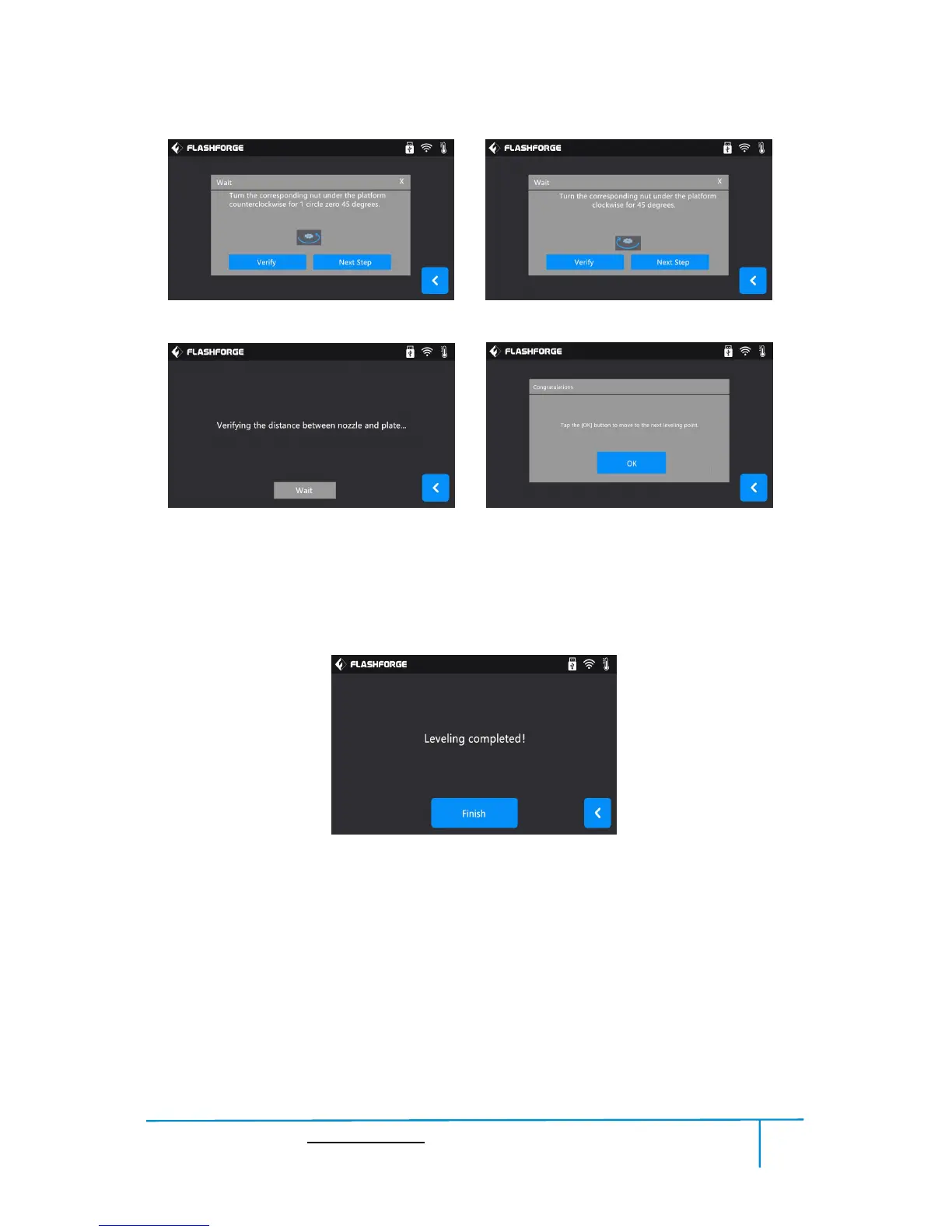
(5-4) Operate according to the instruction on the touch screen, then tap [Verify].
(5-5) Wait for the extruder verifying distance between nozzle and plate on the first
point. If the distance on the first point is appropriate, tap[OK] to move to the next
point to do the leveling. If the distance on the first point is not appropriate, operate
according to the instruction on the touch screen, then tap [Verify] again.
(5-6) Repeat the above steps to do the next two points leveling until you see [Finish].
Tap [Finish] to complete leveling.
Note: You can skip the point’s leveling by tapping [Next Step] if you think levling
is already OK, this may affect leveling result or printing effect.















 To Next Page