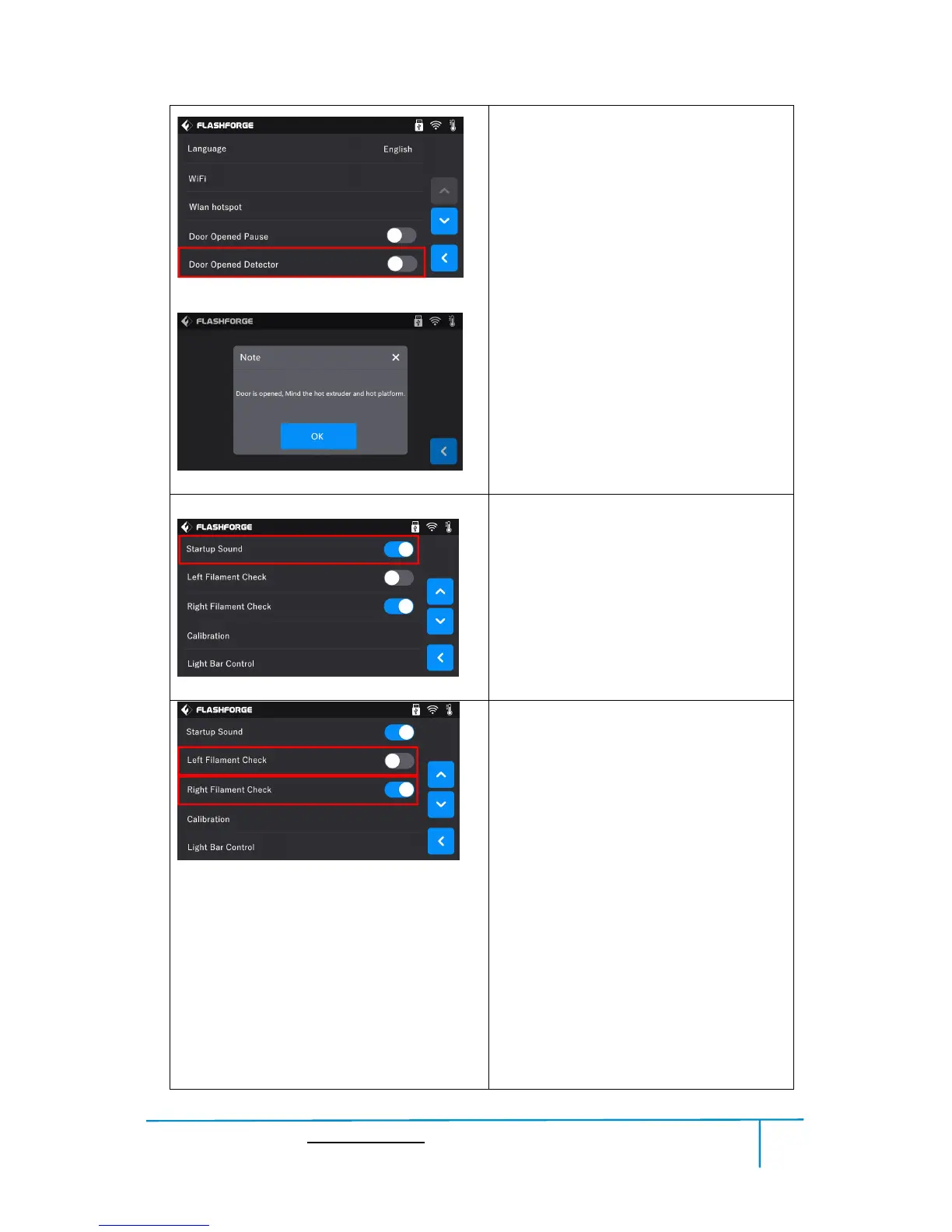
Door Opened Detector:
To turn on/off the Door Opened
Detector.
After this function is turned on, Door
opened note will pop out when door is
opened during printing. After tapping
[OK], note will pop out every 5 minutes.
Turn on[Left/Right Filament Check]:
After [Filament Check] is turned on,
Filament abnormal status will be detected
when filament is used up or suspended.
Turn off [Left/Right Filament Check]:
After [Filament Check] is turned off,
Filament abnormal status won’t be detected
when filament is used up or suspended.
[Filament Check] function should be used
with filament in the filament cartridge.This
function is invalid if using filament out of
the cartridge.















 To Next Page