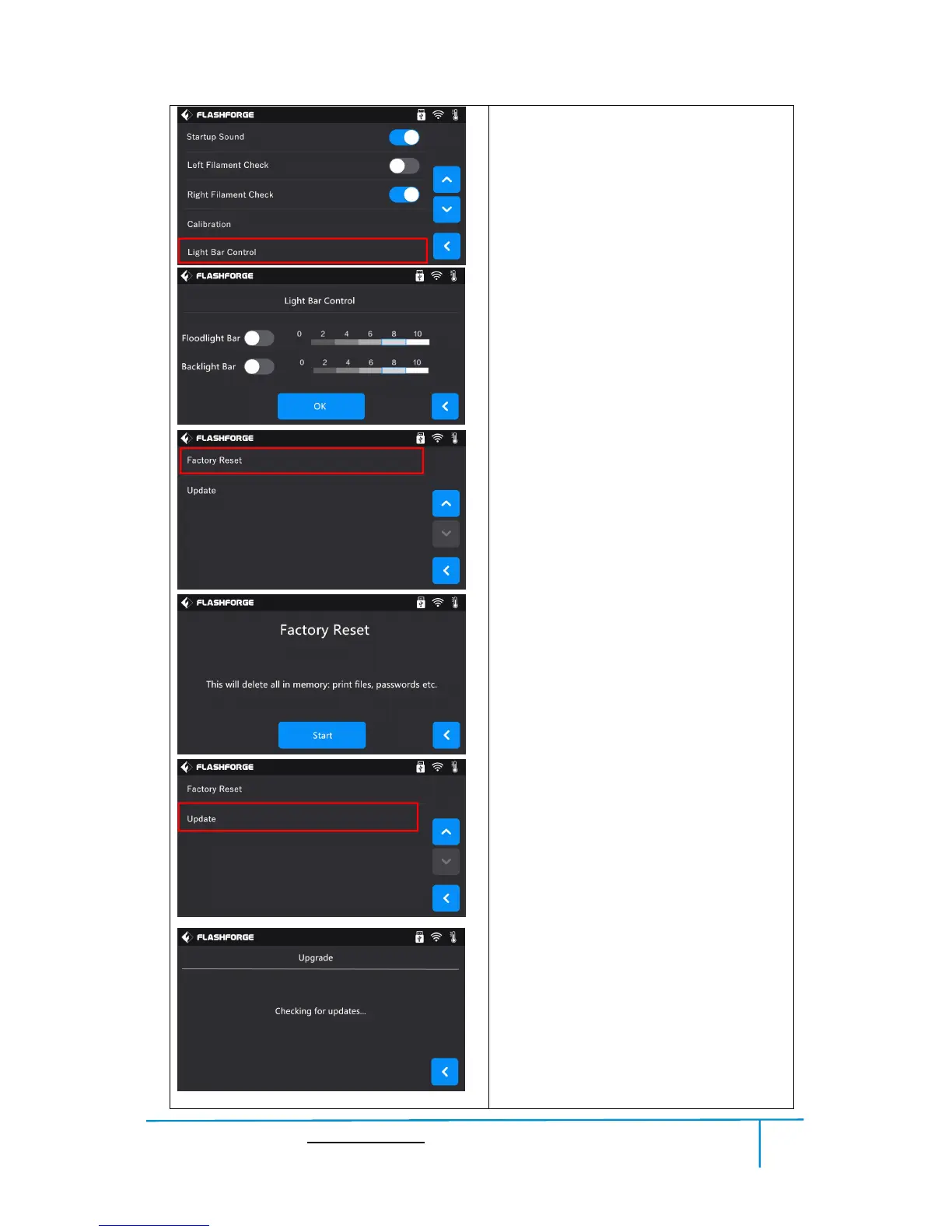
Light Bar Control
To click and select different brightness for
printer’s floodlight and backlight.
Factory Reset
Tap to return to factory setting.
Update
Tap to update the firmware version.
Before use this function, you need to
connect the printer to internet with WIFI or
Ethernet cable first.















 To Next Page