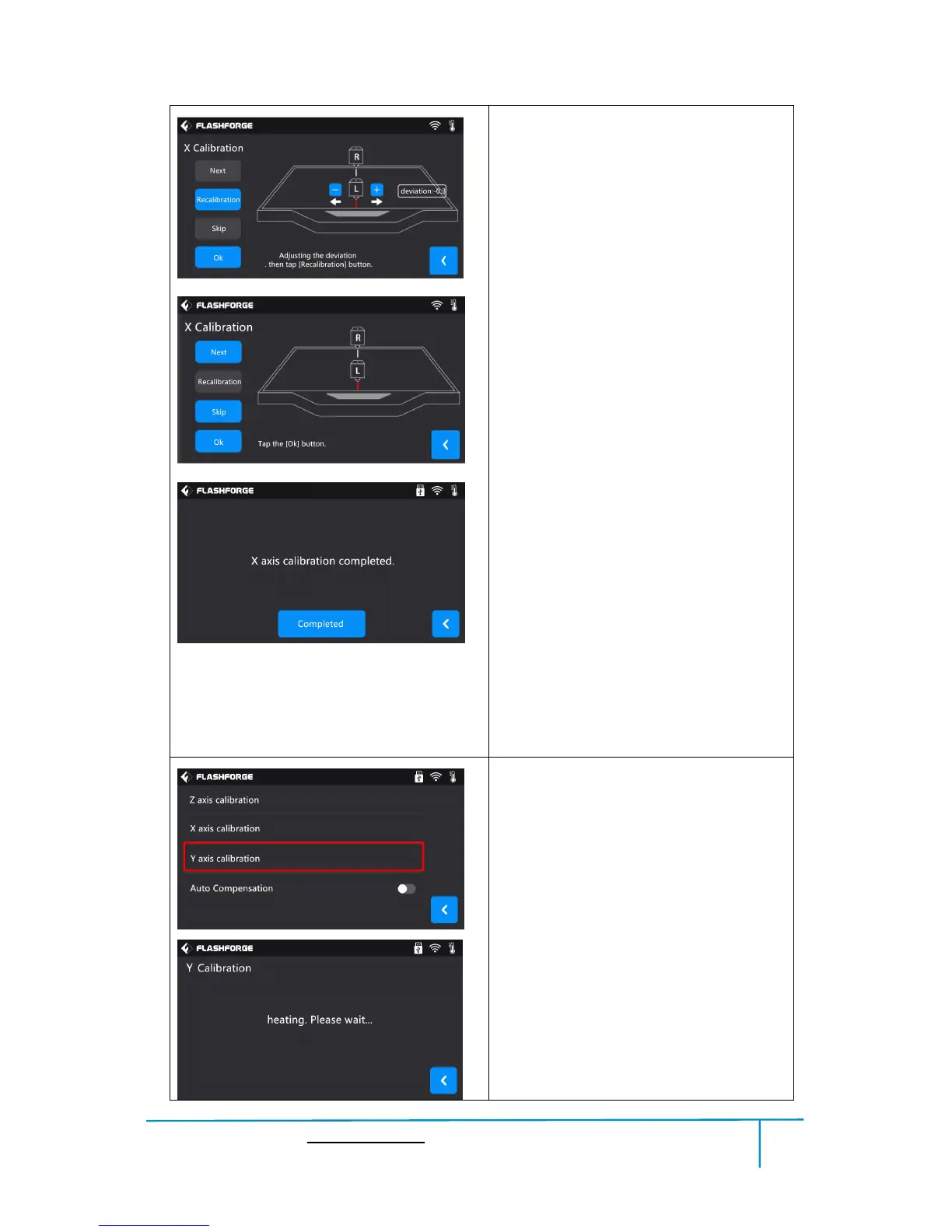
Tap [Next] button.
Tap [-] button and [+] button to adjust
the deviation value, the position of left
extruder to print a straight line on the
platform moves to the arrow direction.
After adjusting the deviation value, Tap
[Recalibration] button to do the
calibration.
Tap [Skip] button will skip the prompts
and directly adjust deviation value.
Tap [Recalibration] button to do the
calibration.
After recalibration, if the two lines
coincide, click the [OK] button.
X axis calibration completed.
Y axis Calibration
1.Y axis calibration:
Tap [Y axis calibration].
2.Extruder begins to heat up.
3.Extruder begins to do the calibration
:
Right extruder prints a base line
perpendicular to Y axis in the middle of
the platform at coordinates(100,0),
then left extruder prints a base line















 To Next Page