Page 27CWT Compact S4 Touch Installation & Maintenance Manual for CWT 1.0-0Issue 3
Product description
4.3 Touch enabled Colour display
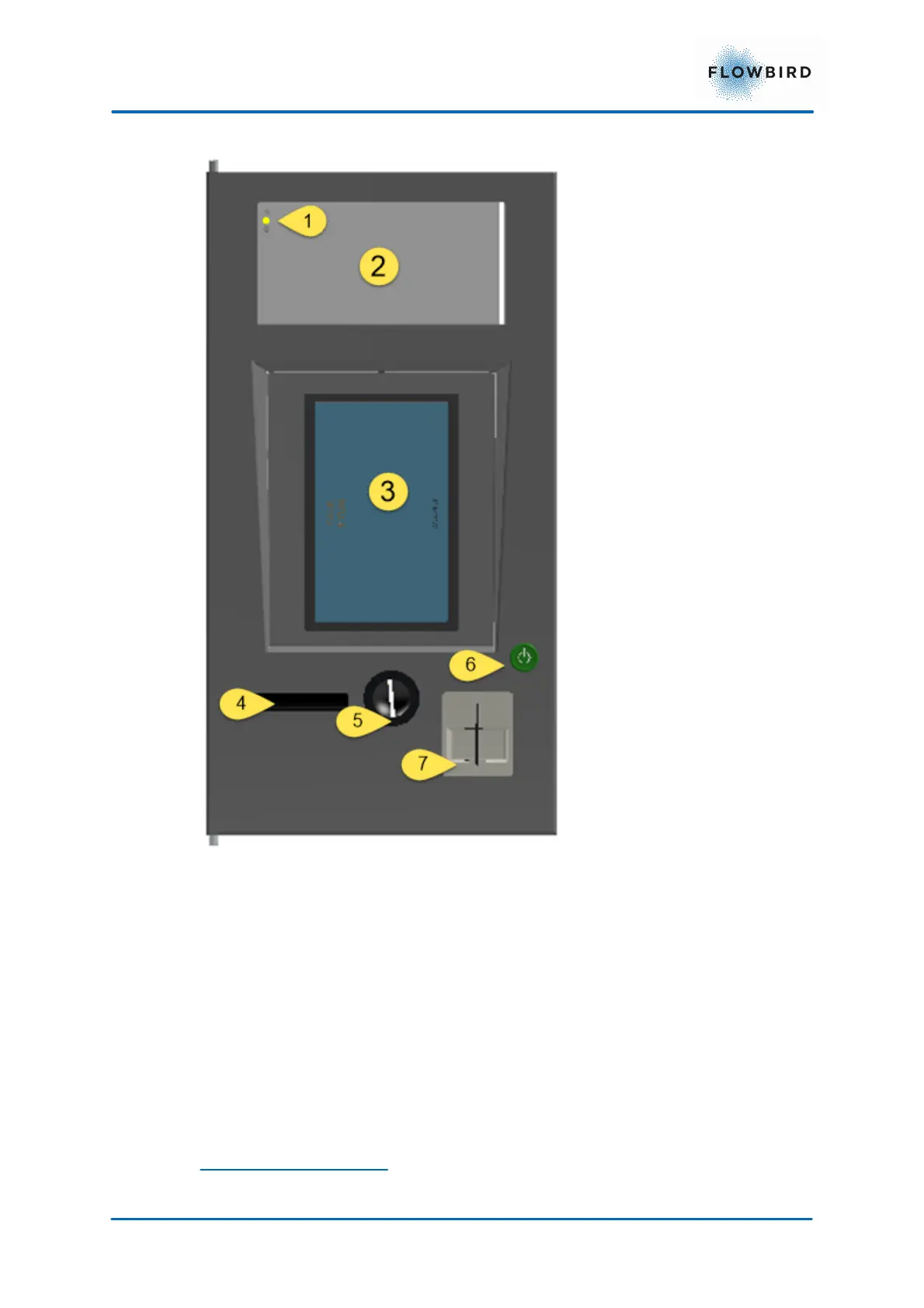
The display assembly is build up with the following components:
1. Warning/Error Indicator
2. Notification area. This area can be used to display information that will not
change often.
3. inwards tilted display with touch panel
4. Ticket outlet
5. Coin insertion slot
6. Wake Up Button
7. Card Reader
Warning/error indicator



 To Next Page