Page 84CWT Compact S4 Touch Installation & Maintenance Manual for CWT 1.0-0Issue 3
Corrective maintenance
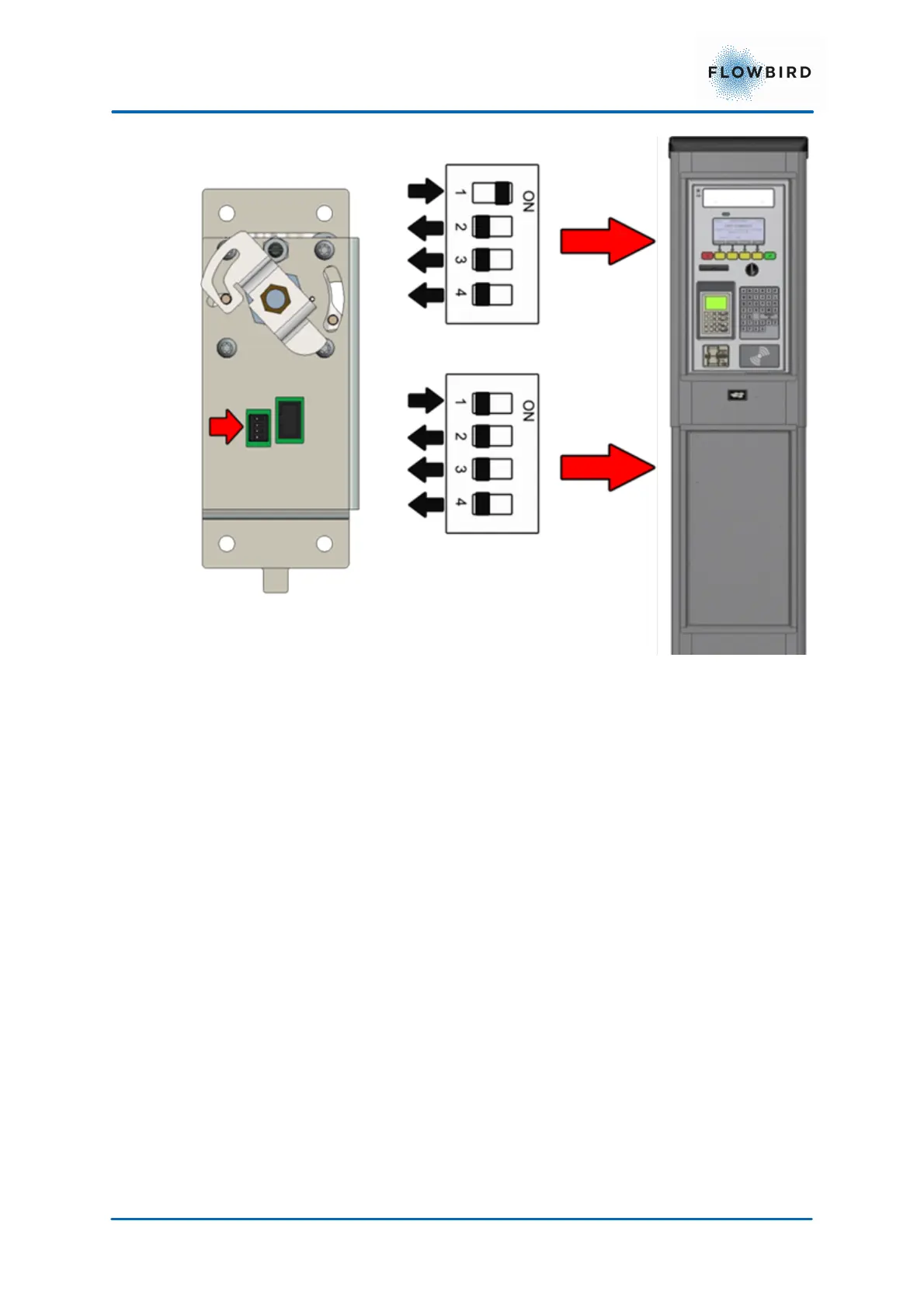
Figure 51, E-lock DIP switch settings
Start the terminal and close the cabinet door to get a printout showing the version
of the E-lock AVR program. If necessary, update. See more about AVR updates in
the CWT Software Configuration Manual.
9 Changing the CWT Compact software and
firmware
See CWT Software Configuration Handbook on how to make changes in the
application software files.
The whole CWT application, or parts of it, can be changed centrally via WebOffice
or on site via the service menu.
In the latter case, changes can either be keyed in one at a time or the service
menu can be used to transfer new application files from a temporary storage
medium, a USB stick for instance, via the USB port on the CPU board.



 To Next Page