Page 57CWT Compact S4 Touch Installation & Maintenance Manual for CWT 1.0-0Issue 3
Installation
5.2.2
Mounting the cabinet on top of the pedestal
·
Remove the 4 screws fixing the protective plate at the top of the pedestal. The
screws will be used to secure the cabinet onto the pedestal.
·
Carefully place the cabinet on top of the pedestal.
·
Secure the cabinet to the pedestal with the four screws as mentioned above.
·
Thread the unconnected cables up into the cabinet or down into the pedestal.
5.2.3
Installing the battery
Place the battery on the floor in the bottom of the pedestal.
Important:
The RED coloured lead must be attached to the PLUS pole on the battery.
Connecting with wrong polarity will blow one or more fuses on the CPU board
and will result in unrepairable damages to the Main board.
in a mains-powered terminal
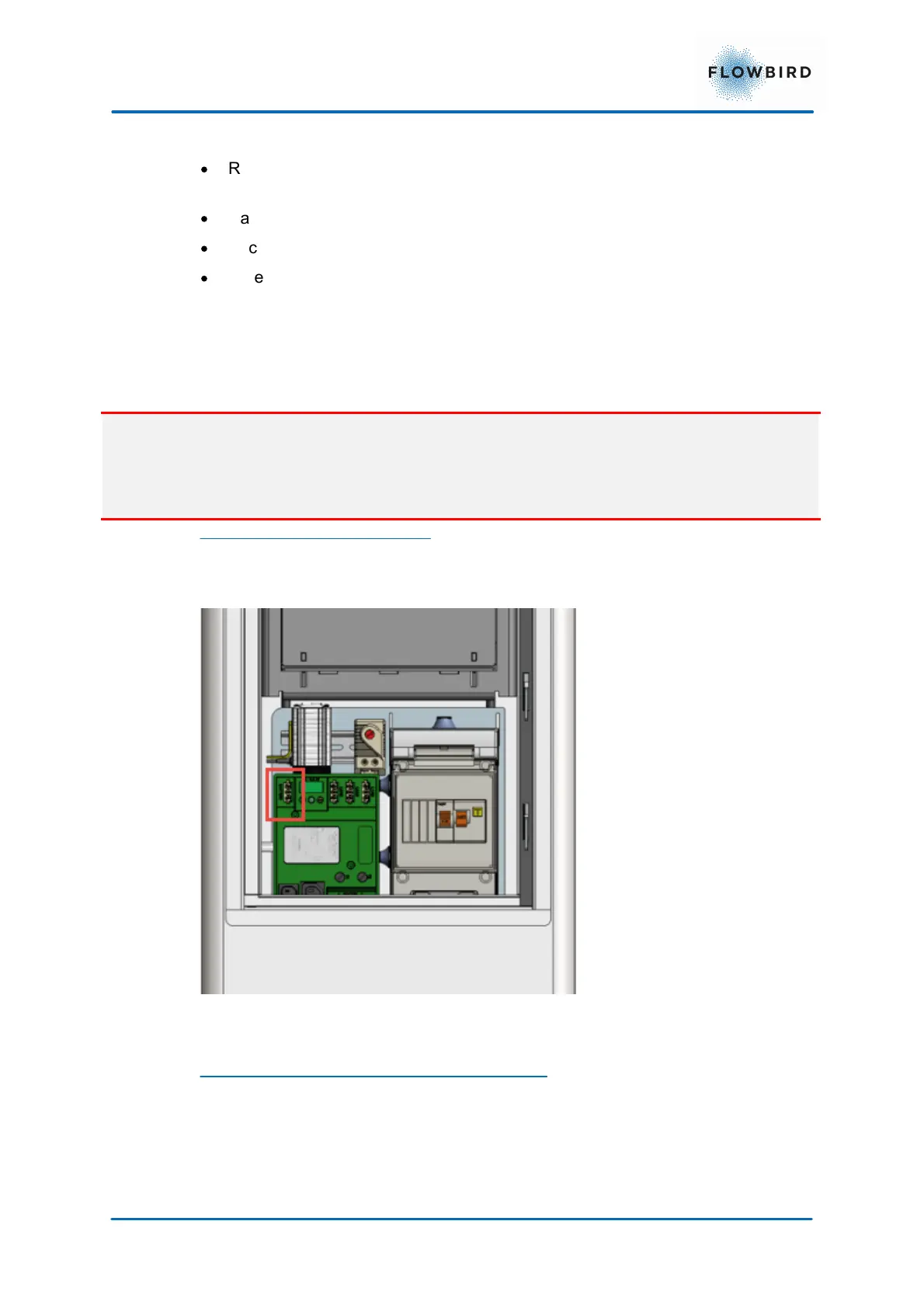
Connect the battery to the 12 V distribution panel on the battery charger to the
connector marked
Figure 40, Connection of battery to 12V distribution panel
in a solar or battery-only powered terminal
Connect the 12 V supply cable from connectors J5 and J14 on the CPU board to
the battery.



 To Next Page