Page 71CWT Compact S4 Touch Installation & Maintenance Manual for CWT 1.0-0Issue 3
Preventive maintenance
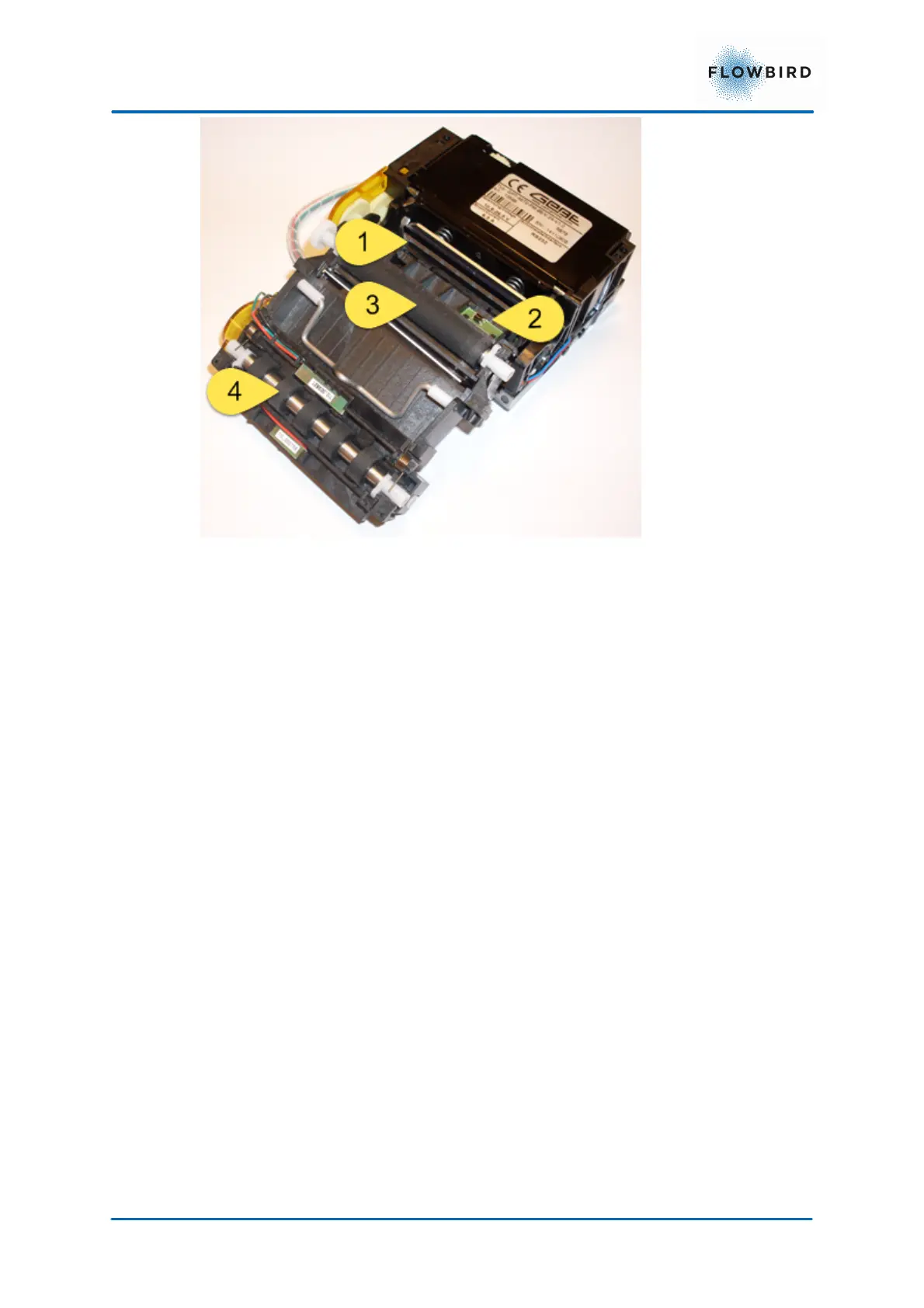
47, Cleaning points inside the printer
4. Use an air blower to remove dirt and small paper particles inside the printer.
5. Check that the black mark/paper out (2) sensor is clean.
6. Moisten a lint free piece of cloth (non-woven textile is recommended) or a
piece of paper with platen cleaner solvent usually available on the market.
7. Wipe off the presenter feed rolls (3 and 4) while rotating them. Ensure that
there are no paper particles left.
8. Wipe off the row of heating points (1) on the print head using isopropyl
alcohol.
9. Re-mount the printer in its casing and on the mounting plate.
7.2.3
Testing
1. With paper loaded, press the Feed button immediately after closing the print
head. This produces a self-test printout.
2. The printer exits self-test mode and goes on-line.
7.3 Coin handling unit
Cleaning
Get into the habit of regularly checking (once or twice per year) for foreign matter
in the various parts of the coin unit.



 To Next Page