Page 80CWT Compact S4 Touch Installation & Maintenance Manual for CWT 1.0-0Issue 3
Corrective maintenance
When mounting a touch panel:
1. clear of any remaining gasket from frame.
2. Apply a new gasket to the touch panel.
3. mount the panel in the frame.
4. mount the frame that holds the touch panel in place.
5. fasten the nuts until the gasket is pressed to against the frame completely .
6. reconnect the cables to the controller. Be careful as these cables are fragile.
8.7.1
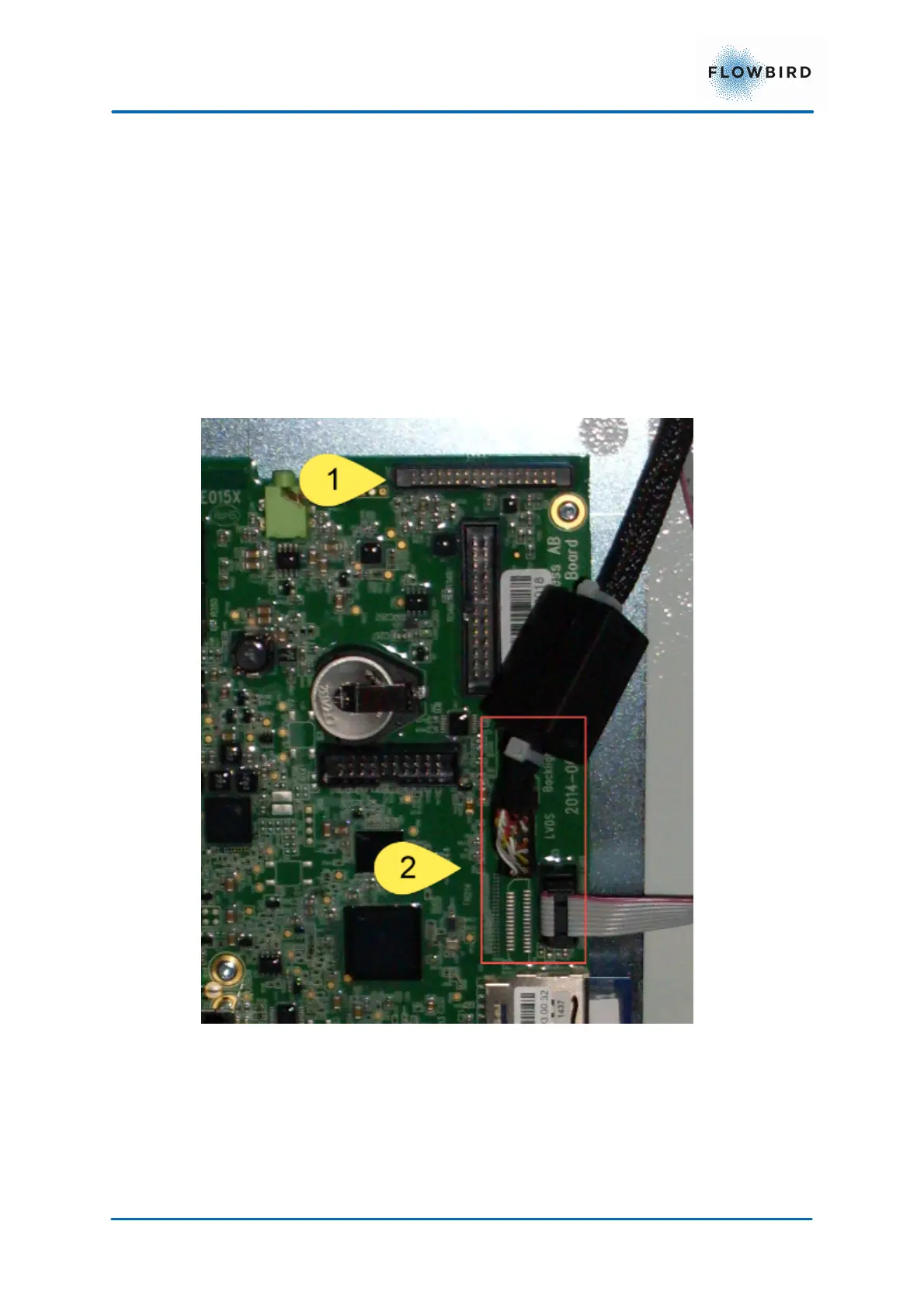
Connecting the display to the CPU board
The display must be connected to the CPU board in different locations depending
on the type of the display.
1. Display connector
2. Touch Screen Connector
3. Status indicator



 To Next Page