Page 32CWT Compact S4 Touch Installation & Maintenance Manual for CWT 1.0-0Issue 3
Product description
Document presence / Document taken.
Based on the status of the sensors the printer can determine if there is a paper
jam, for instance in the paper entrance or presenter region.
4.5.1.2
Printer mounting
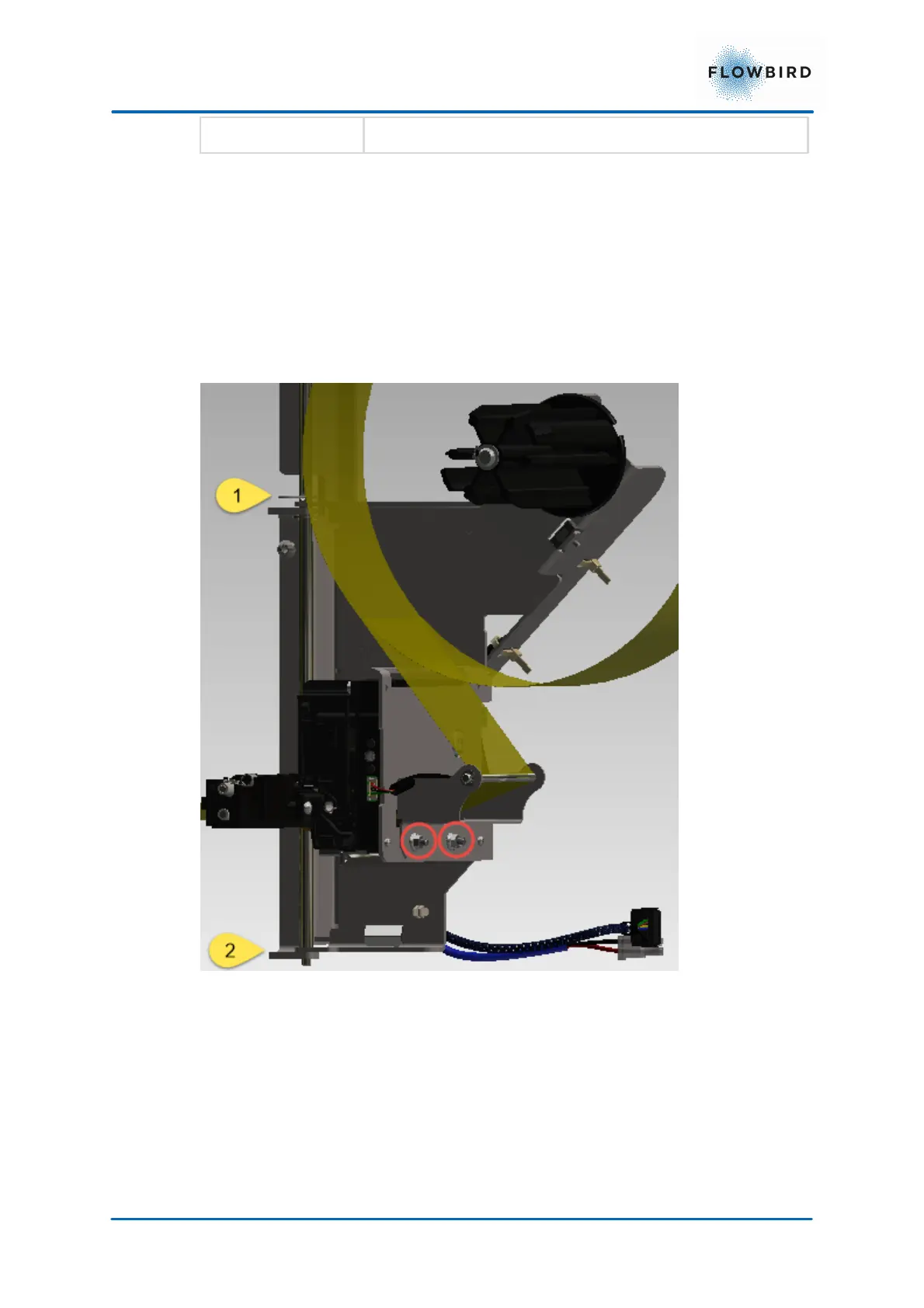
The printer is mounted on a shelf and secured by means of screws on the back of
the printer.
To remove the printer module, pull and swivel the module to the right, then lift the
complete module away from the hinges (1 and 2) on the door frame. To replace
the printer module, place it on the hinges on the door frame and swivel the module
into its locked position.
To remove the actual printer from the module, simply release the two bolds
holding it in place. Lift the printer from the mounting plate.



 To Next Page