Page 61CWT Compact S4 Touch Installation & Maintenance Manual for CWT 1.0-0Issue 3
Installation
5.2.6
Loading paper in a GeBe printer
Note:
The maximum diameter of the paper role is 200 mm
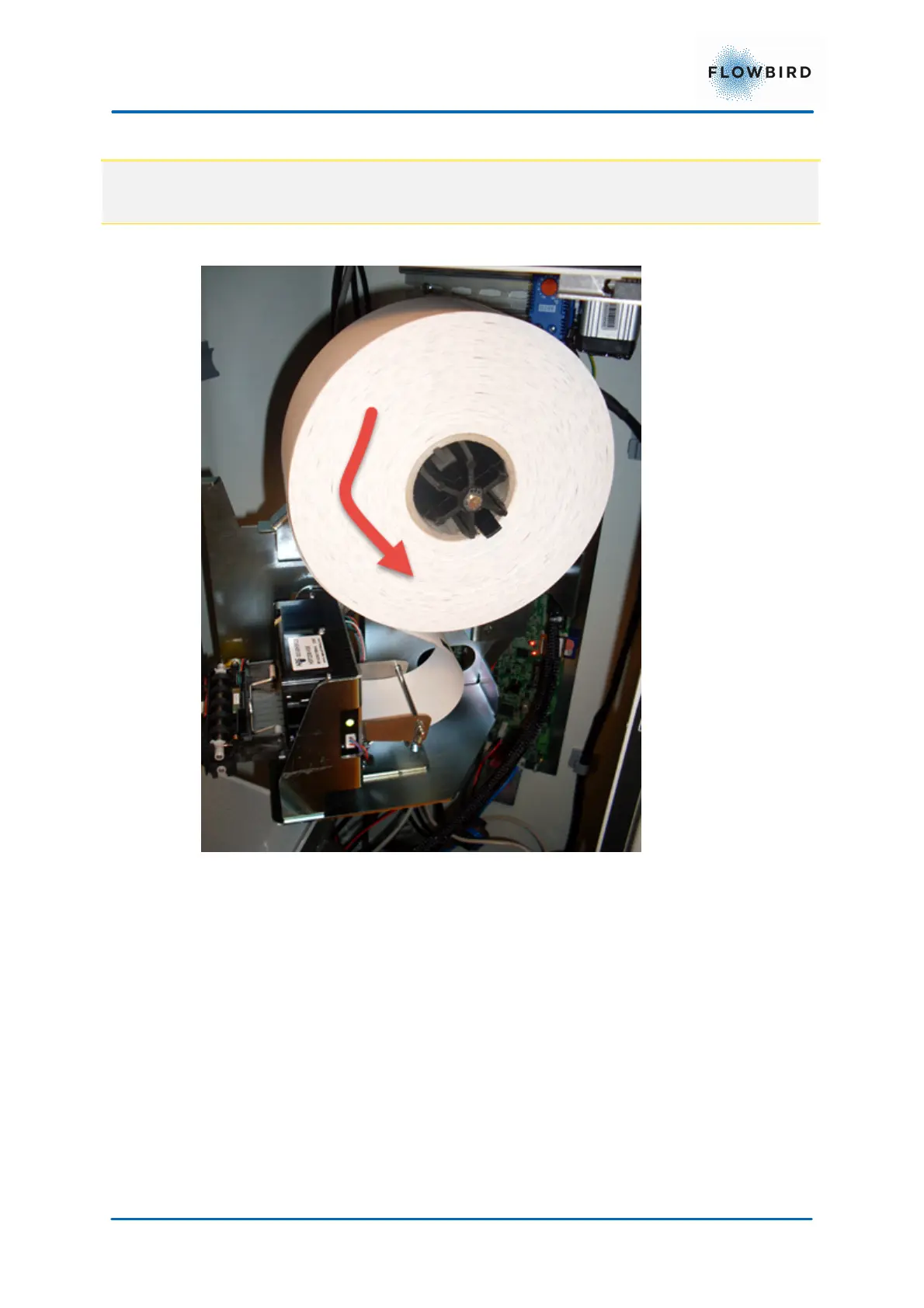
Figure 42, Paper roll mounted on a version 2 printer shelf
1. Remove about 0.7 m of the paper from a new roll to ensure there is no glue
residue left.
2. Swivel the printer module by pulling the locking hatch while moving the module
to the right.
3. Orient the roll so the paper leaves the roll from the front and downwards. The
temperature-sensitive layer should face toward the front of the terminal.
4. Put the roll onto the roll hub. Make sure the role clicks in place to prevent it
dropping off during operation
5. Let the terminal boot up in service mode (leaving the upper door open and
bottom door closed).



 To Next Page