Page 37CWT Compact S4 Touch Installation & Maintenance Manual for CWT 1.0-0Issue 3
Product description
Door inside
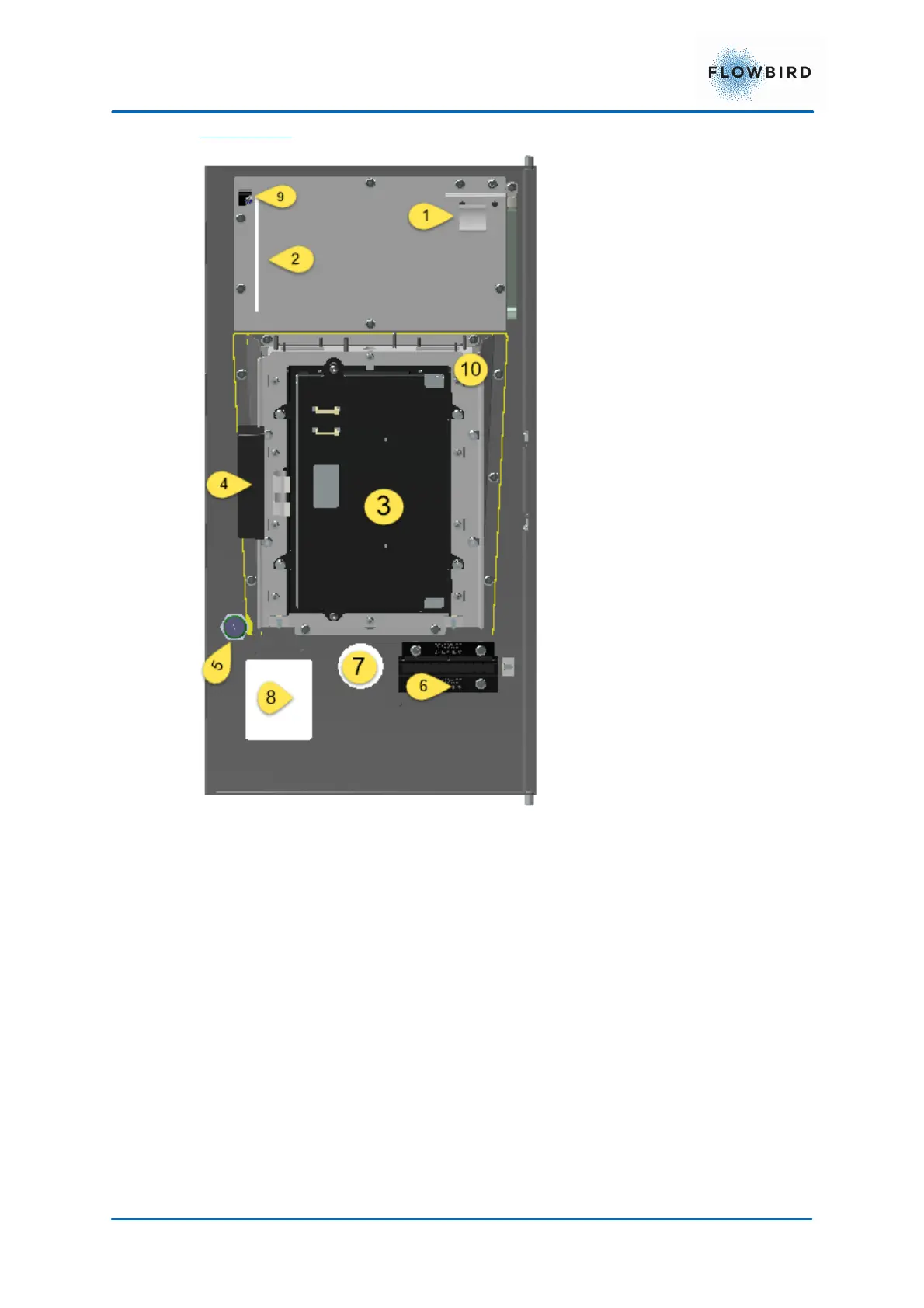
Figure 20, CTWC S4 Touch door interior.
1. Warning/Error Indicator
2. Insert slot for Notification area.
3. Display Unit
4. Touch screen unit
5. Wake-up button
6. Ticket outlet
7. Coin unit insert slot
8. Card reader slot
9. Permanent magnet
10. Inwards tilted display frame including display mounting frame. The yellow line
indicates the border of the tilted frame



 To Next Page