Page 59CWT Compact S4 Touch Installation & Maintenance Manual for CWT 1.0-0Issue 3
Installation
·
SIM-card with subscription to data communication service.
·
Flowbird antenna 0040-07115 GSM/GPRS/3G antenna.
·
Self-adhesive label with subscription telephone number / SIM card number.
·
Self-adhesive Cable camps.
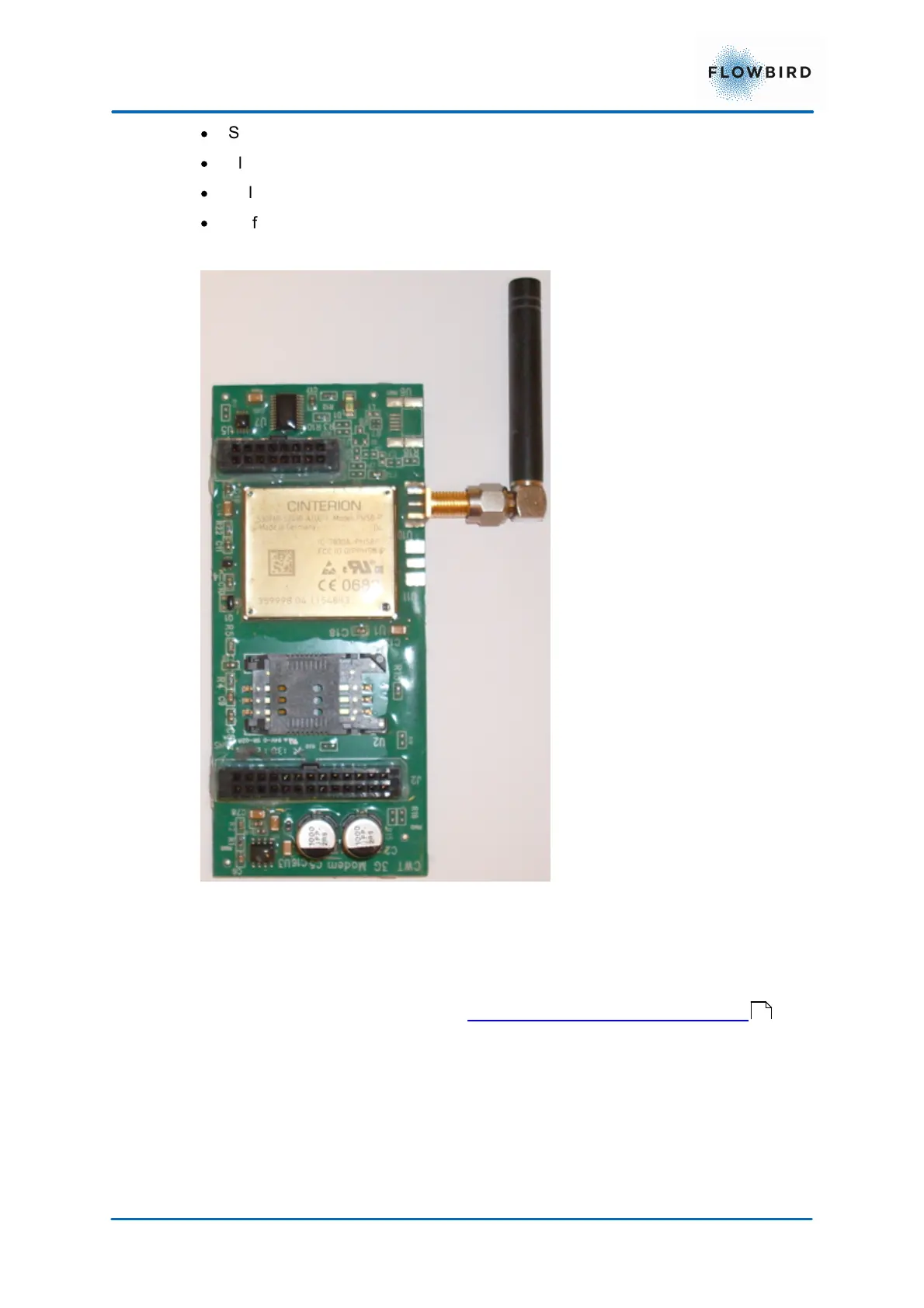
1. Open the SIM card holder on the expansion board and insert the SIM card with
the card’s cut-off corner positioned as shown in Figure below.
2. Close the SIM card holder and mount the expansion board on the CPU board
on connectors J3 and J31. See CPU board version 0501-E0150 Rev I .
3. Connect the antenna cable to the connector on the expansion board.
4. Write the subscription telephone number / SIM card number on the label and
attach the label, fully legible, inside the cabinet, not on the modem itself
because it might be necessary to replace the modem some time.
47



 To Next Page