Page 69CWT Compact S4 Touch Installation & Maintenance Manual for CWT 1.0-0Issue 3
Preventive maintenance
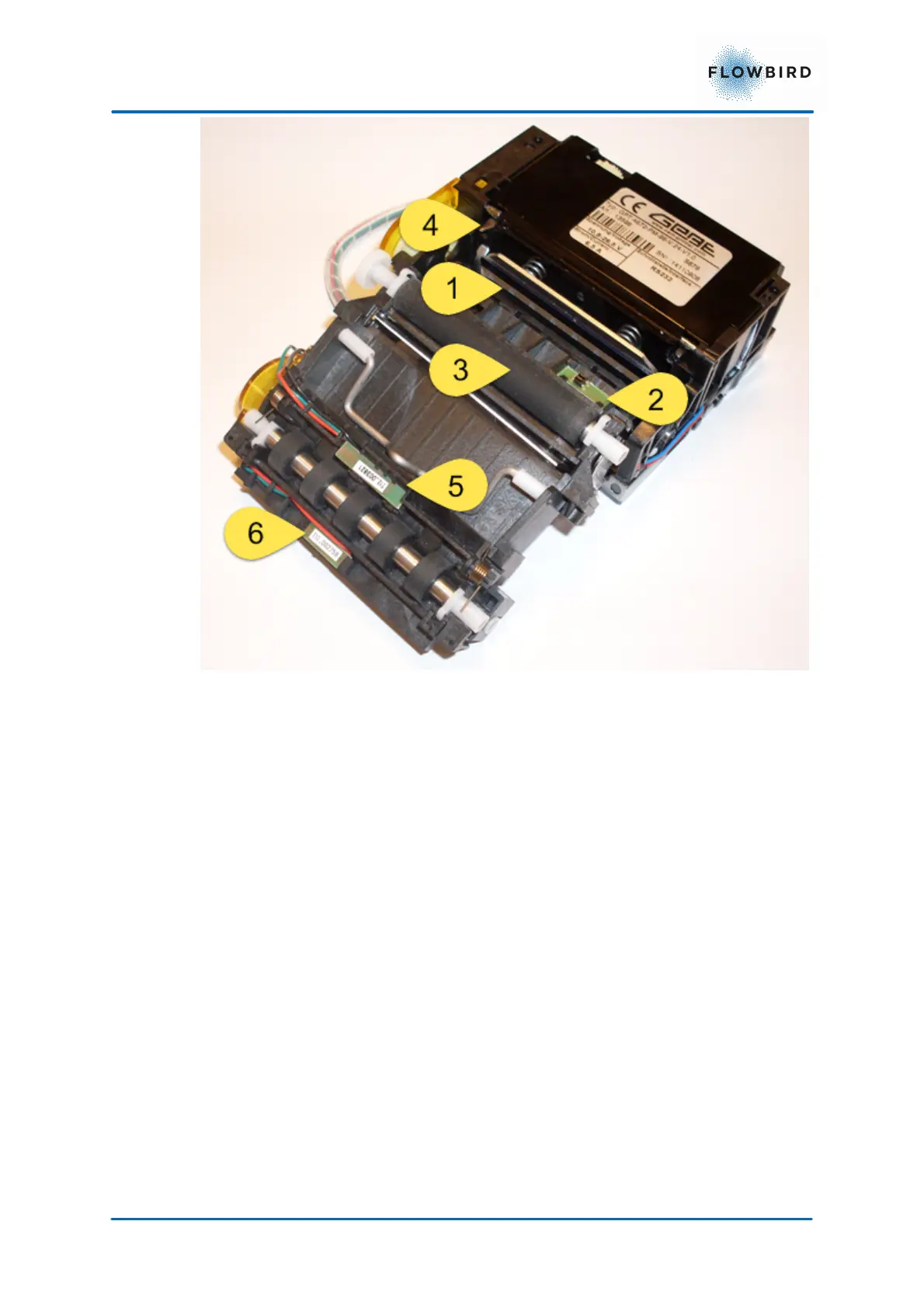
46, Printer in opened state
1. Print head
2. Black mark sensor
3. Pressure roll
4. Cutting knife
5. Presenter sensor
6. Document exit sensor
The print head consists of a ceramic plate with a large number of heated points
positioned in a line perpendicular to the feed direction of the paper. When a point
is heated, it warms the heat-sensitive top layer of the paper to a temperature
above 70 °C which develops a black or blue dot (depends on the type of paper
used).
Print speed, number of burn pulses and burn time can be adjusted for optimal print
result. See CWT Software Configuration Handbook.



 To Next Page