Limitorque
®
Master Station IV EEP-SN4001 FCD LMENIM5010-00-AQ – 03/19
24
6
System Control
6.1 Main Menu
Upon successful login as a user assigned to a Control, Configure, or Administrator role, the System Control button
on the Main Menu will be selectable if the MSIV is in Active mode. Pressing the System Control button will advance
the user to the System Control menu.
6.2 System Control
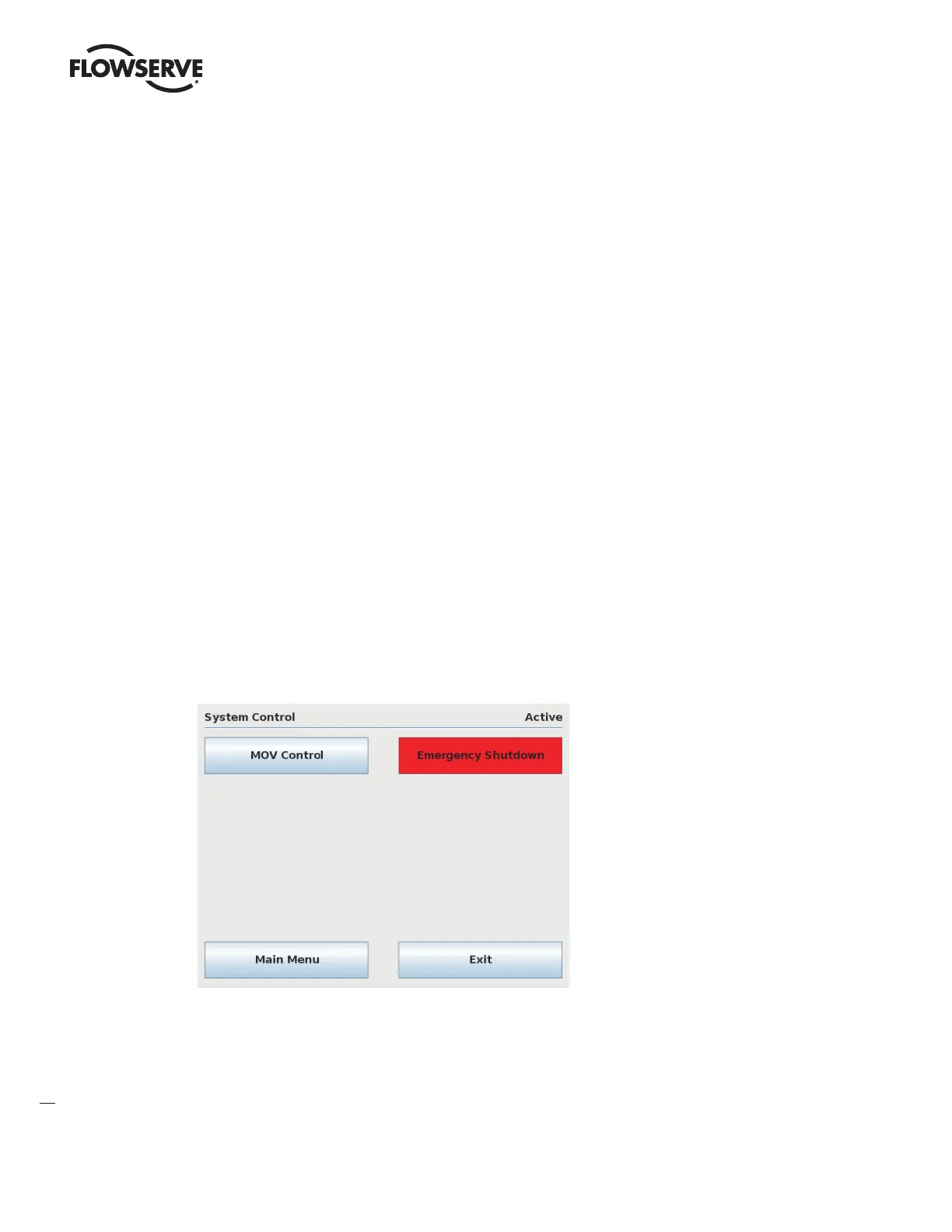
The System Control screen allows for the selection of either MOV Control or Emergency Shutdown, over the network.
Figure 6.1 – System Control Menu



 To Next Page