Limitorque
®
Master StationI V EEP-SN4001 FCD LMENIM5010-00-AQ – 03/19
59
flowserve.com
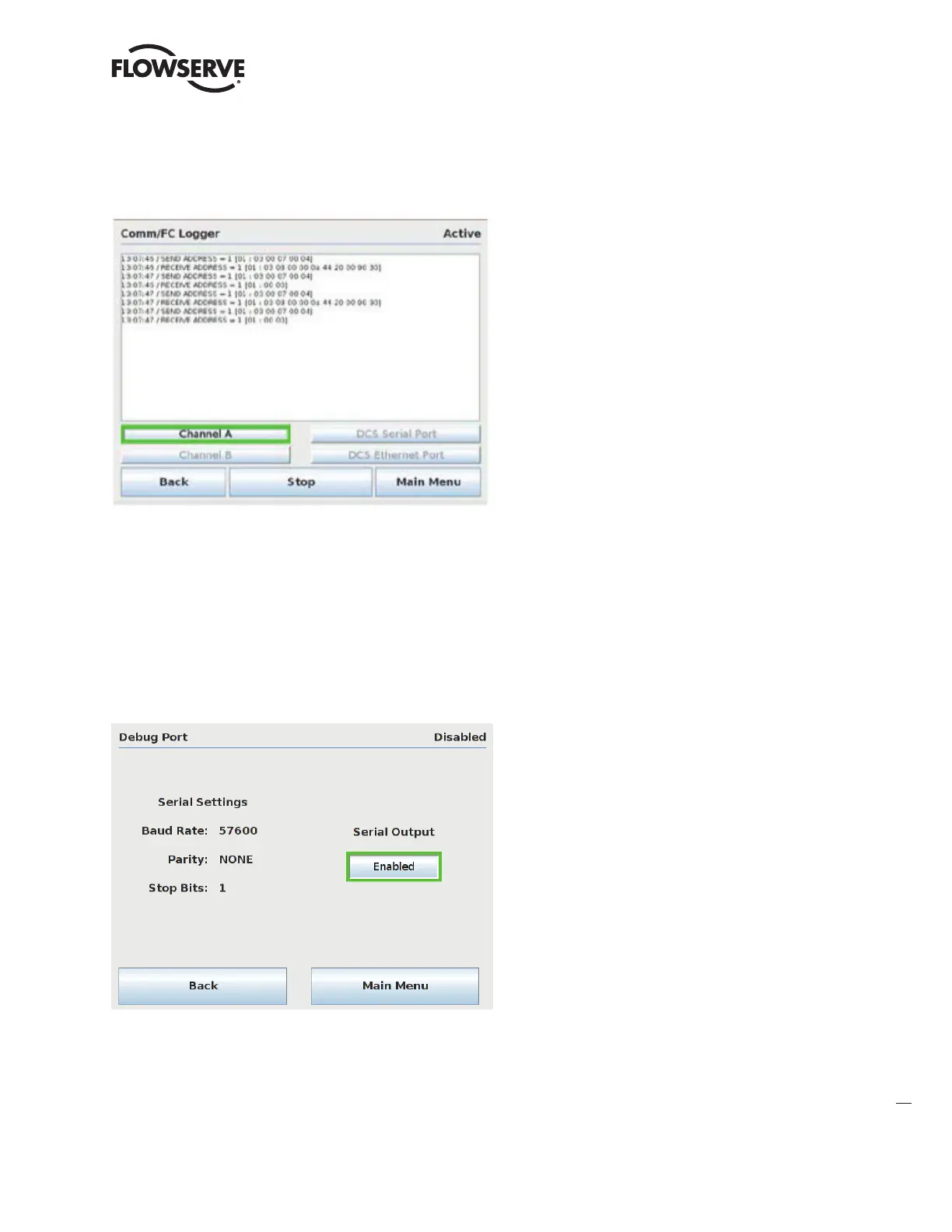
Figure 8.4 – Comm/FC Logger
The Comm/FC logger captures Modbus requests and responses to/from the DCS and MOVs (channel A & B). The
different communication channels can be enabled/disabled by pressing the corresponding buttons. Press “Start” to
begin displaying communication activity on the screen. Press “Stop” to stop displaying communication activity on the
screen.
Note: the Comm/FC logger is designed for local diagnostic purposes only. While the logger is active, the MSIV will expe-
rience reduced communication performance. When not needed for diagnostics, the logger channels should be disabled.
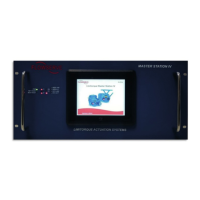
Figure 8.5 – Debug Serial Port
The Debug Serial port menu allows the user to enable/disable the serial debug port activity. When enabled, the debug
serial port will transmit ASCII debug statements which can be monitored/logged via an external serial terminal. Static
RS-232 serial settings are: Baud Rate = 57600, Parity = None, Stop Bits = 1. This port is configured as a standard
RS-2323 DTE device. See section 4 Electrical Connections for serial port pinout details.



 To Next Page