Limitorque
®
Master Station IV EEP-SN4001 FCD LMENIM5010-00-AQ – 03/19
58
8.2 Diagnostics
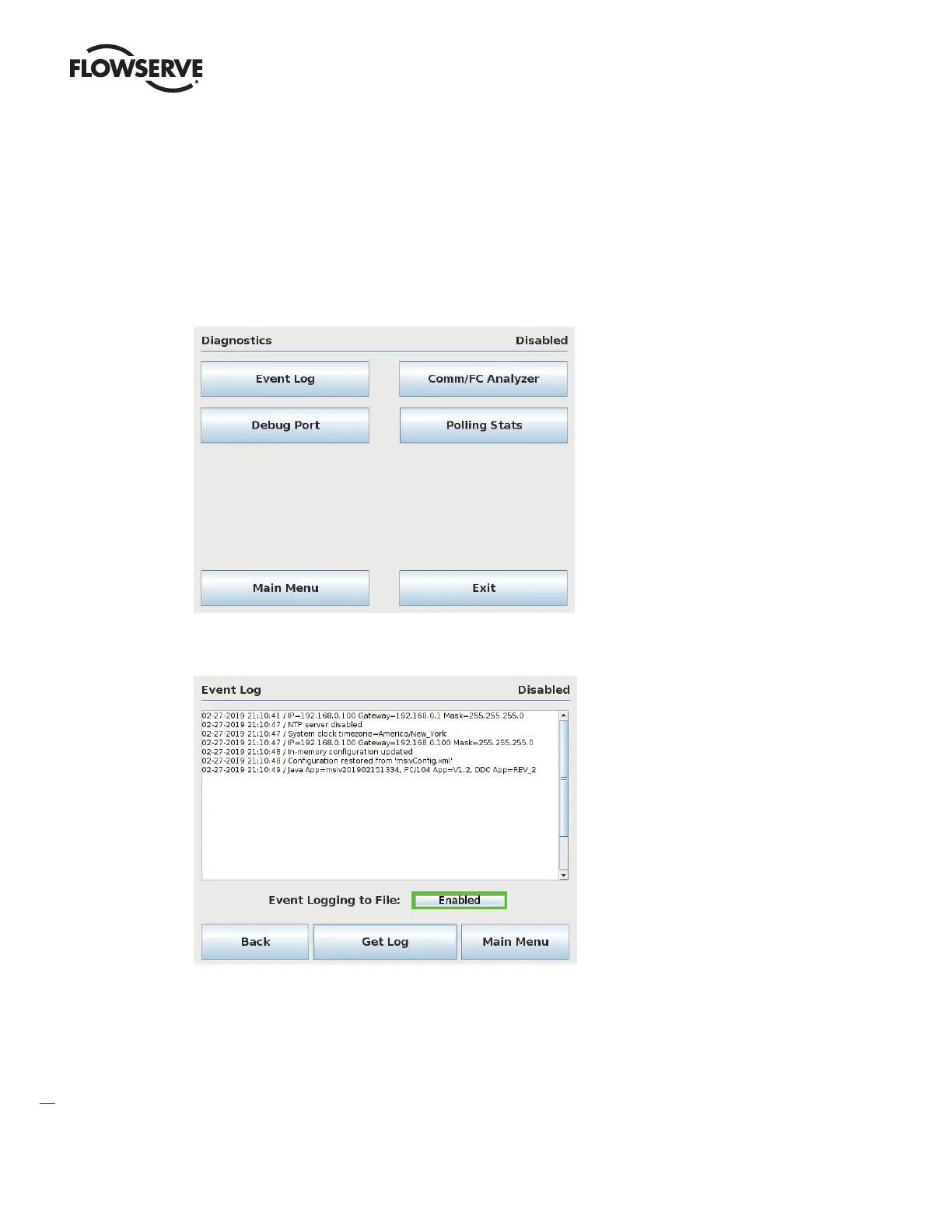
The Diagnostics menu allows the user to access four diagnostics utilities: Event logging, Debug serial port, Comm/FC
Analyzer, and Polling Stats.
Figure 8.2 – Diagnostics Menu
Figure 8.3 – Event Log
The Event Logger allows the user to display the last 20 events that were recorded. Every entry is defined, numbered,
and time-stamped in order to maintain the logged data. Press the “Event Logging to File” button to Enable/Disable event
logging. If event logging is Disabled, the MSIV performance may improve slightly, but Flowserve recommends enabling
the event logging.



 To Next Page