Limitorque
®
Master Station IV EEP-SN4001 FCD LMENIM5010-00-AQ – 03/19
28
7
System Configuration
7.1 Main Menu
Upon successful login as a user assigned to a Configure or Administrator role, the System Configuration button on
the Main Menu will be accessible. Pressing the System Configuration button will advance the user to the System
Configuration menu.
7.2 System Configuration
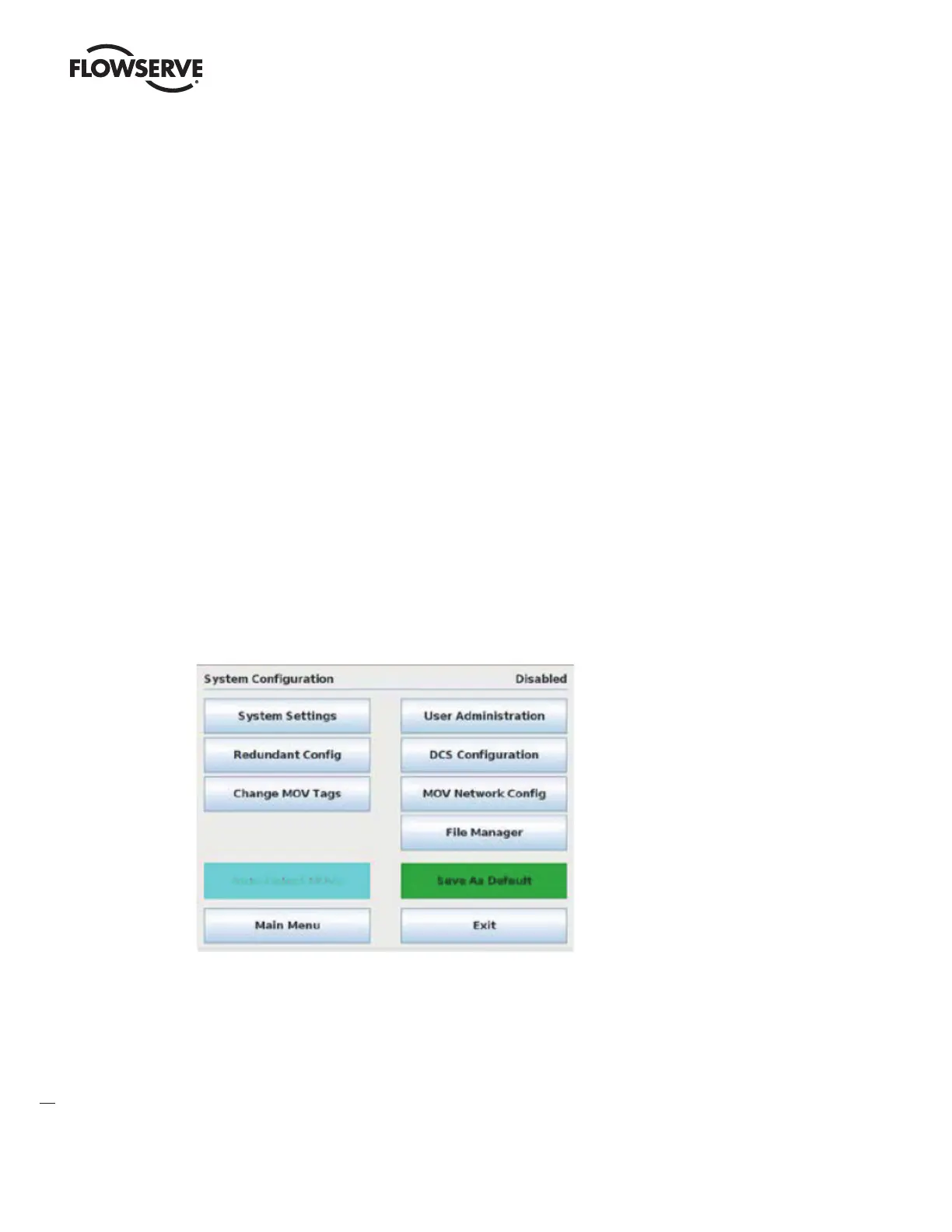
The System Configuration menu allows the user to view/configure the main settings within the Master Station.
Figure 7.1 – System Configuration Menu
System Settings: provides software version information and access to Language, Clock, and Screen Saver
settings.
Redundant Config: provides access to setting the unit’s current operating mode, startup mode, and redundancy
mode.
Change MOV Tags: allows for customizing MOV tag names for each network MOV.



 To Next Page