Limitorque
®
Master StationI V EEP-SN4001 FCD LMENIM5010-00-AQ – 03/19
37
flowserve.com
7.2.5.2 Ethernet Port
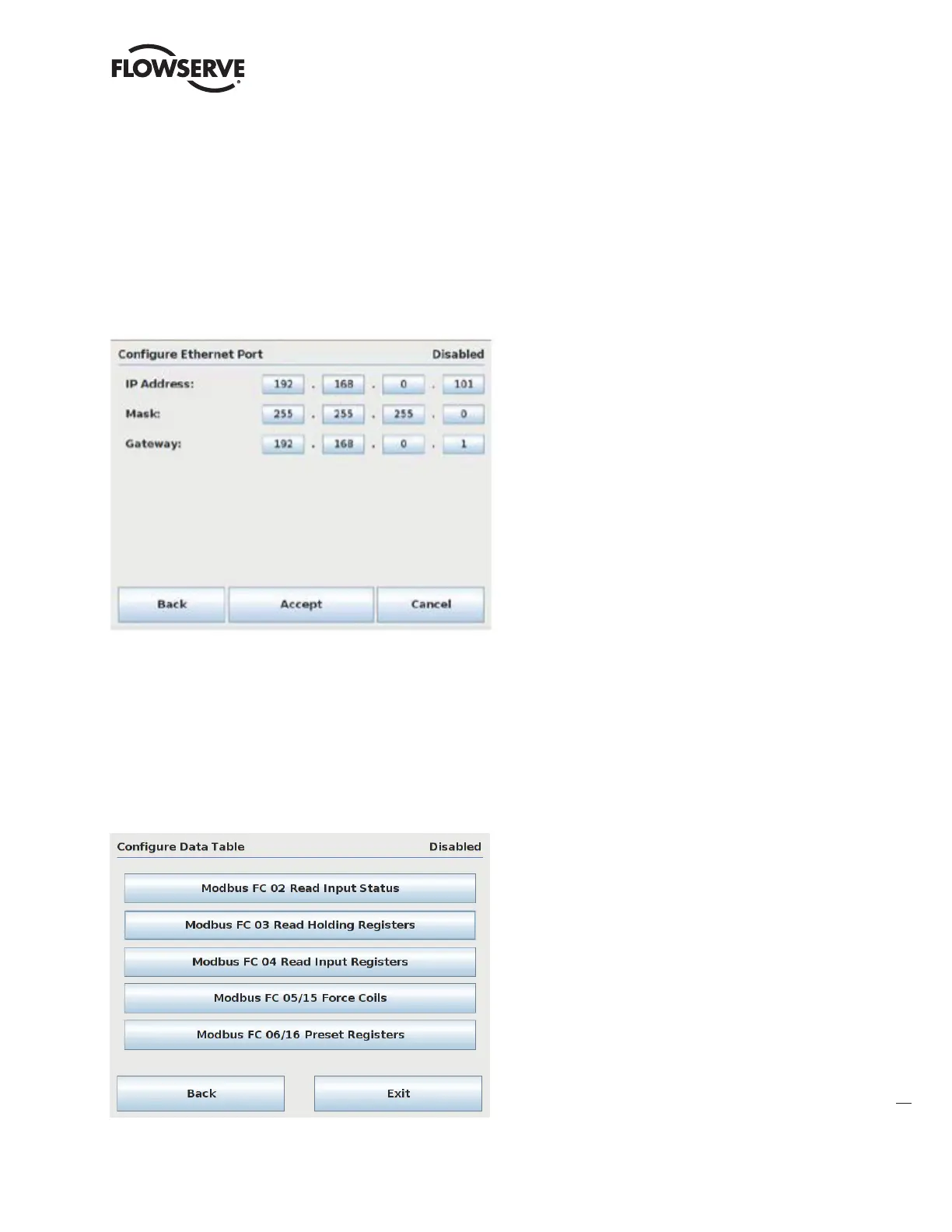
The Ethernet port assigned to the control system’s Host device is configured via the Configure Ethernet Port menu to
communicate via Modbus TCP/IP. Set the desired IP address, subnet mask, and gateway, then Accept and save the
settings. Note that if 2 redundant modules are used, each module must be configured with a unique IP address. Note:
use port 502 for Modbus TCP/IP communications.
Figure 7.17 – Configure DCS Ethernet Port
7.2.5.3 Configure Data Table
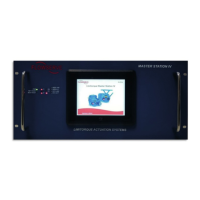
The MSIV data table is configurable for the Modbus Function codes 02, 03, 05/15, and 06/16. The Modbus function
code 01 has a fixed data table and does not permit user alteration. The data tables are edited by using the Configure Data
Table menu shown below.
Figure 7.18 – Configure DCS Data Table Menu



 To Next Page