ST51A/ST75A/ST75AV Mass Flow Meters OPERATION
Fluid Components International LLC 59
ST51A/ST75A/ST75AV Modbus Service Registers
The ST51A/ST75A/ST75AV Modbus supports service registers Totalizer Reset and Totalizer Start/Stop.
● Reset Command for Totalizer – Use the Function 03 holding command via 4027 integer register to manually reset the instrument’s
totalizer count. This is a write only command.
● Start/Stop Command for Totalizer – Use the Function 03 holding command via 4026 integer register to manually start or stop the totalizer
count. This is a read/write command.
Table 21 –Modbus Service Data
Service and Setup Functions
Totalizer Reset – To reset the Totalizer
write the value of 0xABCD
4027 Integer Write
Totalizer Start/Stop
To start the totalizer write 0x1
To stop the totalizer write 0x0
4026 Integer Read/Write
Totalizer MS 4105 Float Read
Totalizer LS 4106 Float Read
Examples of Totalizer Service Register Access using ModScan32
The ST51A Modbus supports enable and reset registers. Using any Modbus master/tester software such as ModScan32 or equivalent, the
user can set parameters.
ModScan32 is a Windows-based utility by WinTECH Software that lets a PC operate as a Modbus master device for testing Modbus
systems. Connect the instrument’s Modbus terminals to one of the host PC’s COM/USB port (a USB connection will require a USB to RS-
485 Serial Adapter).
Modbus protocol addresses are zero-based, which means the public address values will be offset by “1” relative to
the protocol address value.
Checking the Totalizer Value
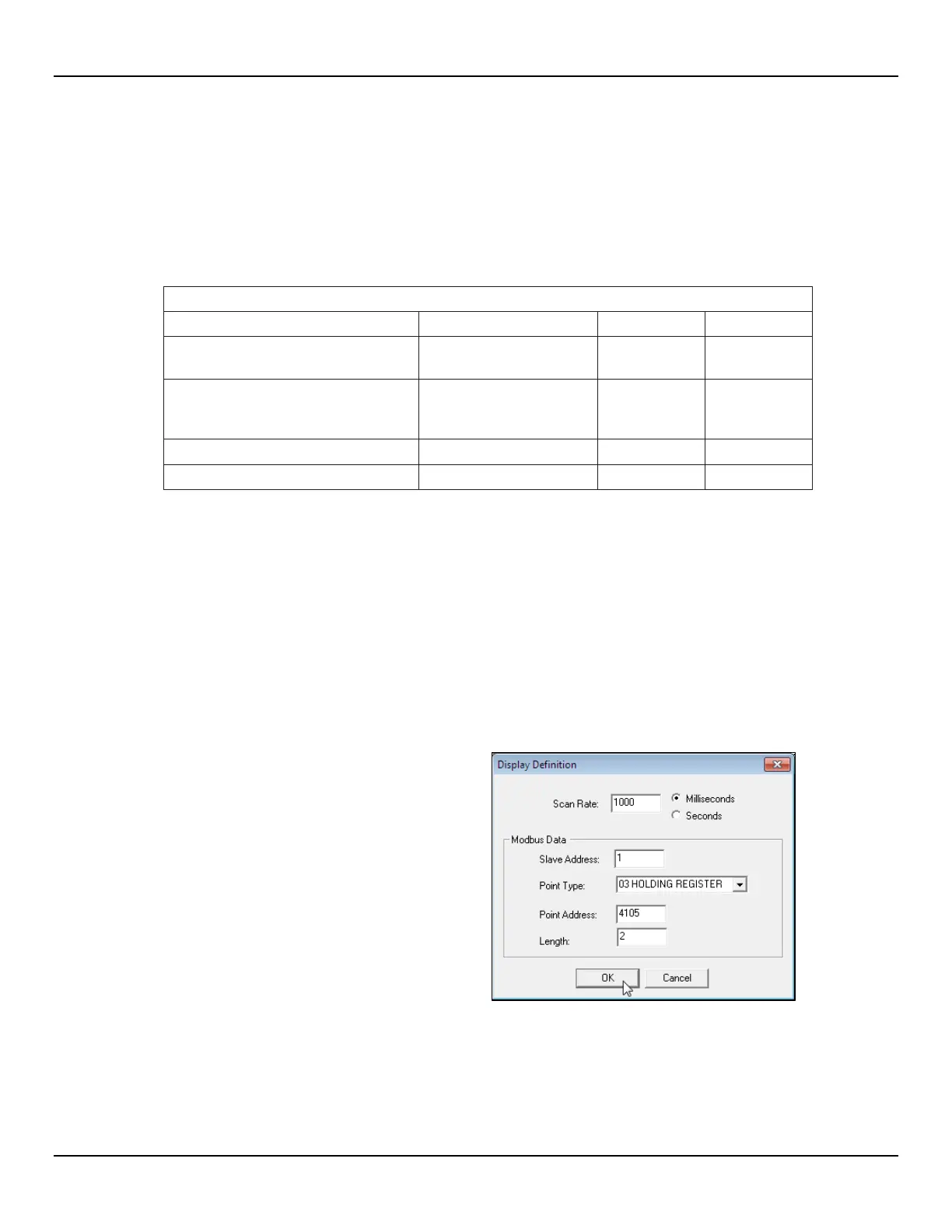
1. To read the totalizer value, open
ModScan32 program and set the data
definition (Registers 4105 and 4106) in the
Display Definition dialog box as shown in
figure at right (Pull down Data Definition
from Setup menu or click the Data
Definition icon in the toolbar). (Set Length
value to “2” to include the 2
nd
subsequent
register, 4106.) Click OK when done.



 To Next Page