22
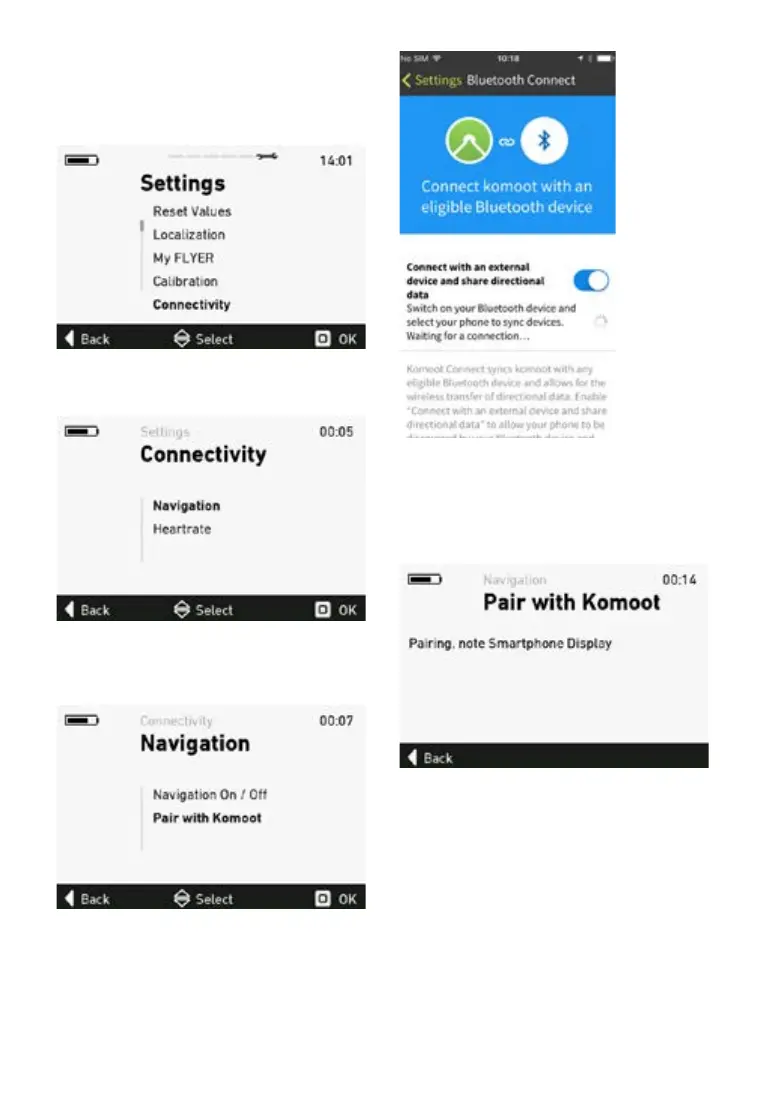
Leave the komoot app open
6. Open the settings menu on the e-bike display
7. Select the sub-menu “Connections”.
8. Open the sub-menu “Navigation”.
9. Select “Pair with komoot“ to establish a
connection.
The komoot app must be open on your iPhone
and the connection activated in order for this to
work.
The display now indicates that it is searching for
devices.
If no devices are found, you can start a new se-
arch by selecting “Pair with komoot“ again.
The detected devices are now displayed.



 To Next Page