28
3. System Configuration Example
3-1. Basic Configuration
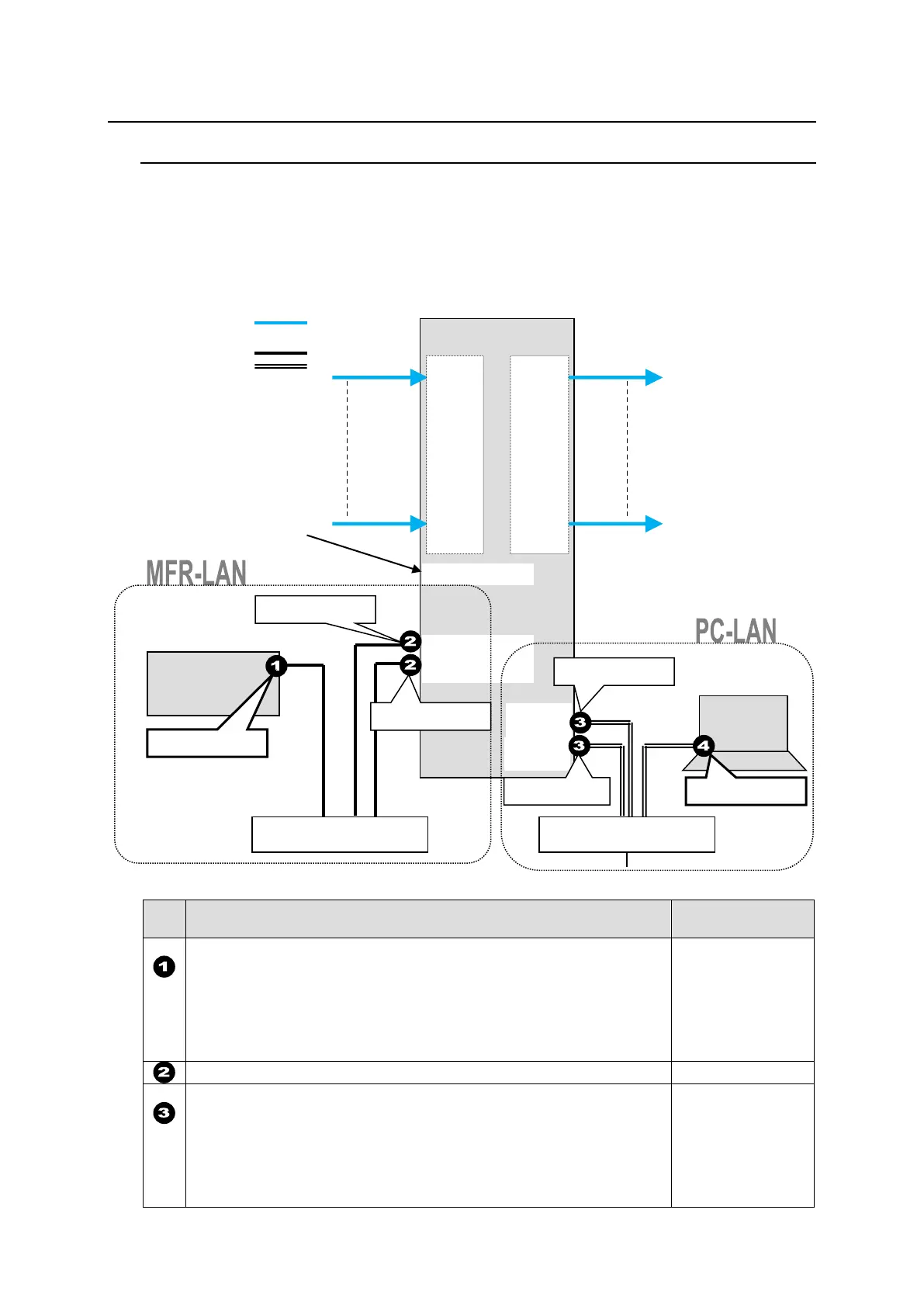
The block diagram below shows an example of the basic MFR routing system that consists of an
MFR-6000, Remote Unit and the Web-based Control accessed from a computer.
Make sure to connect both MFR-LANs (CPU1) and (CPU2) to a LAN respectively for CPU
redundancy. Their LAN connections must be separated from the PC-LAN network segment and
other devices. (Default IP addresses (Net mask: 255.255.255.0) are used in the configuration
example below.)
LAN Port Settings
RU Front Panel
“Sec. in MFR-RU Series Operation Manual”
MFR-39RUA: “Setting Mode Menu (MFR-39RUA)”
MFR-39RU: “Setup Menu (MFR-39RU)”
MFR-18RU/18RUA: “Setup Menu (MFR-18RU/18RUA)”
MFR-16RUTA: “Setup Menu (MFR-16RUTA)”
MFR-8RUA: “Setup Menu (MFR-8RUA)”
Other RUs: “Setup Menu (MFR-16/40RU/16RUD/
MFR-16/32/64RUW)”
MFR-39RUA: “Setting Mode Menu (MFR-39RUA)” (Display only)
MFR-39RU: “Setup Menu (MFR-39RU)” (Display only)
MFR-18RU/18RUA: “Setup Menu (MFR-18RU/18RUA)” (Display only)
MFR-16RUTA: “Setup Menu (MFR-16RUTA)” (Display only)
MFR-8RUA: “Setup Menu (MFR-8RUA)” (Display only)
Other RUs: “Setup Menu (MFR-16RU/40RU/16RUD/
MFR-16/32/64RUW)”(Display only)
IN1
|
|
|
|
I
|
|
I
|
|
IN144
OUT1
|
|
|
|
I
|
I
|
|
I
OUT144
VIDEO(SDI)
LAN (MFR-LAN)
LAN (PC LAN)



 To Next Page