40
4-1-7. STATUS > FAN
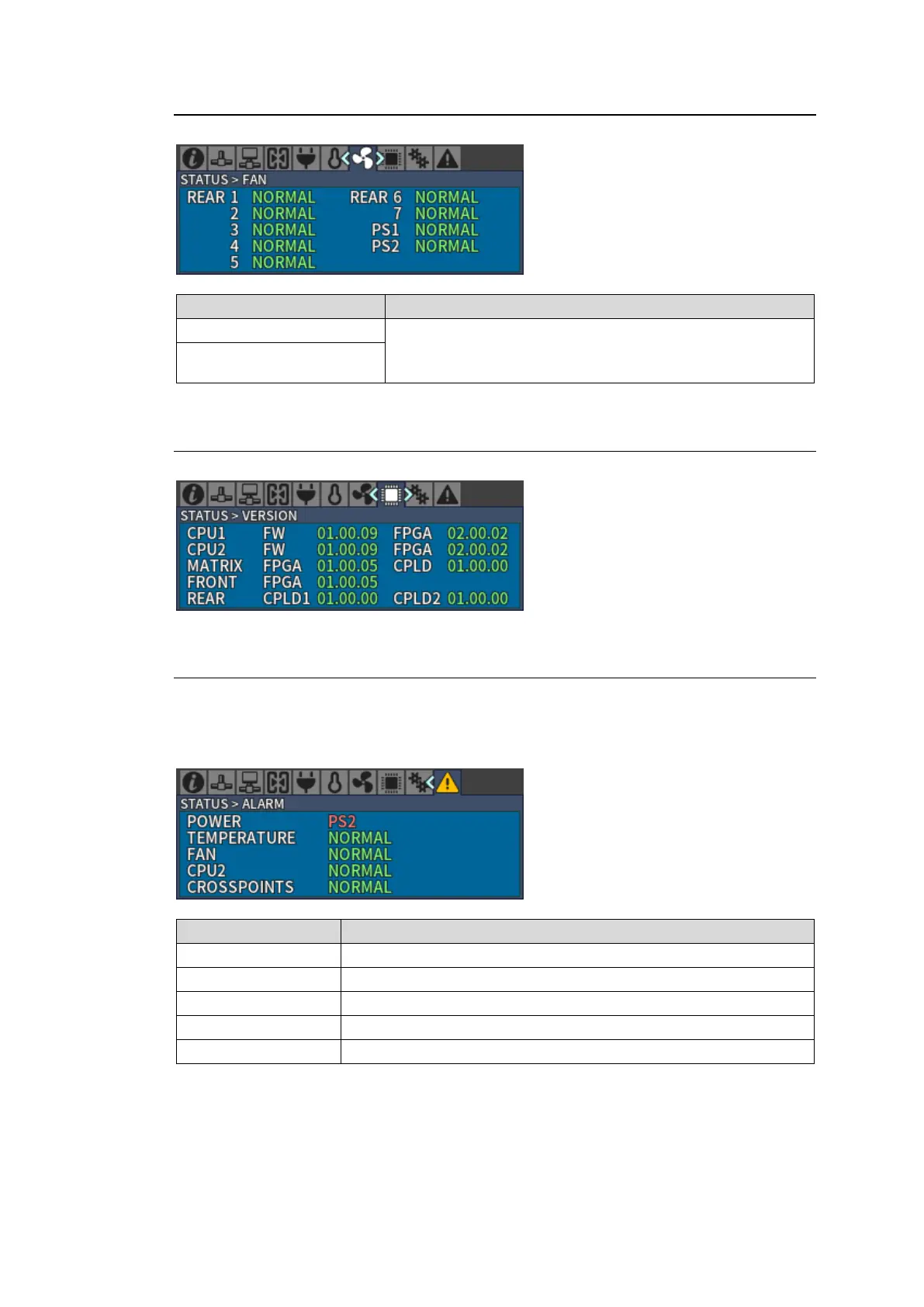
Status of MFR-6000 rear fan (REAR 1-7) and power supply fan (PS1-2) units.
NORMAL: Normal
WARNING: Warning
ERROR: Fan error
4-1-8. STATUS > VERSION
Displays FW (Firmware), FPGA and CPLD version for each card.
4-1-9. STATUS > ALARM
When an alarm has occurred, ALARM icon is displayed in yellow and the part name indicating
an alarm is displayed in red.
Example) Display when a PS2 (Power Supply Unit 2) power supply alarm has occurred.
Displays where a power alarm has occurred.
Displays where a temperature alarm has occurred.
Displays where a fan alarm has occurred.
Displays that a CPU2 alarm has occurred.
Displays crosspoints alarm(s) have occurred.



 To Next Page